Handing a Solo VC Workflow to AI Agents: The Purpose, Features and Use of My Desktop App, Work OS
Work OS is a desktop app I built to turn mail and meeting to-dos into tasks, hand them to AI agents and get back only work a second model has checked. Purpose, agents, Skills, demo videos and measured results.
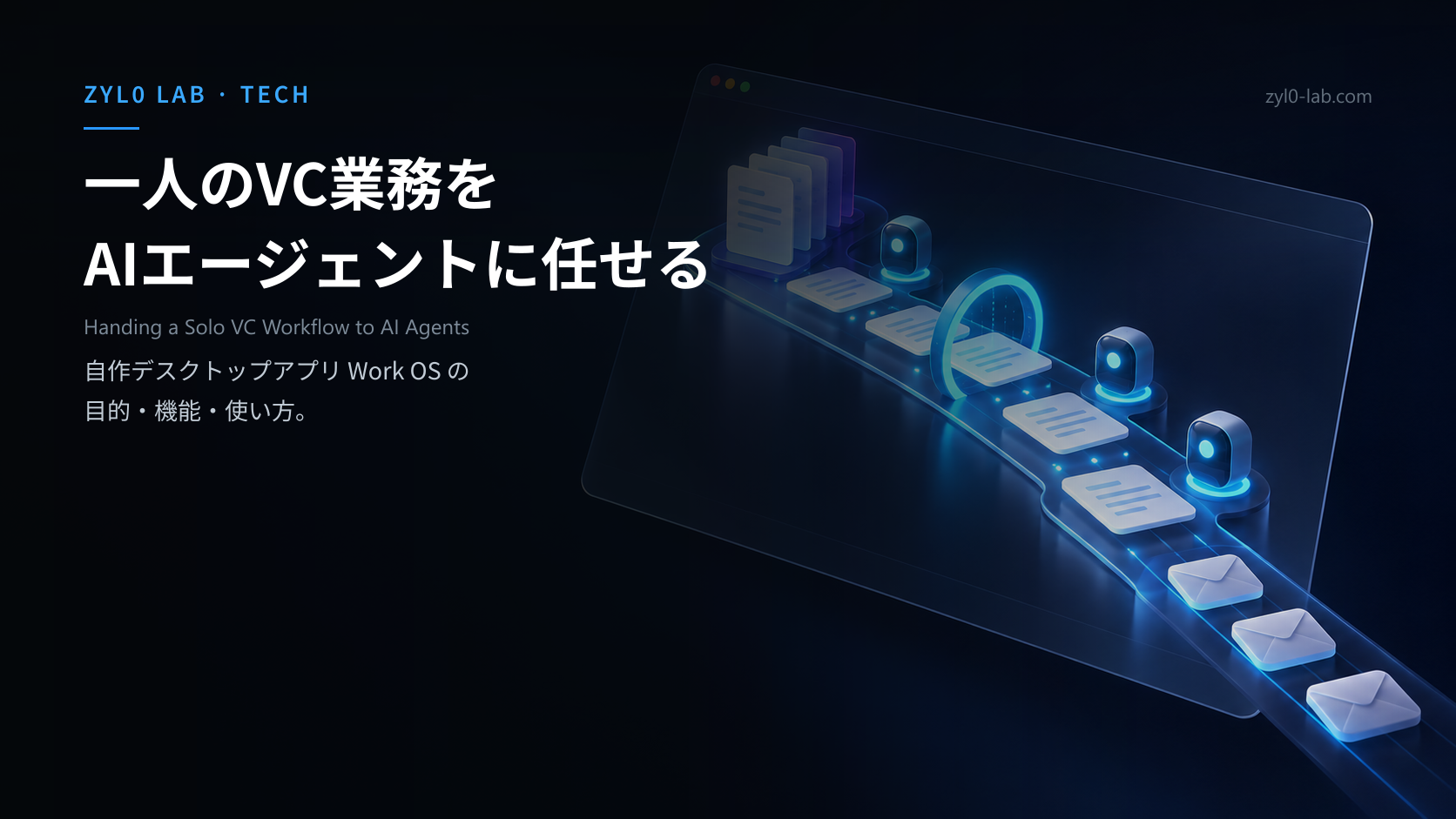
Work OS is a desktop app I built to turn mail and meeting to-dos into tasks, hand them to AI agents and get back only work a second model has checked. Purpose, agents, Skills, demo videos and measured results.




Handing a Solo VC Workflow to AI Agents: The Purpose, Features and Use of My Desktop App, Work OS
Version note: This covers Work OS 0.14.7 (release candidate, Windows only) as of 17 October 2026. I built it for my own work and do not distribute it publicly. Agents run through the Claude Code, Codex and Antigravity CLIs as of the same date. It has nothing to do with any other service of the same name. Every video and measurement here was recorded with fictional demo data.
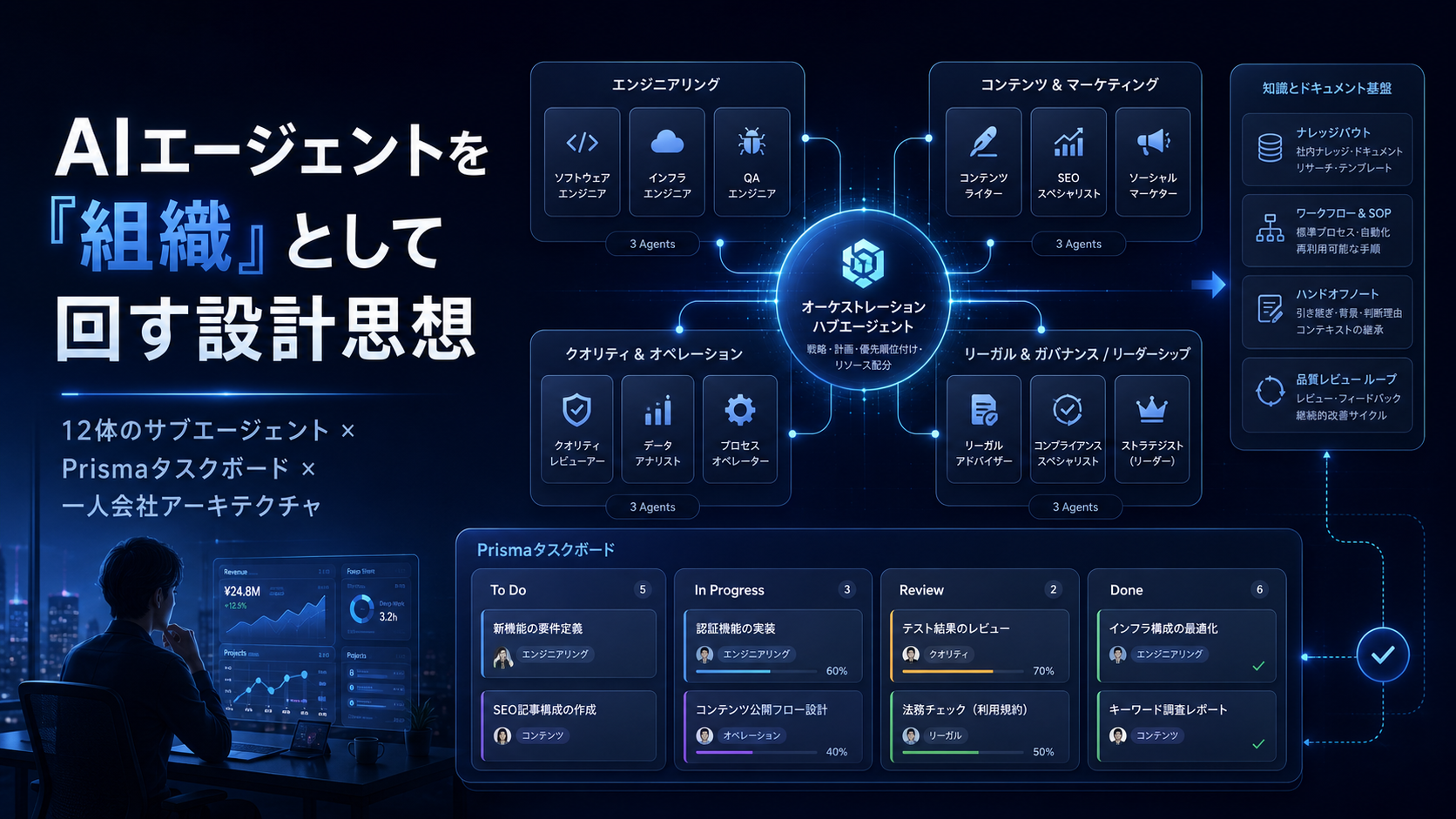
Back in May, in my post on running AI agents as an organization, I described running 12 subagents as an "organization" for a one-person company. The lesson I leaned on hardest was that an AI organization breaks quietly. Five months on, I have rebuilt that system into the tool I use for my own work every day. That tool is Work OS.
The trigger was mundane. The first half hour of every morning went into finding out what I actually had to decide that day. Mail, calendar and meeting to-dos lived in different places, and every morning I sorted them from scratch into what I had to decide myself and what I could hand off.
TL;DR: What You'll Learn
Here is the whole post in one table.
| Topic | What it covers |
|---|---|
| Purpose | Turn mail, calendar and meeting to-dos into tasks, hand them to AI, receive checked work |
| AI agents | 24 agents in four teams, run through the Claude Code, Codex and Antigravity CLIs |
| Quality mechanism | Production and checking are separate runs, with up to two repair rounds on a failure |
| Skills | SKILL.md files carry the shape of a job, including the output format (Word and so on) |
| How to use it | Delegate from the inbox, watch the run, approve the output (three videos) |
| Effect | Morning triage went from about 30 to about 10 minutes (felt, not measured); the biggest win is seeing what is waiting on me |
The conclusion up front: the value of AI writing quickly turned out to be smaller than I expected. What helped was something else.
Why I Built It: Keep the Work as Operations, Not as Chat
What building it taught me is that the missing piece was never how clever the AI was. It was where the work lived.
The purpose of Work OS fits in one sentence. Sort out what needs deciding today, turn mail, calendar and meeting to-dos into tasks, hand them to AI, and receive output that has been checked.
A chat assistant can do this once. But a conversation scrolls away when it ends. Nothing records who asked for what, which material was used, or who checked the result. The next time a similar job comes along, you explain the context all over again. That is why the concept I wrote down for it reads "keep it as operations, not as chat."
The design choice I cared about most was separating the person who makes a thing from the person who checks it. When I joined an investment team, the quality bar for evaluations varied from person to person, and it took three months to standardize it. What stuck with me was that quality does not come from individual effort; it holds only once checking is built into the process itself. In Work OS, a separate run inspects every deliverable read-only, apart from the agent that produced it. I turned that lesson directly into code.
The shape of the app changed too. In May it was a web app on Next.js, Neon and Vercel. In July I rebuilt it on Electron with a local SQLite database. It handles personal data like mail and calendars, so I wanted that data on my own machine. Keeping each user's data separated in the cloud was too heavy a setup for a tool used by one person.
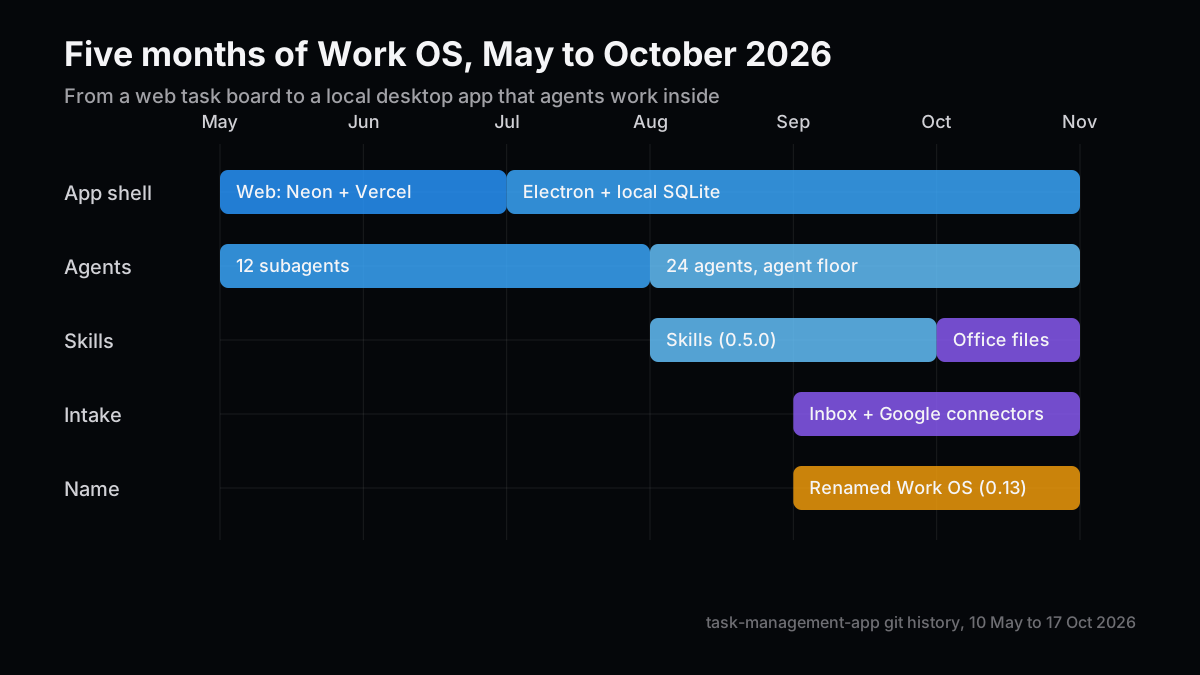
I also decided what it would not do: no deal or portfolio management, no team sharing, no automatic rescheduling, no public API. There is a separate paid web edition as well, but I have not finished verifying sign-up through payment, so it stays out of this post.
The Big Picture: From Inbox to Output
Here first is how one piece of work moves through the app.
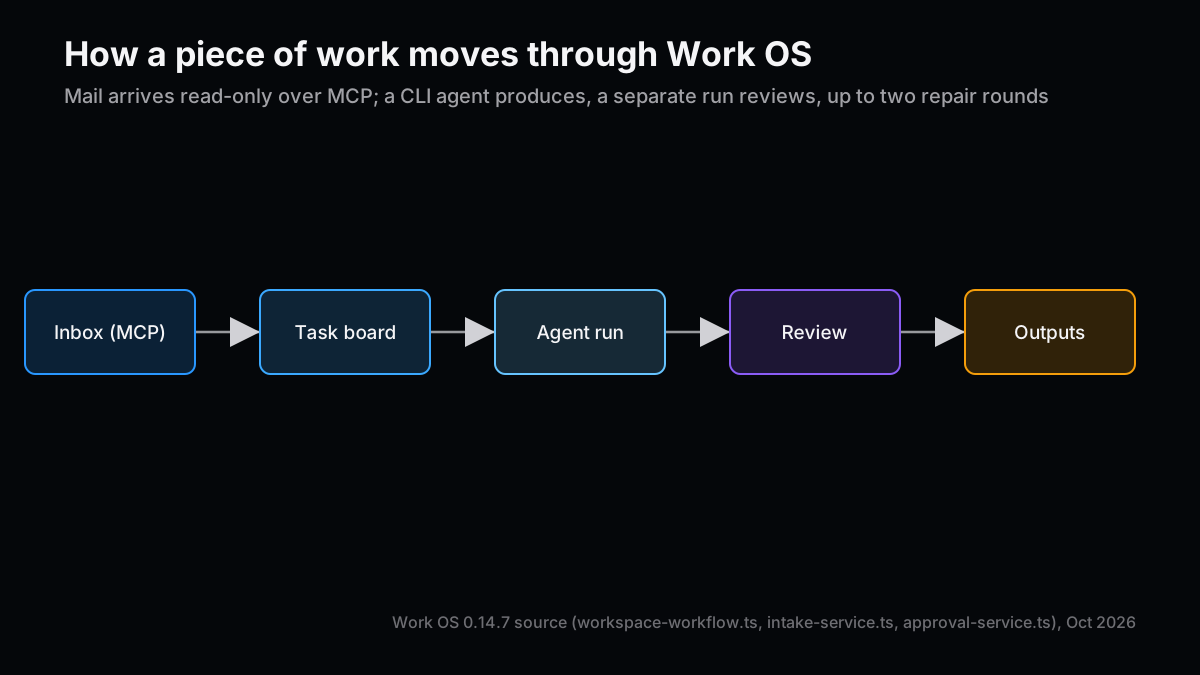
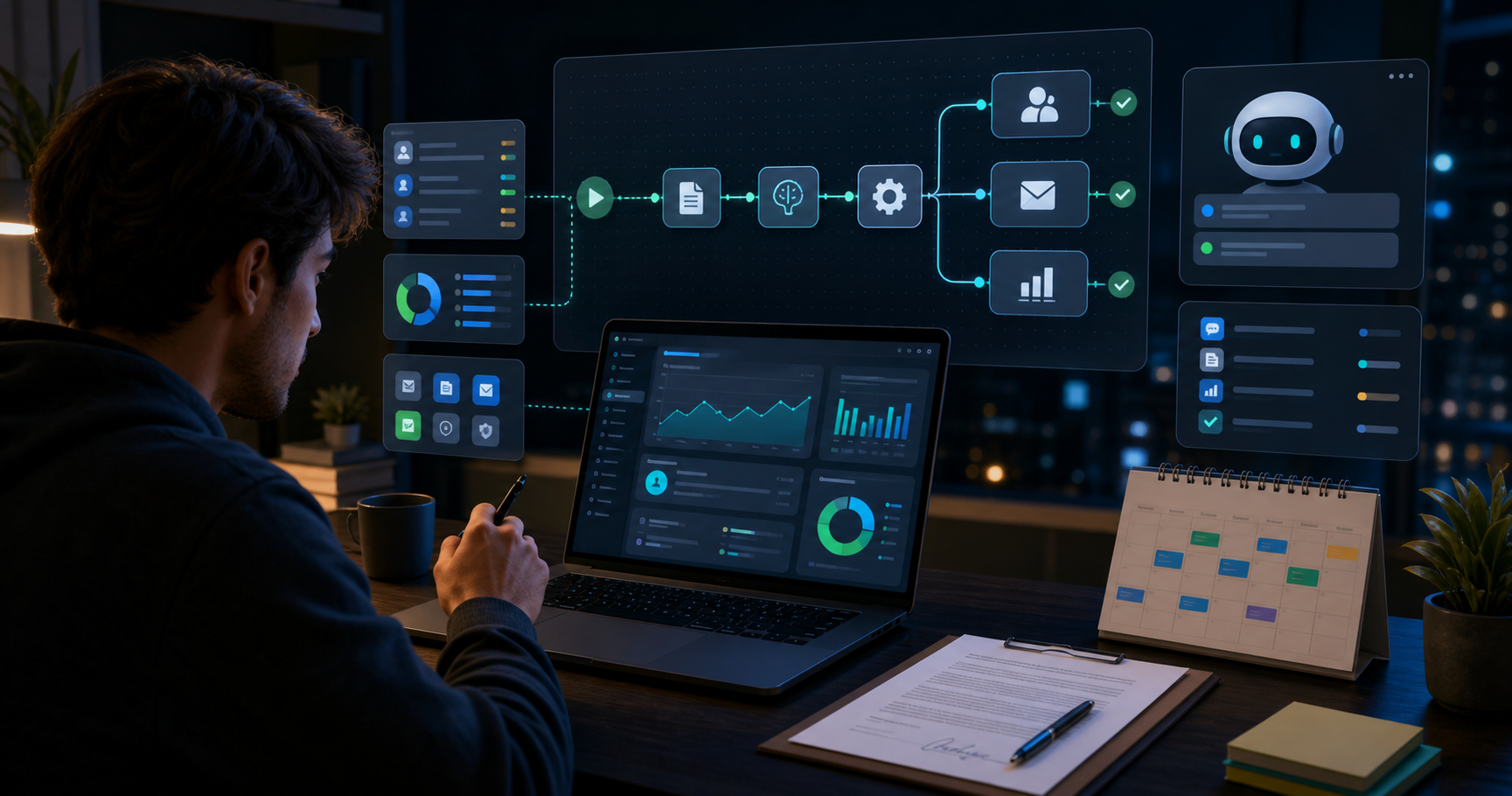
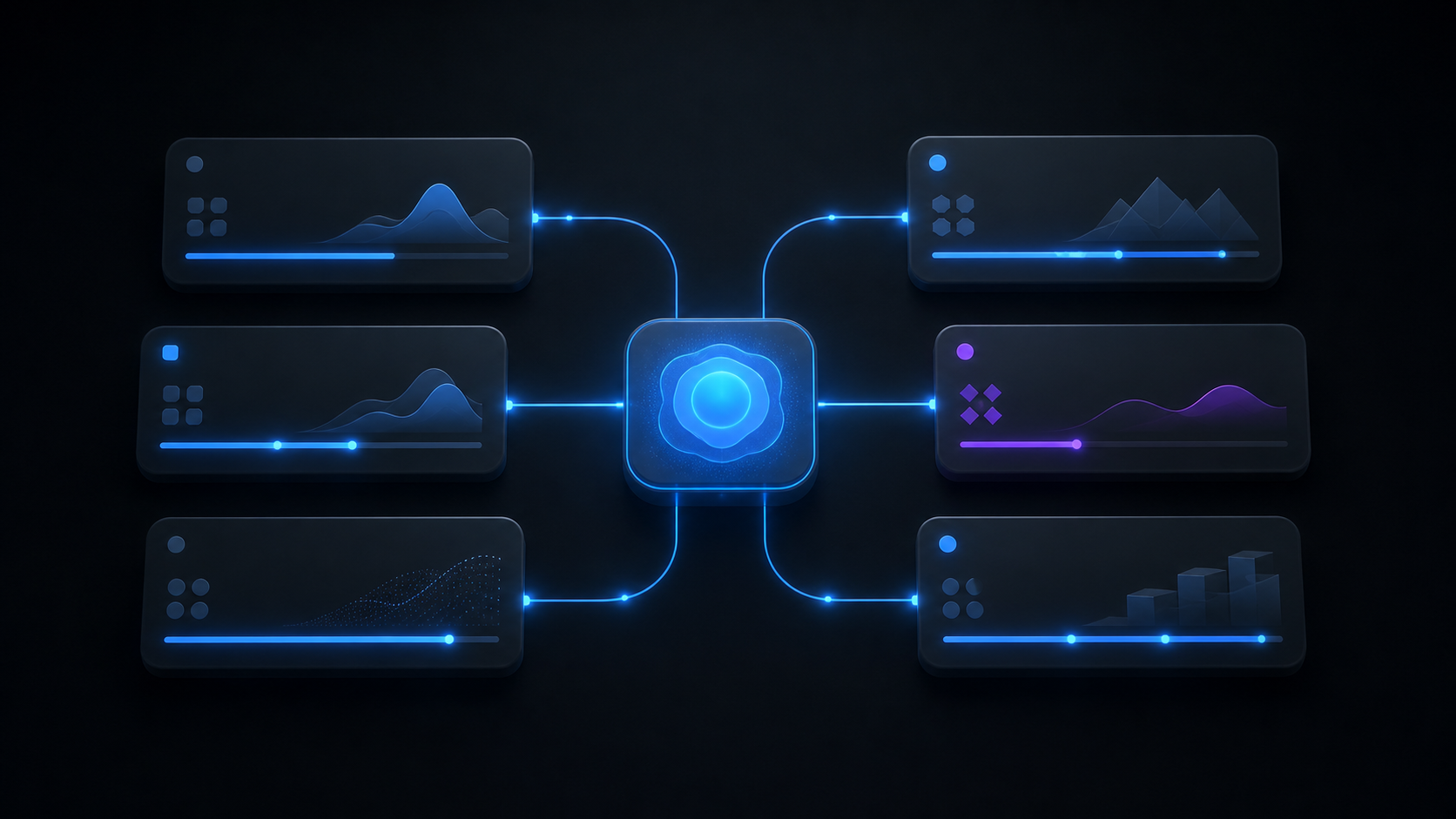
Mail and calendar come in read-only over MCP (Model Context Protocol). Whatever I decide to delegate in the inbox becomes a task; an agent produces the deliverable and a separate run checks it. Only what passes shows up on the Outputs screen. Anything that leaves the machine, such as sending mail, changing the calendar or sharing a file, always stops in an approval queue.
Set beside a chat assistant and an ordinary task app, the differences look like this.
| Aspect | Work OS | Chat assistant | Typical task app |
|---|---|---|---|
| Where work enters | Mail, calendar and meeting to-dos become candidates | You paste it in | You enter it |
| Who does it | The assigned agent, through a CLI | The AI in the chat | You |
| Quality check | A separate read-only run, up to two repair rounds | You read it | You read it |
| Where output lives | A working folder per task (Word, PDF, Markdown) | Inside the conversation | Attachments |
| Outbound actions | Nothing runs until approved in the queue | Depends on the tool | Not applicable |
| Where data lives | Your own PC (SQLite) | The vendor's cloud | The vendor's cloud |
The row that matters most, to me, is the quality check. Whether someone other than you does it decides how much work you can actually hand over.

AI Agents: 24 Agents in Four Teams
The roster grew from 12 subagents in May to 24. I wanted to narrow the tools and instructions each agent gets to one kind of work.
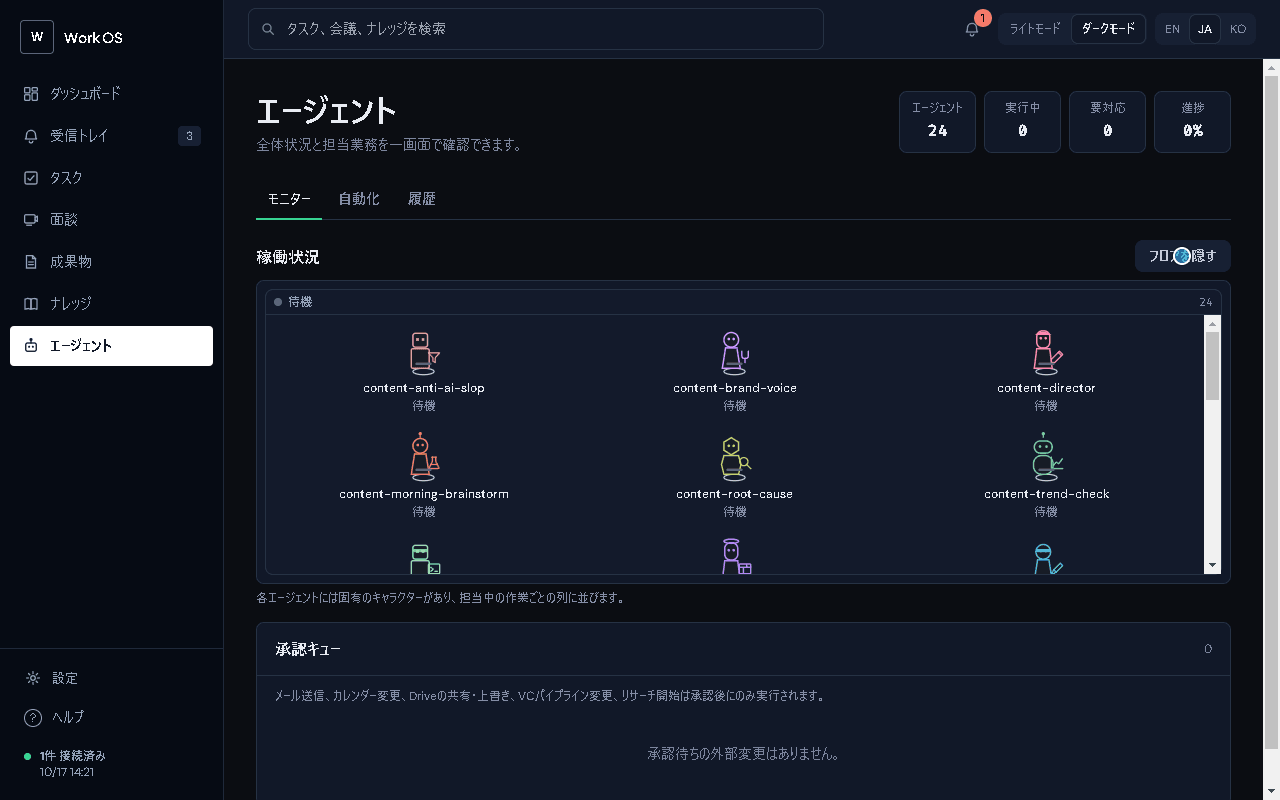
There are six in content (articles and documents), five in engineering, five in infra (inbox triage and scheduled jobs) and eight in investment (research and documents), plus one slot for the human operator. On the Agents screen, each one stands on a floor as a small character.
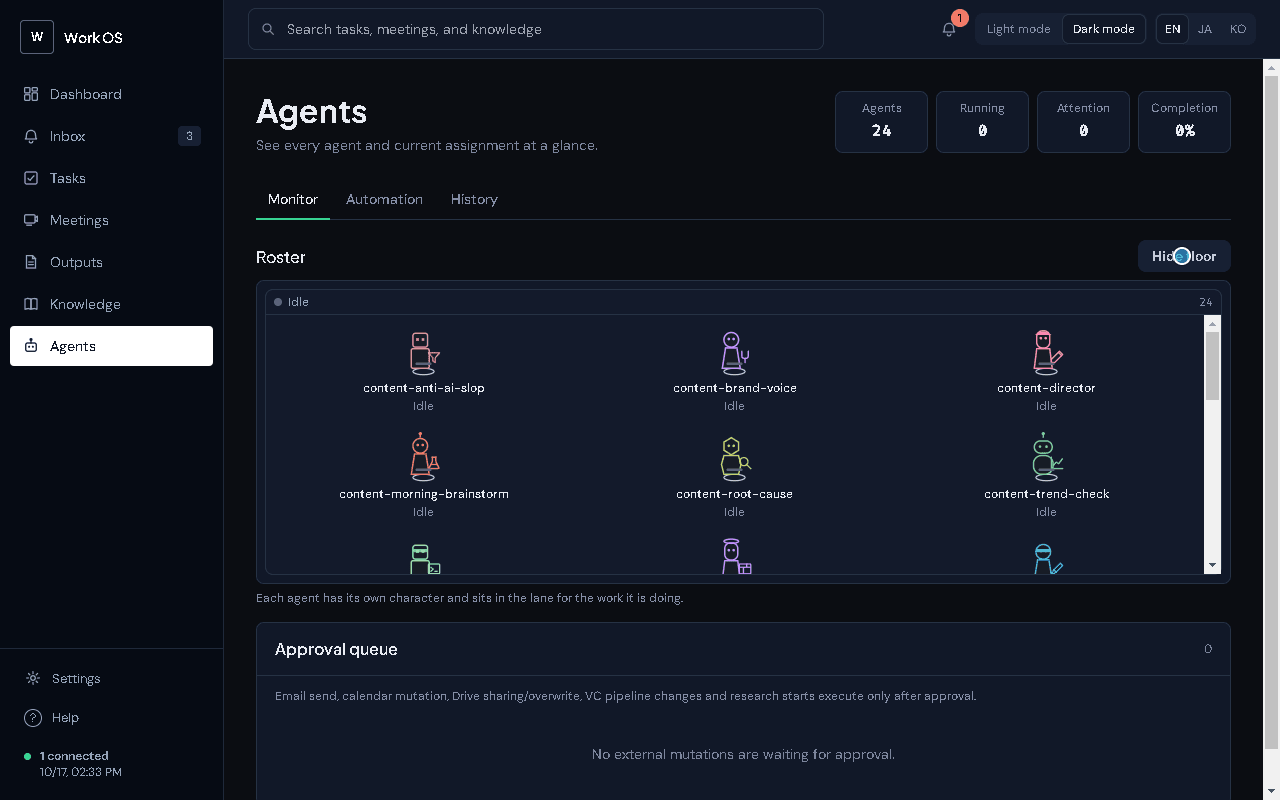
Each agent is one file, .claude/agents/<name>.md. The frontmatter sets the model, tools, skills, reasoning effort and maximum turns, and the body is the system prompt. Here is an excerpt from the research agent.
---
name: investment-market-research
description: Use to research a market, a competitive landscape, comparable financings, or a trend behind an investment question. ...
model: sonnet
tools: [Read, Write, Glob, Grep, WebSearch, WebFetch, mcp__claude_ai_Gmail__search_threads, ...]
effort: high
maxTurns: 20
skills: [handoff]
---
The app itself ships no AI SDK. It launches the Claude Code, Codex or Antigravity CLI you are already logged into as a child process and streams the output onto the screen. Simplified, a Claude Code launch looks like this.
claude -p --output-format stream-json --verbose --include-partial-messages \
--tools "Read,Write,Glob,Grep,WebSearch,WebFetch" --strict-mcp-config \
--add-dir "<knowledge folder>" --add-dir "<task working folder>" \
--model "<model id>" --effort high --allowedTools "Read,Write,Glob,Grep"
There are four ways to start an agent: the Run agent button on a task, a per-task chat, delegating from the inbox, and an opt-in rule that assigns unowned tasks automatically.
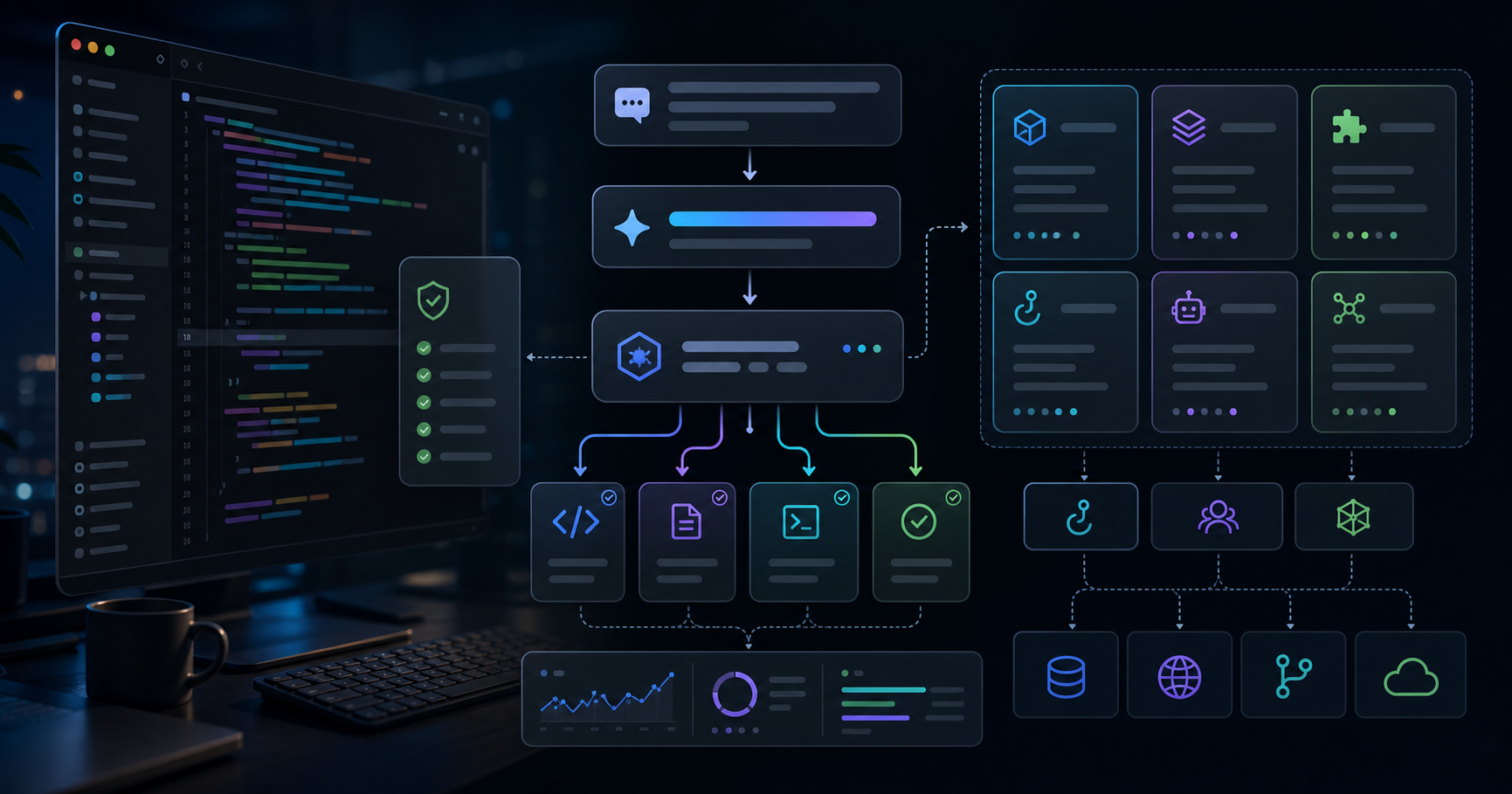
At the center is a produce, check, repair loop. The producing agent writes the deliverable, then a separate run inspects it read-only. A failure goes back to the producer with findings, for at most two repair rounds. Each step is retried up to three times, and no more than three steps run at once.
What I found interesting while recording the demo was that two different models did the work. Claude (sonnet) produced, and Codex (gpt-6.1-sol) checked. Having a different family of model check the work, rather than letting one model grade its own, seems to shift which kinds of mistakes get missed. That is how it looks to me so far, anyway.
Beyond that there are agent-to-agent handoffs (with my approval in between by default), a routing memory that remembers when I re-run a task with a different agent, and scheduled routines: a 7:00 brainstorm, a 7:30 article digest and a Monday weekly brief. Whatever agent it comes from, sending mail, changing the calendar or sharing a file stops in the approval queue.
Skills: Hand Over the Shape of a Job as a File
If agents decide who does the work, Skills decide how it gets done.
A skill is a folder containing a SKILL.md, in the same format as Claude's Agent Skills. Ten ship with the app (decision records, handoff notes, a weekly brief, a nightly QA pass and others), and outside skills can be installed in batches as .skill or .zip files. You get a preview of the contents before anything is written to disk.
The demo skill in the video contains nothing more than this.
---
name: public-research-memo-word
description: Turn a public-information research request into a short comparison memo saved as Word (.docx), with a source and a date on every claim.
description-ja: 公開情報だけを使った調査依頼を、出典と日付付きの短い比較メモにまとめ、Word (.docx) で保存する。
version: 1.0.0
---

# Public research memo (Word)

1. Restate the question in one sentence.
2. Use public sources only. Every row or claim carries a source URL and the date it was checked.
3. Put the comparison in one table first, then at most five short findings.
4. Keep facts and inference under separate headings.
5. Two A4 pages at most.
Because the description says "Word (.docx)", any task this skill is attached to produces a Word file automatically. Letting the skill decide the format arrived in 0.14.2 on 10 October.
The mechanics around skills are summarized below.
| Mechanism | What it does | Why |
|---|---|---|
| Assignment | Per agent or per task; skills:none turns them off | One agent can work to a different shape per job |
| Inlined into prompt | The body is passed directly rather than discovered by the CLI; 32 KiB budget | Every CLI receives the same instructions |
| Output format | Word, Excel or PowerPoint is detected from the description or code | No forgotten format settings |
| Script approval | Bundled Python runs only after approval tied to the folder's SHA-256 | A changed skill must be approved again |
| Format check | The generated Word file is inspected and the result recorded | Fewer "it looked broken when I opened it" moments |
Writing my own skills taught me that the good ones are short. The demo skill above has five steps. Long instructions run into the 32 KiB budget, and they also blur what the checking run is supposed to check against.
Other Features
That covers the AI side. The rest is about catching the work as it comes in.
- Inbox: pulls in Gmail, Outlook mail and calendar, Google Calendar, Google Drive and meeting to-dos every 15 minutes and lists the last three days without duplicates. Each candidate is delegated, attached to an existing task, deferred until tomorrow, or dismissed
- Tasks: list and kanban views. Rows get a red frame when the deadline is under two days away, blue while an agent is running, and yellow when they are waiting for review
- Meetings: recording continues while you move to other screens, with batch and live transcription through whisper.cpp, scene-by-scene summaries, to-do extraction and Word export
- Outputs: Markdown and PDF render inside the app, where you either approve and finish or request a revision
- Knowledge: reads an Obsidian-compatible folder as-is
- Everything else: Windows notifications for deadlines, an attention bell, Japanese, English and Korean UI, and light and dark themes
How to Use It (with Videos)
Three videos show it faster than words. All were recorded with fictional demo data, and only the agent waiting time is sped up 16x.
Step 0: Setup
On a Windows PC, install and log into at least one of the Claude Code, Codex or Antigravity CLIs. The first-run guide asks for an output folder and a knowledge folder, and Google connectors use an OAuth client you create yourself. Settings live in config.json in the user-data folder. These are the main settings used for the demo recording.
{
  "knowledgeDir": "C:\\workos-demo\\en\\knowledge",
  "workspaceOutputRoot": "C:\\workos-demo\\en\\output",
  "locale": "en",
  "theme": "dark",
  "aiOutputLang": "en",
  "handoffApprovalMode": "confirm",
  "profile": { "organizationName": "ZYL0 Lab" }
}
Step 1: Delegate from the Inbox
The imported mail shows up under "Needs your judgment" on the dashboard. In the inbox I pick one message, set the work template to Research memo and press Delegate this work. That is four actions on my side; a task is created and the assigned agent starts.
Video 1: A look at the dashboard and the Agents screen, then delegating a research memo from an inbox message (real time, about 20 seconds).
Step 2: Watch the Run and Read the Independent Check
The task's History & chat tab streams the progress of production and checking. In this run the reviewer flagged, among other things, that an earlier efficiency record had been misstated as 34.85%, and that the summary presented planned supply as established fact. After two repair rounds it still had not passed, so the task stopped as Blocked with a yellow frame, waiting for me to decide.
Video 2: Three rounds of production and independent checks; the task that never passed is blocked (waiting time at 16x, about 33 seconds).
To be honest, before recording I had pictured a run that passed. But refusing to pass work that is not good enough is exactly what this mechanism is for, so I kept the take as it was.
Step 3: Install a Skill and Get a Word File Back
In the Skills section of Settings, choosing a .skill file opens a preview of its contents. After installing it, I tick the skill under the task's Request & source tab, and the output format switches to Word. Then I press Run agent and wait. In this run the first check alone took about 13 minutes; the document passed on the second round, and a .docx appeared on the Outputs screen.
Video 3: Installing a skill, assigning it to a task, and receiving and approving the Word deliverable (waiting time at 64x, about 62 seconds).
Step 4: Receive the Work
On the Outputs screen, files that passed the check carry a "check passed" badge. I read them and either press Approve and finish, or write revision instructions and press Request revision. Work that needs a reply sent or a file shared waits in the approval queue on the Agents screen and goes nowhere until I approve it.
The Effect in Practice
First, the measured numbers from the demo. I recorded once with the Japanese UI and once with the English UI, so the same two jobs each ran twice.
| Run | Job | Human actions | Time (production + check) | Repairs | Result | Claude spend |
|---|---|---|---|---|---|---|
| Japanese UI | Research memo (from inbox) | 4 | 6:03 (4:12 + 1:51) | 2 | Blocked, never passed | $0.72 |
| Japanese UI | Word document (with a skill) | 5 | 4:39 (3:34 + 1:05) | 2 | Passed on round 3 | $0.93 |
| English UI | Research memo (from inbox) | 4 | 5:00 (3:20 + 1:40) | 2 | Blocked, never passed | $0.59 |
| English UI | Word document (with a skill) | 5 | 17:10 (4:10 + 13:00) | 1 | Passed on round 2 | $0.67 |
Human actions leave out installing the skill (four actions, once only). Spend is what Claude Code reported; the checking runs used Codex on a subscription, which records no cost. In the English-UI Word run, the first check alone took 13 minutes, and I have not yet tracked down why.
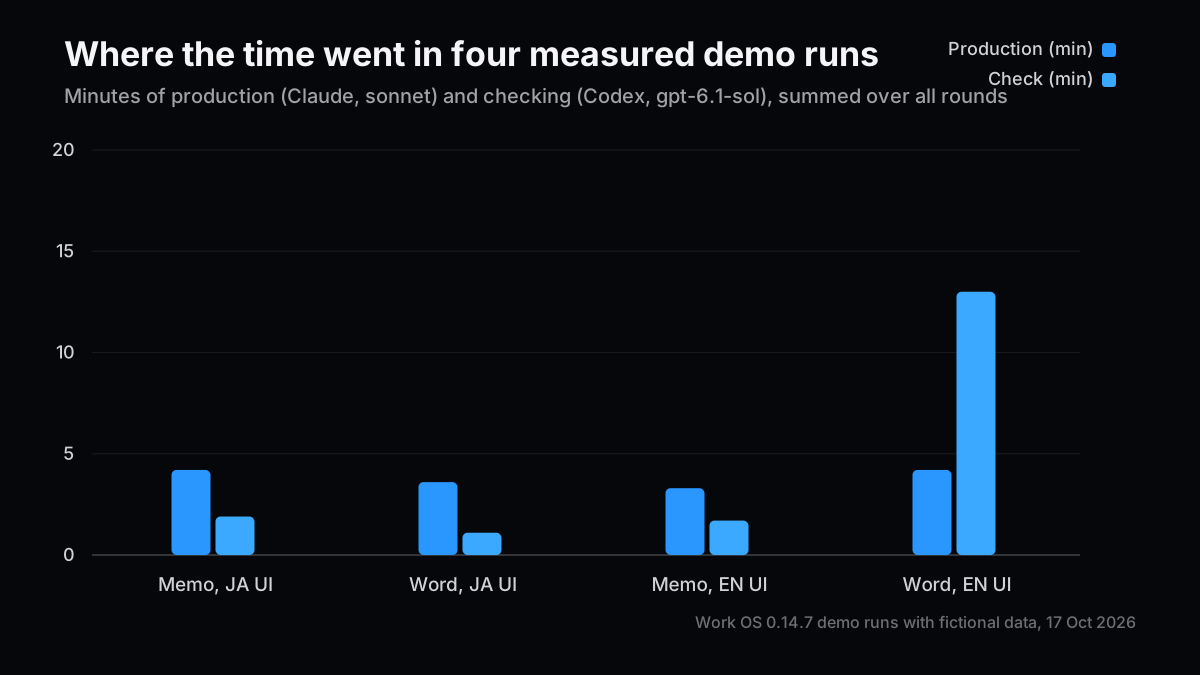
I want to be honest here. For a single research memo, writing it by hand is faster. On a familiar topic it takes me under 30 minutes, and even when Work OS hands something back in about five minutes, reading it and deciding still falls to me. One check took 13 minutes on its own. On top of that, the first memo failed its check. If speed were the only measure, building this would hardly be worth it.
Where it helped was the morning. Triage of mail, calendar and to-dos went from about 30 minutes to about 10 by feel (I have not measured it properly). The reason is clear: what is waiting on my decision is now visible. The "Needs your judgment" panel on the dashboard and the red, blue and yellow task frames tell me exactly what needs my hands this morning. When the first demo memo got blocked, the yellow frame was the thing telling me "this one is yours to decide."
What I hand to Work OS today is public-information research memos, meeting preparation and minutes, first drafts of Word and PowerPoint documents, and the morning and weekly briefs. In my real local logs there have been 22 successful runs, a median of about two minutes per run, and 17.24 dollars of Claude spend in total. That is still too few runs to talk about the effect in numbers.
It is also clear who this setup is not for: people who want a team to work the same queue (there is no sharing), Mac users, anyone who does not want to install an AI CLI, and anyone who mainly wants a deal-management CRM. If all you want is faster one-off research, a chat assistant is enough.
Gotchas: What Building It Taught Me
In the order I hit them. I counted six.
- I hit "it breaks quietly" myself: on 7 July the scheduled routines failed 242 times in a single day, and another 36 times on 11 July, while the screen looked perfectly normal. I repeated the exact lesson from post #15. Failures now surface on the dashboard and the attention bell, and 0.14.7 adds agent and skill diagnostics
- Native Windows dialogs froze typing: after closing a confirmation dialog, the keyboard stopped working. 0.13.7 replaced every one with an in-app dialog
- The 32 KiB skill budget: when assigned skills are too large, they are passed by reference or dropped with a warning. Miss the warning and it looks as if the skill simply is not working
- Differences between CLIs: runs through Antigravity get no MCP. On Codex and Antigravity, keeping reference folders read-only is only an instruction in the prompt; unlike Claude Code, the tools themselves cannot enforce it
- The development build could see the whole repository: I noticed while preparing the recording that in a development build the agents were given the entire repository and its settings file. Installed builds do not do this, and I matched installed-build conditions for the recording
- An unsigned installer: Windows shows a warning. Since the app is for me, this is on the back burner
Wrap-up: Seeing What to Decide Beats Speed
In my ValuScope usage post I argued that the effect of agents should be measured by decision quality rather than automation rate. After using Work OS every day, I want to add one thing in front of that: before the quality of a decision, are the things you need to decide actually in front of you?
Separate the maker from the checker, stop what does not pass, and show what has stopped in color. None of it is glamorous, and almost none of it makes the AI faster. Even so, I got 20 minutes of my morning back. I am not yet sure this is the best structure, but at least it has moved "an AI organization breaks quietly" toward not letting it break in silence.
Related Posts
- Running AI Agents as an Organization — the predecessor of Work OS, with 12 subagents and a task board
- Operating Agentic Apps: A ValuScope Workflow and Measurement Guide — measuring effect by decision quality rather than automation rate
- Designing Agentic Apps: Human-Controlled Automation Lessons from ValuScope — deciding where human approval belongs
References
- Claude Code Docs, Run Claude Code programmatically
- Claude Docs, Agent Skills overview
- OpenAI, Codex CLI
- Model Context Protocol, Specification 2026-07-28
- Playwright, Electron API
- Electron Documentation
Next Issue Ideas
- Idea 1: What does an independent check by a different model catch? — Run a few dozen tasks with Claude producing and Codex checking, and count the kinds of findings and misses.
- Idea 2: Writing short SKILL.md files — Compare real skills to find a good length and structure, given the 32 KiB budget and how easy the result is to check.
- Idea 3: Recording desktop app demos automatically with Playwright — How the recording harness behind this post works: fictional data, a visible cursor and sped-up editing.
This article is for informational purposes only and does not recommend any security, service or investment action. It was written with the help of generative AI and checked against the source code and the demo run records. See the disclaimer for details.