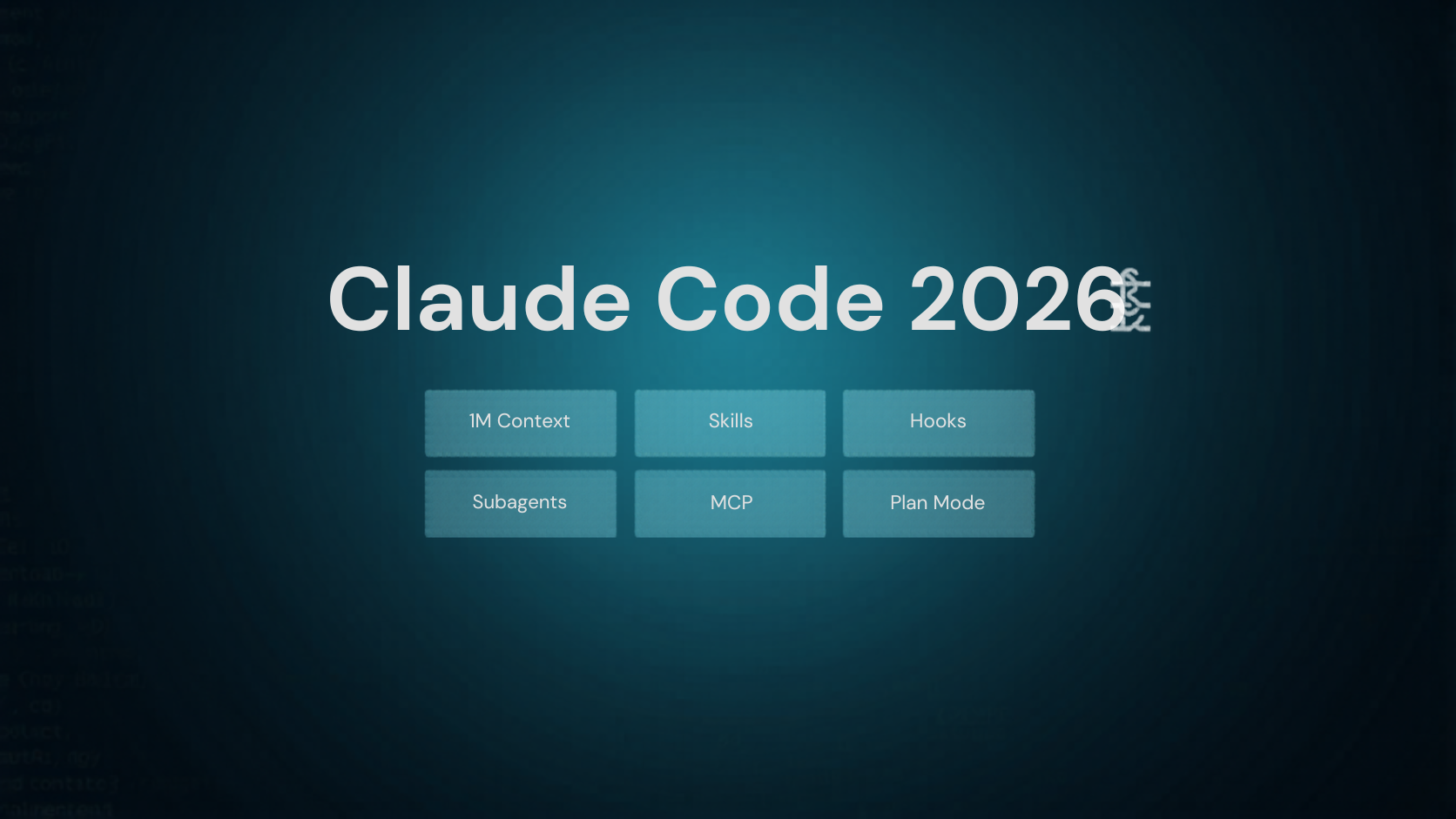
Claude Skills, MCP, Website Generation, and Programmatic Video in Production: A Practical Engineer's Guide 2026
Claude Code skills, MCP server building, website generation, and Remotion programmatic video — a practical engineer's handbook of knowledge that's immediately deployable on the job, told with code and concrete numbers.
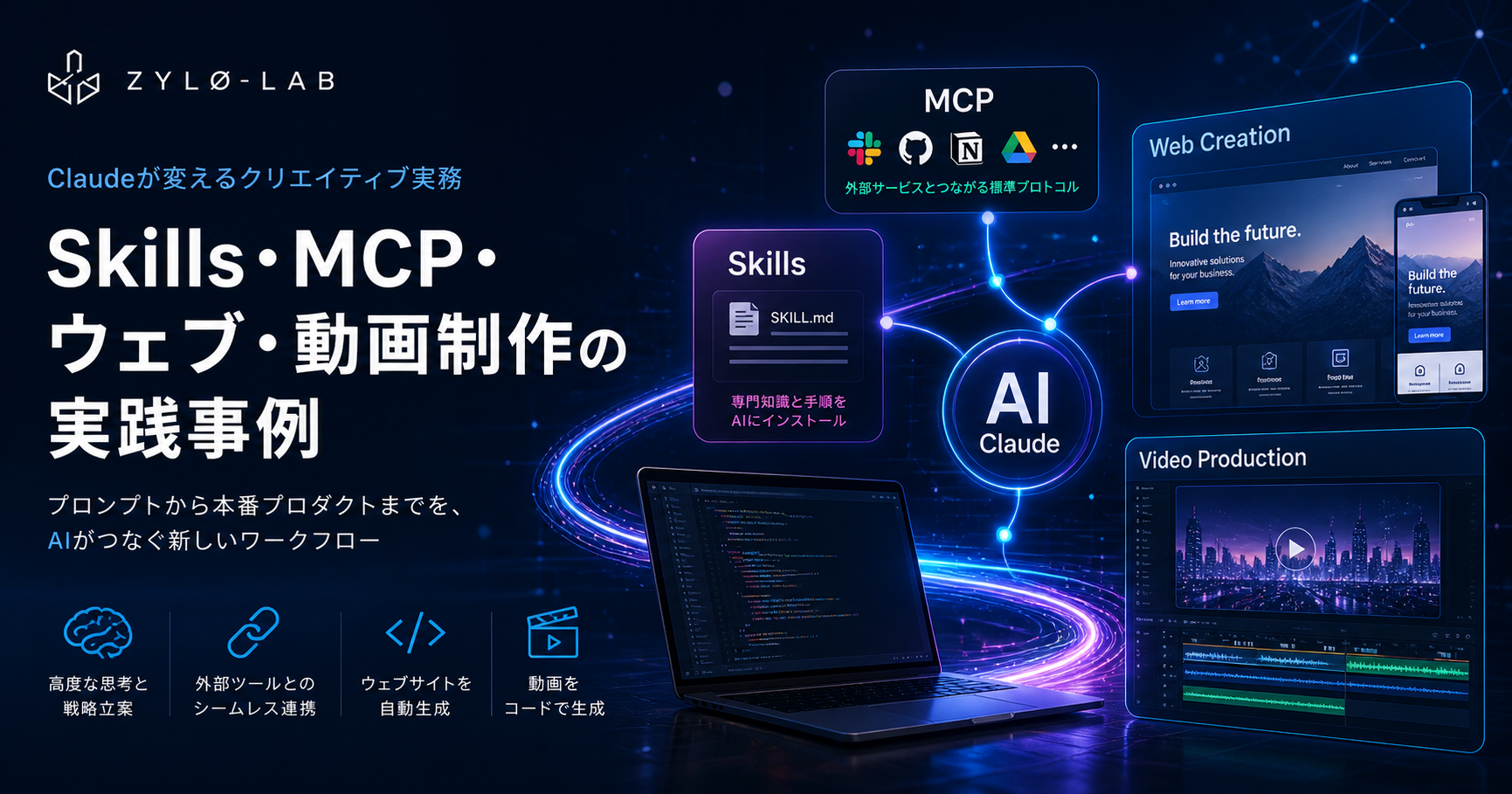
Claude Code skills, MCP server building, website generation, and Remotion programmatic video — a practical engineer's handbook of knowledge that's immediately deployable on the job, told with code and concrete numbers.


Claude Skills, MCP, Website Generation, and Programmatic Video in Production: A Practical Engineer's Guide 2026
Version note: This article is based on information as of May 2026. It references mcp Python SDK 1.27.0, MCP spec revision 2025-11-25, and the latest Remotion release. The MCP spec evolves rapidly, so verify the latest information at modelcontextprotocol.io.
I came up through semiconductor process development before moving to corporate VC, and I built a flood-detection IoT system from scratch on AWS (IoT Core, Lambda, DynamoDB, API Gateway) in about six months. The single most reliable lesson from that work: the real gotchas only show up when you run the code. Skills, MCP, and Remotion behave the same way. So this piece is the shortest implementation path plus the actual gotchas I hit running everything end-to-end.
TL;DR — What You'll Learn
| Topic | What You'll Pick Up |
|---|---|
| Claude Skills | How SKILL.md works, its split with MCP, day-to-day patterns |
| Building MCP servers | The shortest path to a Python FastMCP server in under 50 lines |
| Website generation | Site generation workflow with Claude Code + Next.js / Nuxt 4 |
| Remotion video | Writing video as code and rendering it through Claude Code |
| Pitfalls | The traps in each area and how to dodge them |
Skills vs MCP — Getting the Mental Model Right
If you spend any real time with Claude Code or Claude.ai, you'll hit the same question: "How do I actually decide between Skills and MCP?" Reading the docs doesn't always make it click. The mental model that does:
Skills = the agent's "playbook", MCP = the agent's "external connections."
Skills are SKILL.md files placed under .claude/skills/. Claude reads the task context, automatically loads the relevant skill, and follows its instructions. You write Markdown — no code. MCP, in contrast, is a client-server protocol over JSON-RPC 2.0 that connects Claude to external systems like GitHub, databases, or internal APIs.
| Dimension | Skills | MCP |
|---|---|---|
| Implementation language | Markdown (SKILL.md) | Python / TypeScript / Go, etc. |
| Context consumption | 30–50 tokens (loaded only when needed) | Can exceed 50,000 tokens |
| Use case | Embedding procedures and best practices | Real-time integration with external systems |
| Cross-tool | Works in Claude Code / Cursor / Gemini CLI | Works in any MCP-capable client |
| Setup | Drop a file under .claude/skills/ | Run a server and register it in claude_desktop_config.json |
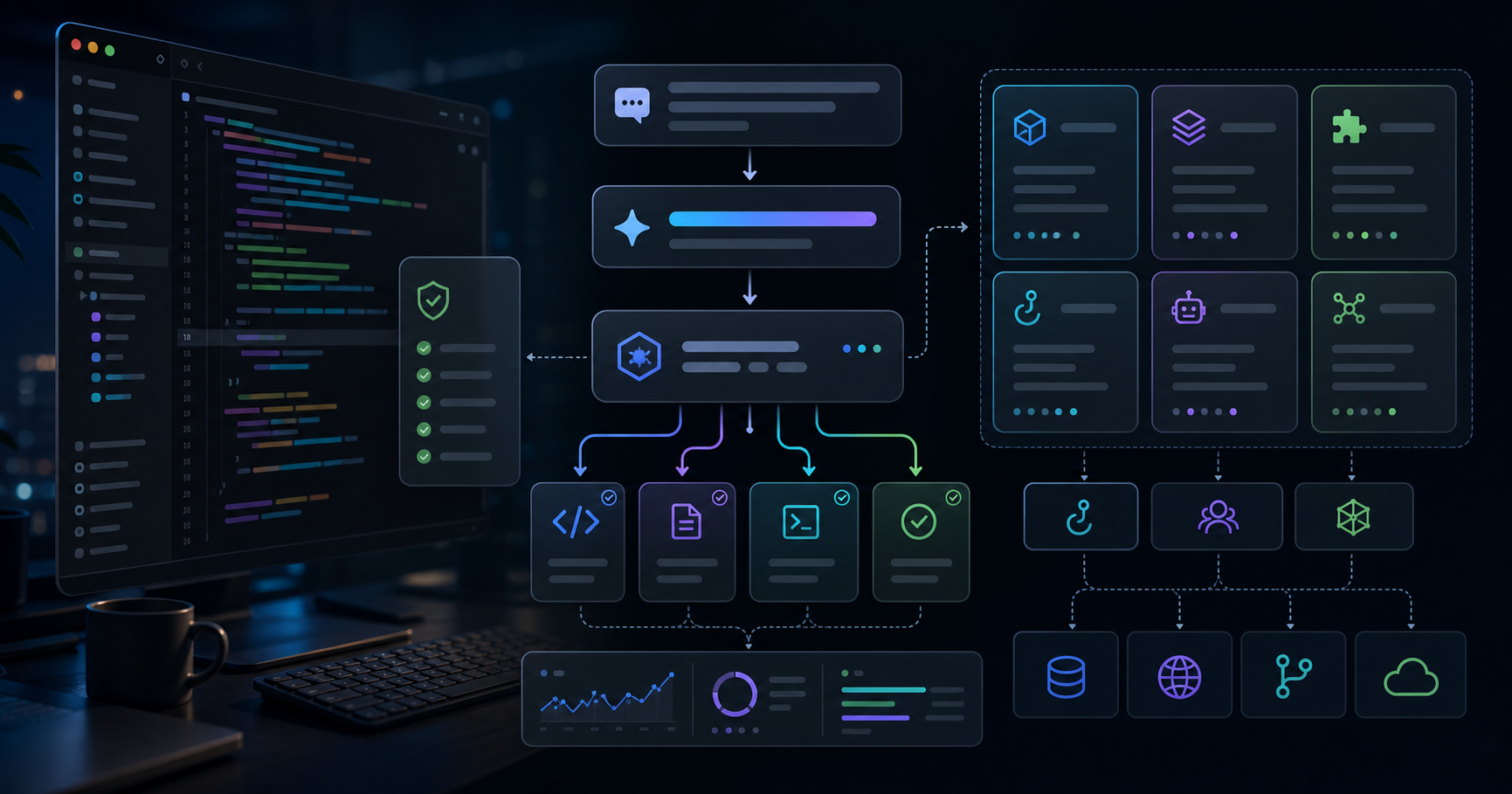
The key asymmetry is: a Skill can call MCP tools, but not the other way around. Define procedures with Skills, connect external tools with MCP — putting them together is what unlocks fully automated agents.
Real-World Skills Patterns
As of March 2026, the Skills ecosystem is structured in three layers: official Anthropic skills, vetted third-party skills, and community skills. The frontend-design skill has crossed 270K installs, the Remotion skill is doing 117K installs per week, and gws (Google Workspace) hit 4,900 GitHub stars within three days of release.
Skills shine in any situation where "I'm tired of explaining the same procedure over and over." Write a SQL assistant skill that knows your custom DB schema once, embed your team's coding conventions into a review skill, build a converter skill for your proprietary data format — after that, a single one-line prompt invokes them.
The minimum SKILL.md, when you write your own:
---
name: my-skill
description: >
Description here. Claude reads this to decide whether to load the skill.
Spell out the trigger conditions concretely.
---
# My Skill
## Steps
1. First, check X.
2. Then, run Y.
## Pitfalls
- When Z, do not do W.
Building an MCP Server in 50 Lines — The Python FastMCP Shortcut
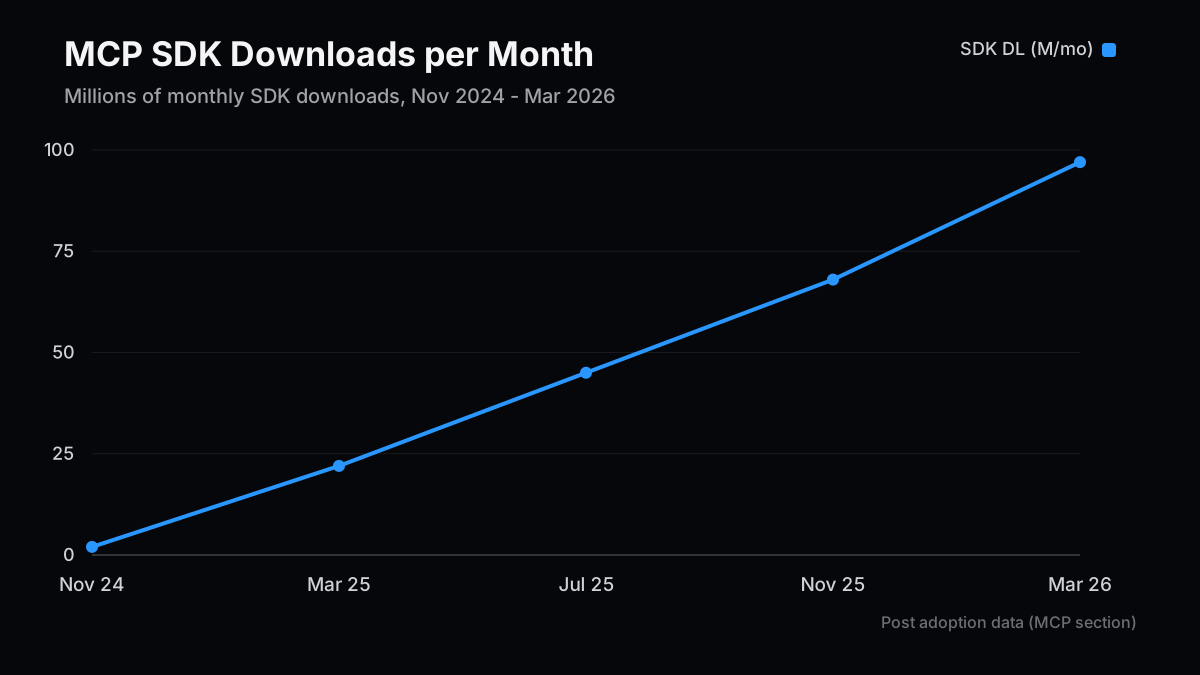
MCP's adoption curve is unprecedented. From 2 million SDK downloads/month at launch (November 2024), it crossed 22 million when OpenAI adopted (March 2025), 45 million when Microsoft integrated (July), 68 million when AWS came on (November), and reached 97 million per month with over 10,000 public servers by March 2026. React took three years to reach those download numbers; MCP did it in 16 months.
The problem MCP solves is simple: previously, hooking your internal CRM, billing system, or feature-flag service into AI agents meant writing separate integration code for every AI client. Build one MCP-compatible server, and it works from Claude, ChatGPT, Cursor, and Gemini.
Setup
# uv recommended (pip works too)
uv add mcp
# or
pip install mcp
Minimal Server (Python FastMCP)
Below is a minimal MCP server that actually runs. It includes all three primitives — Tools, Resources, and Prompts:
from mcp.server.fastmcp import FastMCP
mcp = FastMCP("my-service", json_response=True)
# Tool: side-effecting operations (analogous to POST)
@mcp.tool()
def check_stock(sku: str) -> dict:
"""Return the inventory count for the given SKU."""
# In practice, replace with a DB query, etc.
return {"sku": sku, "quantity": 42, "warehouse": "tokyo"}
# Resource: read-only data (analogous to GET)
@mcp.resource("products://catalog")
def get_catalog() -> str:
"""Return the product catalog listing."""
return "SKU-001: Widget A\nSKU-002: Widget B"
# Prompt: a reusable prompt template
@mcp.prompt()
def stock_check_prompt(sku: str) -> str:
"""Generate a prompt for checking inventory."""
return f"Check the stock for SKU {sku} and propose a restock if it is low."
if __name__ == "__main__":
# Local dev: stdio
# mcp.run()
# Remote/production: Streamable HTTP
mcp.run(transport="streamable-http", host="0.0.0.0", port=3050)
Registering With Claude Desktop
{
  "mcpServers": {
    "my-service": {
      "command": "python",
      "args": ["/path/to/server.py"]
    }
  }
}
Choosing a Transport
| Transport | Use Case | Notes |
|---|---|---|
stdio | Local, Claude Desktop integration, development | No network setup required |
streamable-http | Remote, team-shared, cloud-deployed | Standardized in the March 2025 spec. SSE is deprecated |
For TypeScript, use @modelcontextprotocol/sdk with Zod. It supports the same three primitives (Tool / Resource / Prompt) as Python FastMCP, with strong type safety. In either language, "the wire protocol is JSON-RPC 2.0," so connecting a TypeScript client to a Python server just works.
Generating Websites With Claude Code — Combining CLAUDE.md and Skills
As of early 2026, Claude Code generates 4% of all GitHub commits, with daily VS Code installs reaching 29 million. The "vibe coding" workflow has matured to the point where someone with zero engineering experience can ship a Next.js app.
That said, telling Claude "make me a site" still produces the familiar AI-generated look — Inter font, purple gradient, white background. The way to escape that is the combination of CLAUDE.md and Skills.
Where CLAUDE.md Fits
A CLAUDE.md placed at the project root is auto-loaded by Claude Code at session start. Use it to capture "what this project is":
# Project: MyApp

## Stack

- Nuxt 4 (Nuxt Content 3, Vue 3 Composition API)
- Tailwind CSS v4, shadcn/ui
- Deployed on Vercel

## Rules

- Always make sure the build passes before committing.
- TypeScript strict mode is required.
- Don't use MDX components (Nuxt Content's CommonMark only).

## Don't

- Leave console.log calls in committed code.
- Use the any type.
The split between CLAUDE.md and Skills is clean: CLAUDE.md is "the context of this project," Skills are "how to do this task." Together, you get an agent that understands the project and executes specific tasks correctly.
Site Generation Workflow With Next.js / Nuxt
A workflow that actually works in practice:
- Create CLAUDE.md: stack, naming conventions, things to avoid
- Add an official or custom Skill:
npx skills add frontend-design - Sanity-check requirements in plan mode:
claude --plan "I want a landing page that looks like X" - Implement iteratively: don't ask for the whole thing at once — go section by section
Step 3 is the critical one. Asking for an implementation directly sometimes produces "code that solves the wrong problem." Have Claude explore the existing codebase first, identify the change locations, impact range, and edge cases, and surface them as a plan. Once the plan looks right, just say yes — that alone prevents most implementation mistakes.
Writing Video as Code With Claude Code + Remotion
The idea of "managing video in code" lands naturally for front-end engineers. Remotion is exactly that — a React-based video framework where useCurrentFrame() returns the current frame number and you describe animation in code. Combined with Claude Code, it produces a "write video by prompt" workflow.
Setup
# Create a Remotion project
npx create-video@latest my-video-project
cd my-video-project

# Install Agent Skills (best-practices bundle from the Remotion team)
npx skills add remotion-dev/skills
Once the skills are in place, Claude Code understands Remotion conventions and generates code with the right component structure. There are 38+ categories covering animation, 3D, captions, audio, charts, and transitions.
Example Prompt
There's a knack to writing good prompts: declare the concrete numbers — resolution, duration — up front, and make scene boundaries explicit:
Create a 1920x1080px, 30fps, 10-second video.

0–2s: Logo fades in (centered, white background)
2–6s: Three features slide in one by one (left to right)
        - "Fast" + lightning icon
        - "Safe" + shield icon
        - "Easy" + check icon
6–9s: CTA button scales up: "Try it now"
9–10s: Fade out

Colors: bg #0a0a0a, accent #7c3aed, text white
Preview the generated code live in Remotion Studio, and once it looks right, render:
# Preview
npx remotion studio

# Render (MP4)
npx remotion render MyComposition out/video.mp4
What Remotion Is and Isn't Good At
| Use Case | Good Fit | Not a Good Fit |
|---|---|---|
| Product demo videos | ◎ Easy to wire up to data and update dynamically | — |
| Data visualization | ◎ Pass numbers in dynamically through code | — |
| Vertical social clips | ◎ Just specify 9:16 | — |
| Talking-head videos | △ Specialized tools like HeyGen win | Complex lip-sync |
| Long-form footage (10+ min) | △ Scene management gets unwieldy | — |
Because rendering happens locally, watermarks and credit caps from cloud video generators don't apply at all. Treating "video as a build artifact" — auto-rebuilding the video in CI/CD whenever the product changes — is already showing up in real-world pipelines.
Pitfalls and How to Avoid Them
Here, honestly, are the things that tripped me up.
MCP
Errors when using SSE transport. The March 2025 MCP spec update deprecated SSE (Server-Sent Events). For remote connections, always use streamable-http. With FastMCP, switching is just mcp.run(transport="streamable-http").
Multiple MCP servers slowing startup. A 5-server, 58-tool setup can push context consumption past 55,000 tokens. Anthropic's Tool Search feature (on-demand loading) cuts that by about 85%. Avoid monolithic servers — split by purpose into smaller ones.
Security. Audit your servers against the OWASP MCP Top 10 (published in 2025). Watch especially for prompt injection (malicious instructions hidden in a tool's description). Code-review community servers before using them.
Skills
The skill doesn't trigger when expected. A vague description field means Claude won't load the skill. Use strong language like "whenever the user mentions X, use this skill."
Skills get ignored near the context limit. Once a session crosses 70–85% of the context window, accuracy drops. Use /compact to compress context, or continue in a fresh session.
Website Generation
"Build the whole thing at once." "Build me an entire e-commerce site" has a very high failure rate. Iterate component by component, page by page. Confirm direction in plan mode before implementation.
Committing generated code as-is. A 2025 ACM study suggests LLM-written code has roughly 1.75× more logic errors than human-written code. Make sure tests pass before committing.
Remotion
Trying to build something complex from the start. Start with a 5-second sample, then layer up: background color → text → animation → multiple scenes.
Vague directions. "80px," "30 frames (1s)," and other concrete numbers boost Claude Code's accuracy. "Big font" and "slow fade" hurt it.
Character appearance changes between scenes. Remotion references static assets directly in code, so pin the image files. For complex character video, pair with a specialized tool like HeyGen.
Wrap-up and Next Steps
| Action | Priority | Time Required |
|---|---|---|
| Build one MCP server (internal API integration) | High | 1–2 hours |
| Add CLAUDE.md to your project | High | 30 minutes |
Try npx skills add frontend-design | Medium | 10 minutes |
| Build a 30-second demo video in Remotion | Medium | 2–3 hours |
With Claude Code generating 4% of all commits and Spotify's engineers reportedly writing no code by hand since December 2025, fluency with these tools is shifting from "nice to have" to "you'll fall behind without it." Start with one MCP server or one Skill — automating "the thing I'm tired of explaining every time" is the shortest path in.
Next Issue Ideas
- Idea 1: A data-updated follow-up — Revisit the thesis with fresh numbers and separate what strengthened from what broke.
- Idea 2: A practical template edition — Turn the article into a checklist readers can reuse for investing, pricing, or technical operations.
- Idea 3: The bear-case test — Define the conditions that would invalidate this view and map the indicators to watch next.
Related Posts
- How Claude Cut My Video + Web Workflow to 1/5 the Time — Combining Skills, MCP, and Claude Design to run planning → design → video script → publishing as one continuous flow c…
- 10 Claude Code Skill Design Patterns: Descriptions and Templates That Trigger Reliably — Ten Skill design patterns for Claude Code: how to write descriptions that trigger reliably, split Skills by audience, …
- Parallel Blog Research with Subagents: Fan Out Investment, Technical, and Reader-Need Axes, Then Merge Into One Draft — A hands-on build log: split one blog post's research into investment, technical, and reader-need axes, run them as par…
References
The factual and numerical assumptions in this article are anchored to primary or public materials that readers can revisit during AdSense review and future updates.
This article is for informational purposes only and does not constitute investment advice or a recommendation of any specific stock, service, or contract structure. The author may hold positions or interests related to companies or services mentioned. Generative AI was used for parts of research, translation, and proofreading, with final review by ZYL0. See the disclaimer for details.