How to Architect an Agentic App with Next.js, Amplify, and Lambda
How to wire Next.js Route Handlers, Amplify Data, Lambda workers, and the OpenAI Responses API into a reproducible async agent architecture.
How to wire Next.js Route Handlers, Amplify Data, Lambda workers, and the OpenAI Responses API into a reproducible async agent architecture.


How to Architect an Agentic App with Next.js, Amplify, and Lambda
Version note: This article reflects the July 12, 2026 implementation of
valuscope-next, using Next.js 16.2, React 19, AWS Amplify Gen 2, TanStack Query v5, and the OpenAI Responses API. APIs and model identifiers change, so verify current official documentation and available models before adopting the examples.
Part one established the philosophy: keep the agent in a proposer role and separate execution state from human decision state. This article moves down into code. Building AWS backends taught me that timeouts, retries, and state synchronization often consume more design effort than the model call itself.
TL;DR: What You'll Learn
Here is the ValuScope implementation pattern in one table.
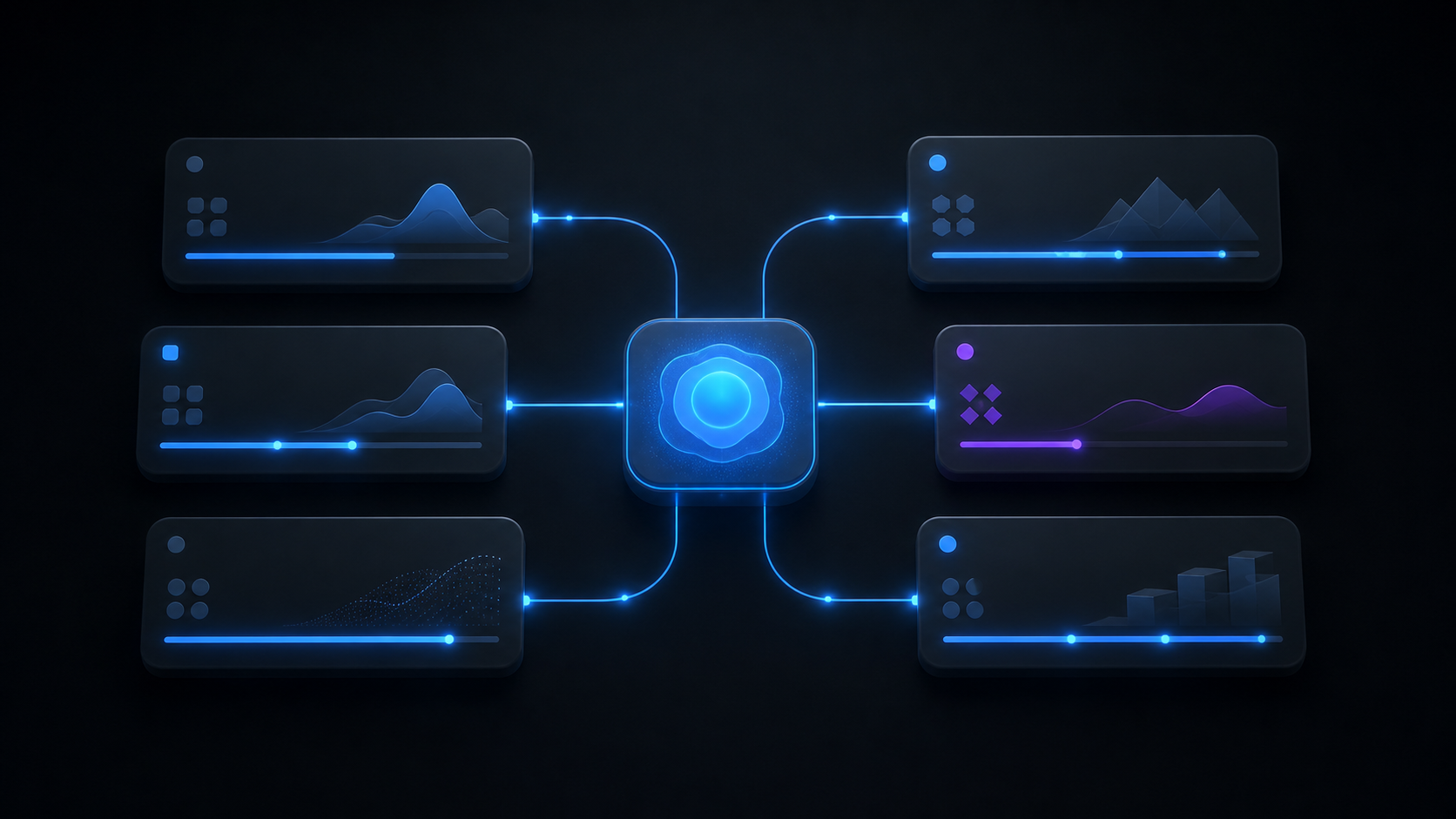
| Layer | Technology | Responsibility |
|---|---|---|
| UI | Next.js App Router + React | Run settings, data-use confirmation, inbox, approval and rejection |
| API/BFF | Next.js Route Handler | JWT, membership, subscription, input validation, job creation |
| Data | Amplify Data / AppSync | Persist Run, ActionItem, Deal, History, and Document records |
| Worker | Amplify Function / Lambda | Fetch documents, call Responses API, save artifacts, update state |
| Storage | Amplify Storage / S3 | Source files and generated DOCX/XLSX artifacts |
| Client sync | TanStack Query | Poll quickly only while a run is active, then stop |
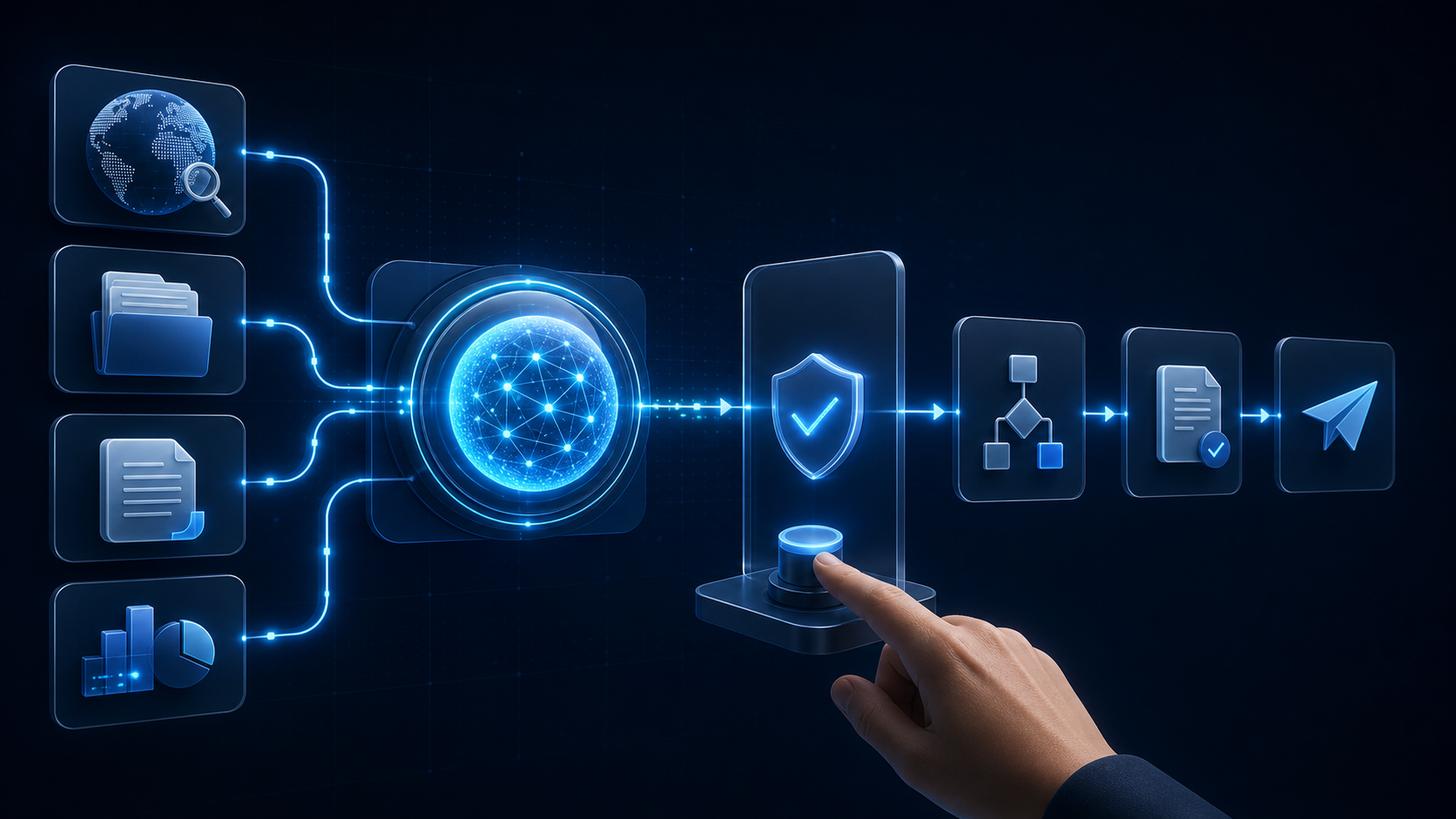
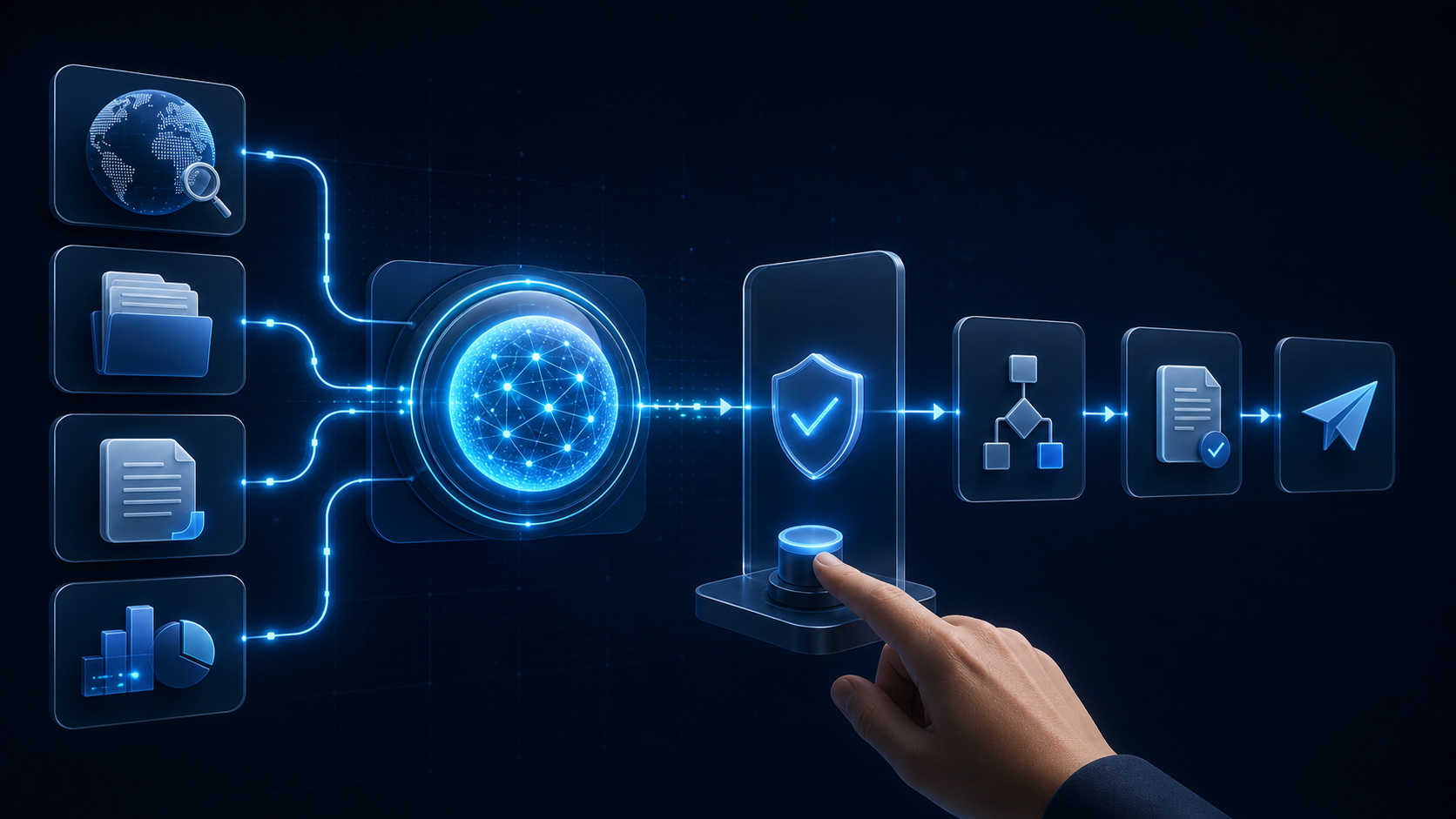
The central choice is that the API route does not wait for AI completion. Long work is detached from the user's HTTP connection, and a trackable Run is created first.
Detach the Architecture From a Synchronous Request
Implementing an agent like a normal CRUD endpoint produces POST → wait for model → save → respond. Document analysis or web search can take minutes, so the browser, CDN, Route Handler, or an upstream service will eventually time out.
ValuScope's April 29 development history records a 504 report-generation issue fixed through asynchronous processing. The pattern later expanded to comparable research and deal agents. I find this evolution useful: an actual timeout turned asynchronous jobs into a shared architecture rather than a theoretical preference.
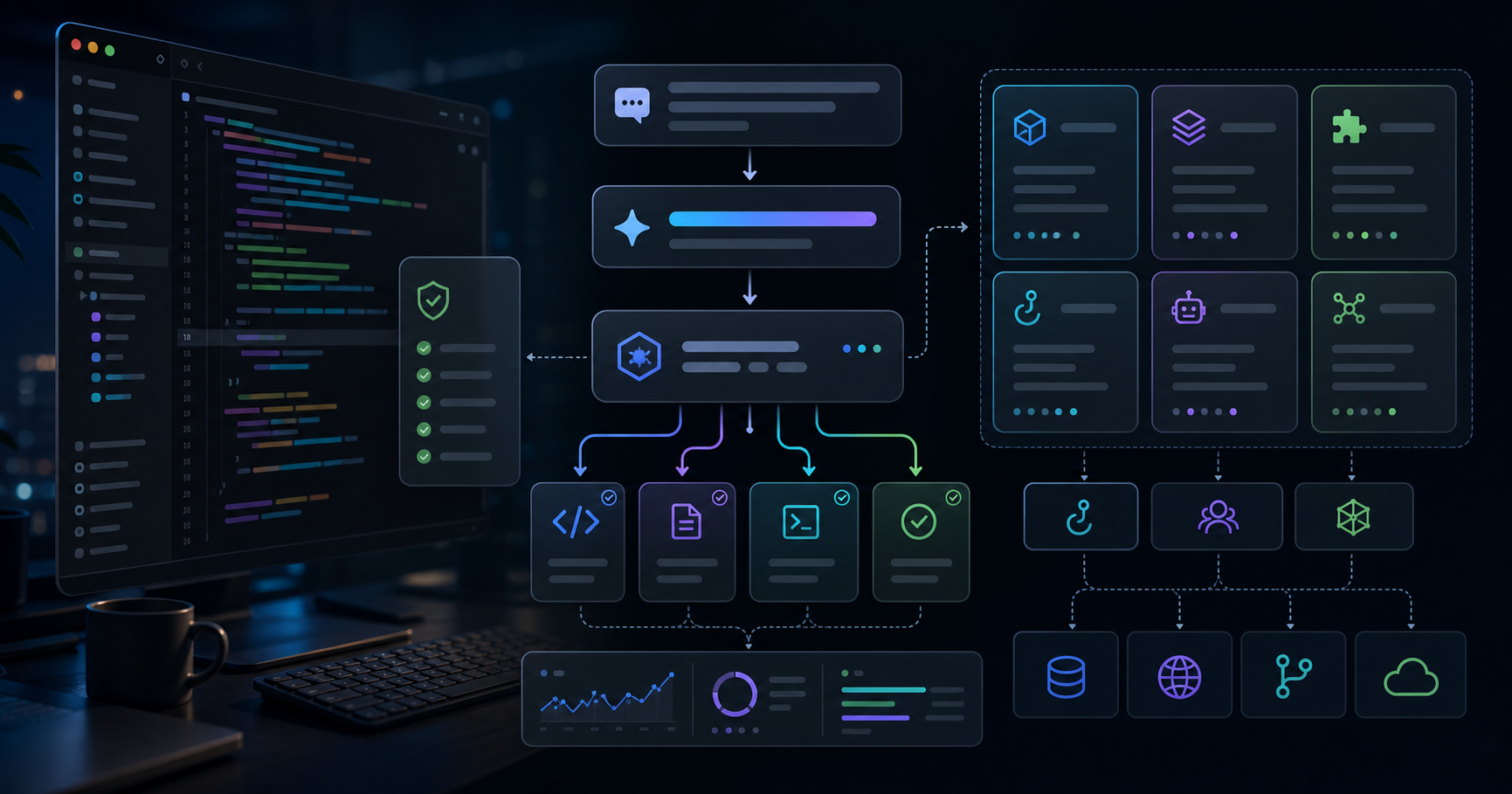
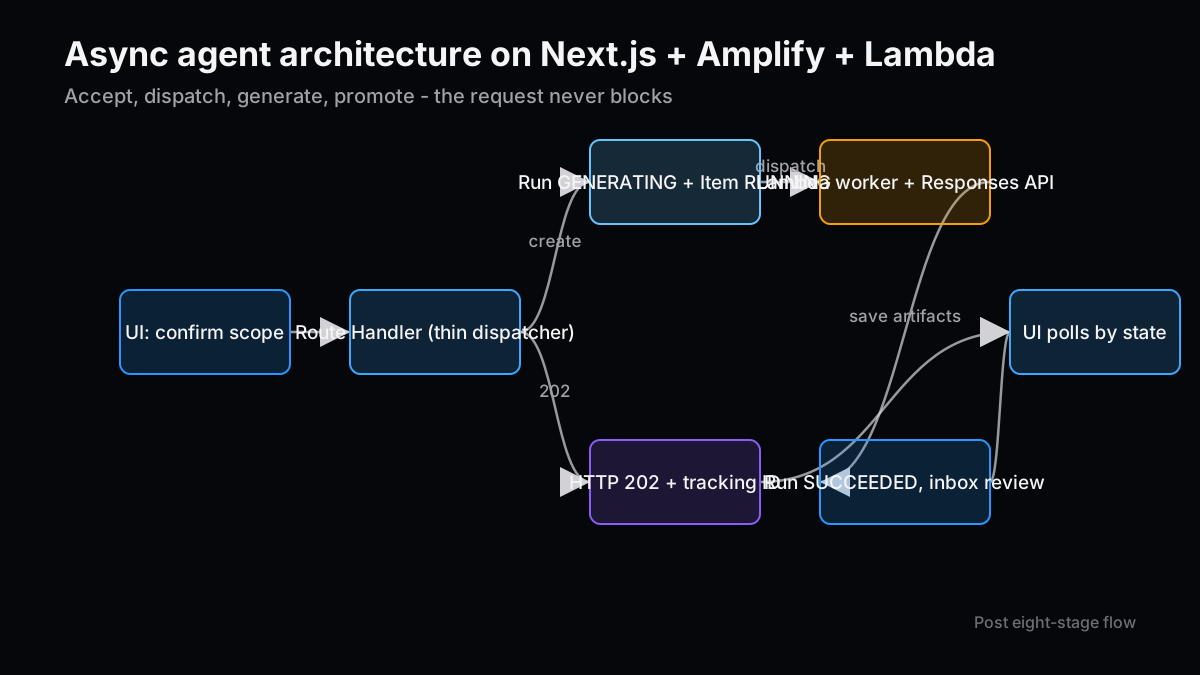
The request moves through eight stages.
- The UI displays the external data boundary and asks the user to confirm.
- The Route Handler validates the Cognito JWT and request body.
- It checks organization membership and the AI add-on entitlement.
- It creates
DealAgentRun(status=GENERATING). - It creates
ActionItem(status=RUNNING). - It dispatches a Lambda worker and returns HTTP 202.
- The worker loads documents and fund context and calls the Responses API.
- It stores results, moves the Run to
SUCCEEDED, and moves the ActionItem toAWAITING_REVIEW.
Users can leave the page without cancelling the operation. HTTP 202 does not promise a successful artifact; it means the request was accepted and a tracking identifier was issued.
Keep the Route Handler as a Thin Dispatcher
Next.js Route Handlers are a convenient boundary between the UI and backend. They become fragile when they also act as long-running workers. ValuScope's /api/deals/agents/run limits itself to authentication, authorization, entitlement, validation, tracking-record creation, and dispatch.
Generalized, the implementation looks like this.
export async function POST(req: NextRequest) {
  const session = await getSessionFromRequest(req)
  const input = await parseJson(req, runAgentSchema)
  if (!input.ok) return input.response

  await assertOrganizationMembership(session.userId, input.data.organizationId)
  await assertAiAddonEnabled(input.data.organizationId)

  const run = await createAgentRun({
    organizationId: input.data.organizationId,
    dealId: input.data.dealId,
    agentType: input.data.agentType,
    status: 'GENERATING',
    requestedByUserId: session.userId,
  })

  await createActionItem({
    organizationId: input.data.organizationId,
    agentRunId: run.id,
    status: 'RUNNING',
    type: 'REVIEW_AGENT_OUTPUT',
  })

  await dispatchWorker({ runId: run.id, ...input.data })

  return NextResponse.json({ runId: run.id, status: 'GENERATING' }, { status: 202 })
}
Ordering matters. If a worker starts before its Run exists, an immediate failure or dispatch problem can disappear without a tracking record. Creating the record first gives logs, artifacts, and action items a common correlation ID.
The current ValuScope dispatcher sends a Function URL request and aborts its wait after five seconds. It treats a timeout as likely accepted, which is not a durable delivery guarantee. At higher scale, SQS, EventBridge, or asynchronous Lambda invocation would provide stronger receipt and retry semantics.
Design the Run and ActionItem Schemas First
Before refining prompts, define the data needed to explain an execution. A ValuScope Run stores more than generated text: model and quality settings, output format, input document IDs, generated document ID, token usage, errors, and completion time.
| Field group | Examples | Purpose |
|---|---|---|
| Identity | organizationId, dealId, requestedByUserId | Track tenant, subject, and requester |
| Execution | agentType, status, model, effort, speed | Reproduction and performance comparison |
| Provenance | sourceDocIds, producedDocumentId | Connect inputs to outputs |
| Result | resultMarkdown, structuredJson, fileKey | UI rendering and artifact delivery |
| Observability | tokensUsed, errorMessage, completedAt | Cost, failure, and duration analysis |
The ActionItem focuses on the human decision. Important fields include proposedStatus, nextAgentTypes, decisionNote, parentActionItemId, and sourceKey. It references the Run instead of duplicating the entire model output.
In manufacturing process work, data without lot, equipment, conditions, and measurement time was almost impossible to improve. Agent output has the same property. “The model wrote this” is insufficient. You need the exact inputs and execution settings that produced it.
Centralize Agent Configuration in Shared Code
Hard-coding agent names and model options independently in the UI, route, and Lambda guarantees drift. ValuScope centralizes all six definitions in src/lib/deals/agents.ts, imported by both application and worker code.
The configuration describes more than a default model.
type AgentConfig = {
  scope: 'pipeline' | 'deal'
  output: 'markdown' | 'structured'
  needsDocs: boolean
  usesWebSearch: boolean
  producesDocument: boolean
}

const AGENTS: Record<string, AgentConfig> = {
  WEB_RESEARCH: {
    scope: 'deal',
    output: 'markdown',
    needsDocs: false,
    usesWebSearch: true,
    producesDocument: true,
  },
  QUESTION_LIST: {
    scope: 'deal',
    output: 'structured',
    needsDocs: true,
    usesWebSearch: false,
    producesDocument: true,
  },
}
Representing needsDocs and usesWebSearch in the same definition turns the confidentiality boundary into executable configuration. That is stronger than a warning that exists only inside a prompt. Shared modules imported by Lambda are also kept free of React and runtime-specific dependencies. For cross-runtime code, dependency absence is itself a quality rule.
Split the Worker Into Fetch, Compose, Generate, Save, and Promote
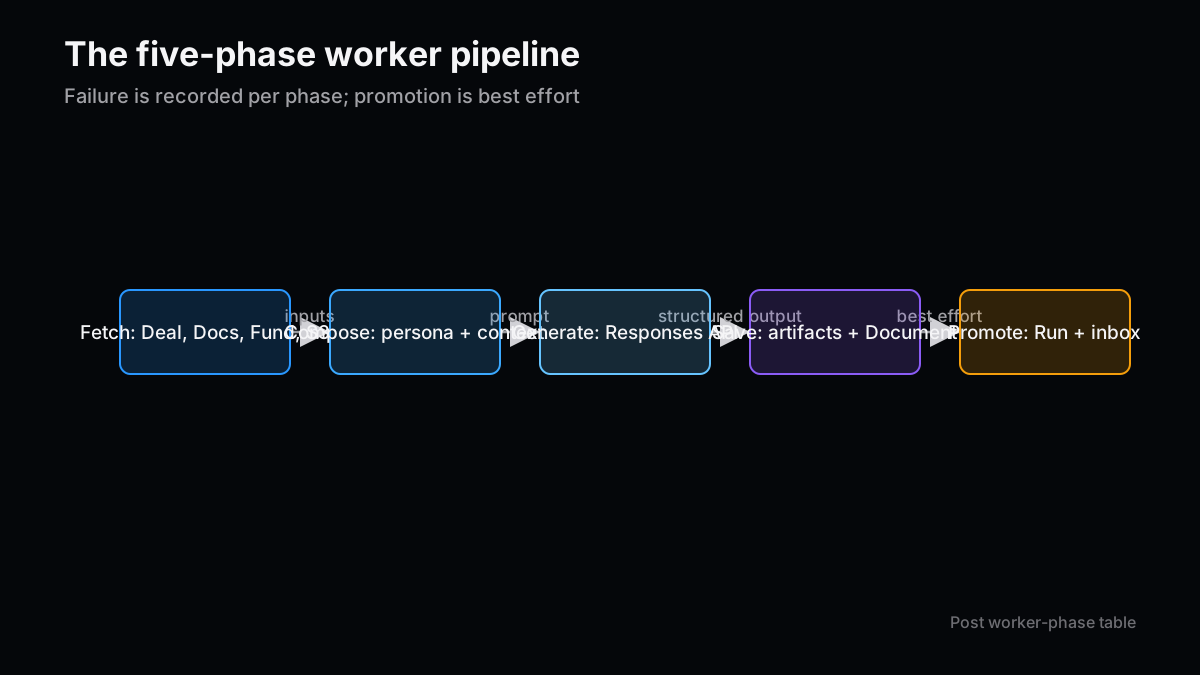
Workers become long files quickly. A useful decomposition has five phases.
| Phase | Main work | Failure record |
|---|---|---|
| Fetch | Deal, Document, FundProfile, S3 objects | Mark Run and ActionItem failed |
| Compose | Persona, shared skill, deal context, extra input | Log input types and entity IDs |
| Generate | Responses API, web search, Structured Outputs | Capture HTTP status and bounded error |
| Save | Markdown, structured JSON, DOCX/XLSX, Document record | Distinguish partial success |
| Promote | Run to SUCCEEDED, inbox to AWAITING_REVIEW | Warn on best-effort failure |
ValuScope uses different ingestion paths by format. PDFs go through the Files API, while Office files are parsed locally into text. The current document-analysis route also enforces a 25 MB file cap, a 400,000-character extraction cap, and a five-minute timeout.
One subtlety is that Run success and ActionItem promotion are not one transaction. The worker treats inbox promotion as best effort so that an artifact is not discarded when the control-plane update fails. That preserves output but requires monitoring for successful Runs that never appear in the inbox.
Choose Free Text or Structured Output by Downstream Use
Making every response JSON can damage prose quality. Making everything Markdown creates brittle downstream parsing. ValuScope chooses by artifact use.
- Web research, deck analysis, meeting agendas, and IC outlines are primarily Markdown.
- Pipeline ToDo and follow-up questions are structured.
- Chat-based data changes use a strict JSON Schema.
Structured Outputs with strict: true constrain fields, types, and required properties. Schema compliance does not prove factual correctness. Real companies, amounts, dates, and current values still require domain validation on the server.
Data updates need three layers:
- Constrain model output with JSON Schema.
- Revalidate received JSON with Zod.
- Reload the database and recheck whitelist, type, and conflicts.
Only after those layers does generated text become a candidate business-data mutation.
Poll the Client According to Job State
Asynchronous processing moves the next question to the UI: how does it learn that a run finished? ValuScope's useDealAgents refetches every four seconds while any Run is GENERATING, every ten seconds for PENDING, and stops when no active Run remains. The inbox similarly refreshes when review work exists.
TanStack Query's refetchInterval can return a number or false based on current query state.
useQuery({
  queryKey: ['agent-runs', dealId],
  queryFn: () => listAgentRuns(dealId),
  refetchInterval: (query) => {
    const runs = query.state.data ?? []
    if (runs.some((run) => run.status === 'GENERATING')) return 4_000
    if (runs.some((run) => run.status === 'PENDING')) return 10_000
    return false
  },
})
The pattern is simple, but each QueryObserver owns its timer even when observers share a key. At larger scale, AppSync subscriptions, SSE, or webhook-driven push become worth comparing.
Treat Approval as a Command With Multiple Side Effects
Approving an inbox item sets the ActionItem to APPROVED, moves the Deal forward, records DealHistory, and launches the next agent. This is a command, not a basic field update.
A robust order is:
- Reload the ActionItem and verify it is still
AWAITING_REVIEW. - Record approver, timestamp, and note.
- Reload the Deal and allow forward transitions only.
- Write before and after states to DealHistory.
- Deduplicate next jobs with
sourceKey. - Dispatch the next step and track delivery.
The current implementation performs this from a React hook, with next-step requests handled using best-effort Promise.allSettled. That can work at small scale, but I see value in moving it to a single server-side command. An approval transaction could write the decision, stage change, and an outbox record, leaving a separate worker to deliver the next job reliably.
Gotchas for Production
Copying the happy-path code is not enough. The current implementation and official service behavior highlight several risks.
- A Function URL POST is not a durable queue: after aborting the wait, the caller cannot prove acceptance by itself.
- Lambda retries can duplicate work: AWS explicitly documents possible duplicate delivery. Idempotency must be keyed to the Run ID.
- Use a DLQ or failure destination: do not silently discard events after retry exhaustion.
- Test authorization twice: Route Handler membership checks and AppSync model authorization must both enforce the intended boundary.
- Review API retention: Responses, Files, and background features can have different retention conditions.
- Represent partial success: model success, S3 failure, and Document-record failure should remain recoverable as separate steps.
- Centralize model allowlists: UI, route, and worker must validate against the same shared identifiers.
AI demos make “the answer appeared” feel like completion. In operational software, the surrounding authentication, delivery, persistence, approval, and recovery paths determine whether the feature survives real use.
Conclusion: A Minimum Production Pattern
The reusable minimum looks like this:
- Route Handler handles auth, authorization, validation, Run creation, and dispatch.
- A worker owns heavy generation and artifact creation.
- Run state and human ActionItem state are stored separately.
- Free text and structured output are selected by downstream use.
- The UI polls only while work is active.
- Approval gates forward transitions and next-step execution.
- Every external side effect carries a Run ID and idempotency key.
This architecture can start with one agent and grow by adding bounded roles. A universal chat assistant with all data and all permissions is much harder to partition later.
Part three walks through the actual operating flow from deal creation to research, document analysis, inbox approval, and an IC outline. It also defines metrics for measuring effects without inventing productivity claims.
- Part 1: Designing Agentic Apps With Human-Controlled Automation
- Part 3: How to Operate an Agentic Application and Measure Its Effects
References
- Next.js: Route Handlers
- AWS Amplify Gen 2: Configure Functions
- AWS Amplify Gen 2: Customize Authorization Rules
- AWS Lambda: Handling Errors in Asynchronous Invocation
- TanStack Query v5: Polling
- OpenAI API Reference: Structured Outputs
Next Issue Ideas
- Idea 1: Harden approval chaining with a transactional outbox — Move approval, stage update, and next-job delivery into a recoverable server-side command.
- Idea 2: Replace polling with AppSync subscriptions — Implement push-based Run updates and compare network volume and UI latency.
- Idea 3: Visualize artifact provenance — Connect source documents, prompt version, model, generated artifact, and human decision in one lineage view.
This article is for informational purposes only and does not recommend any security, product, investment, or securities action. Generative AI assisted the writing, and the content was checked against source code and official documentation. See the disclaimer for details.