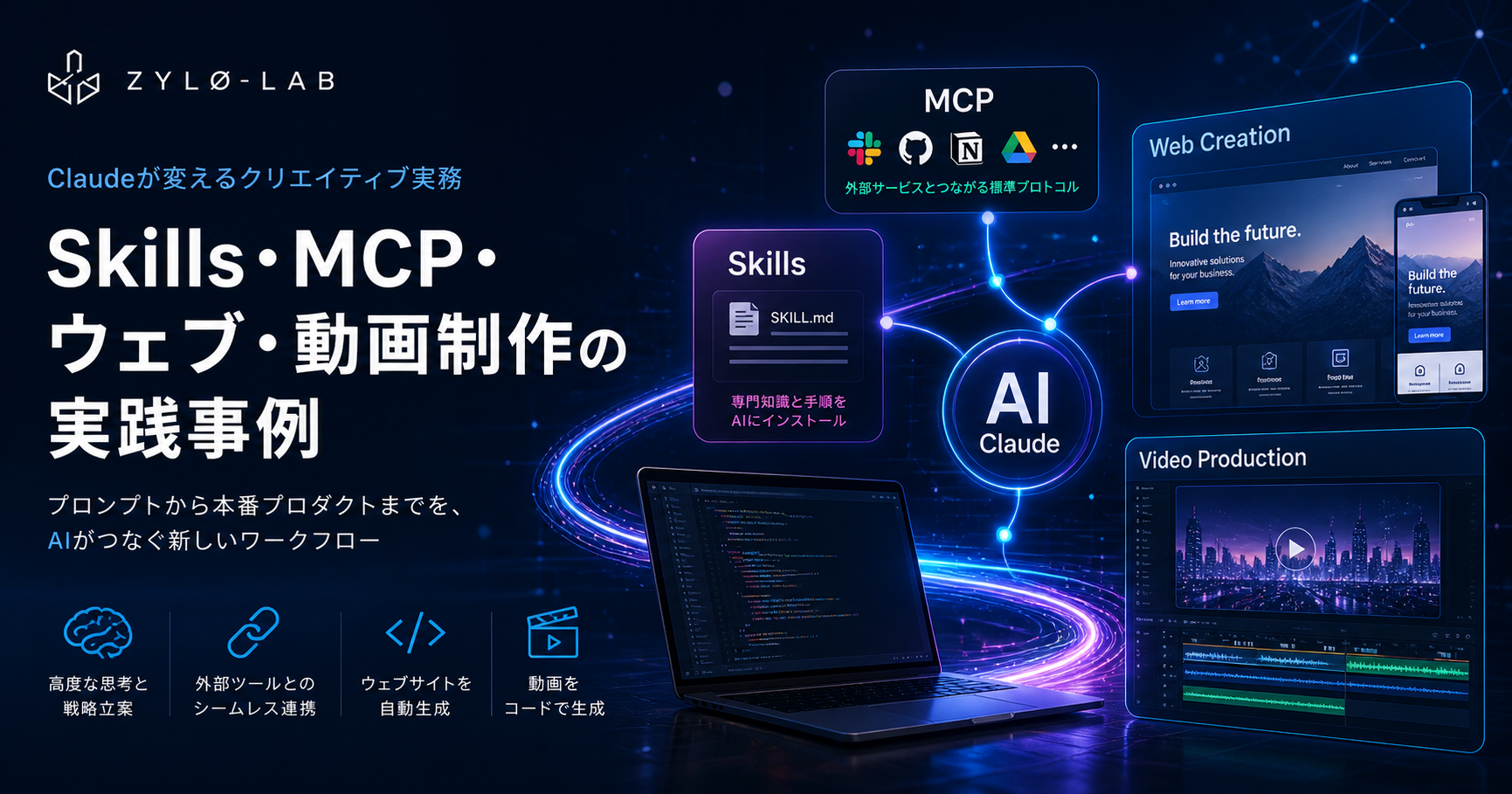
Claudeが変えるクリエイティブ実務:Skills・MCP・ウェブ・動画制作の実践事例
2026年4月17日、AnthropicはClaude Designをリリースした。その瞬間、Figmaの株価は7%下落した。Anthropic CPOのMike KriegerがFigmaの取締役会を辞任したのは発表の3日前だ。単なる競合製品の登場ではなく、AIがクリエイティブワークフローの根幹を塗り替える転換点として市場はこの出来事を読み解いた。
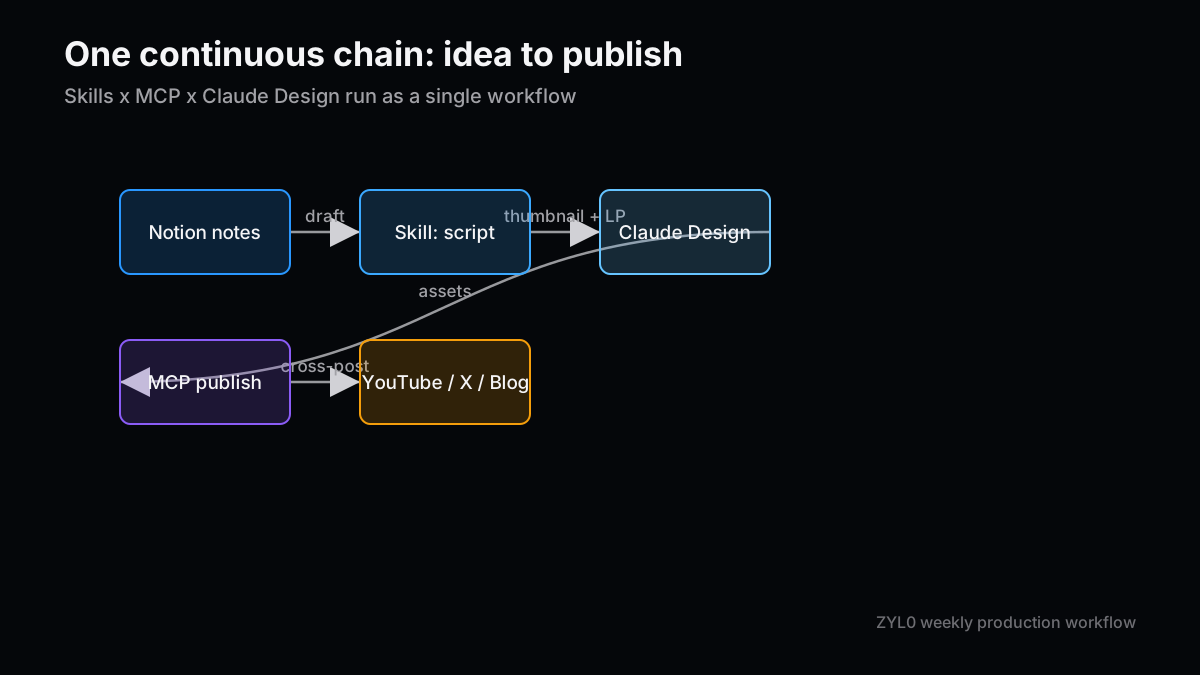
2024年11月のModel Context Protocol(MCP)発表、2025年10月のSkillsローンチ、そして2026年4月のClaude Design投入——三つが組み合わさることで、「プロンプトから本番プロダクトまで」が一つの連続したワークフローとして完結しつつある。月間SDK ダウンロード数9,700万回、公開MCPサーバー数1万以上、エンタープライズ顧客30万社超という数字がこの変化の実態を裏付けている。本稿ではSkills・MCP・ウェブサイト制作・動画制作の4軸でClaudeの実務活用事例を俯瞰し、その投資的含意を整理する。
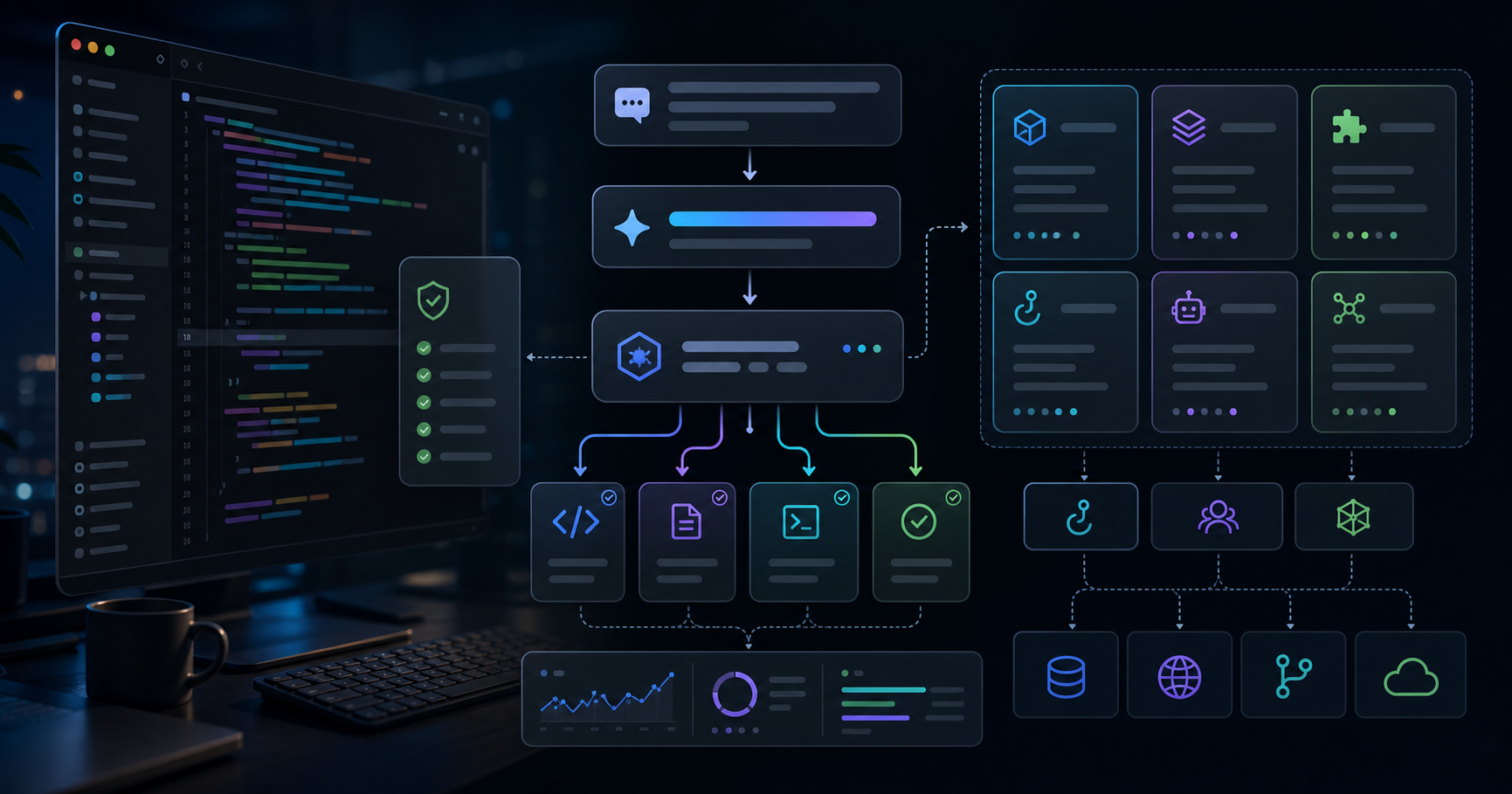
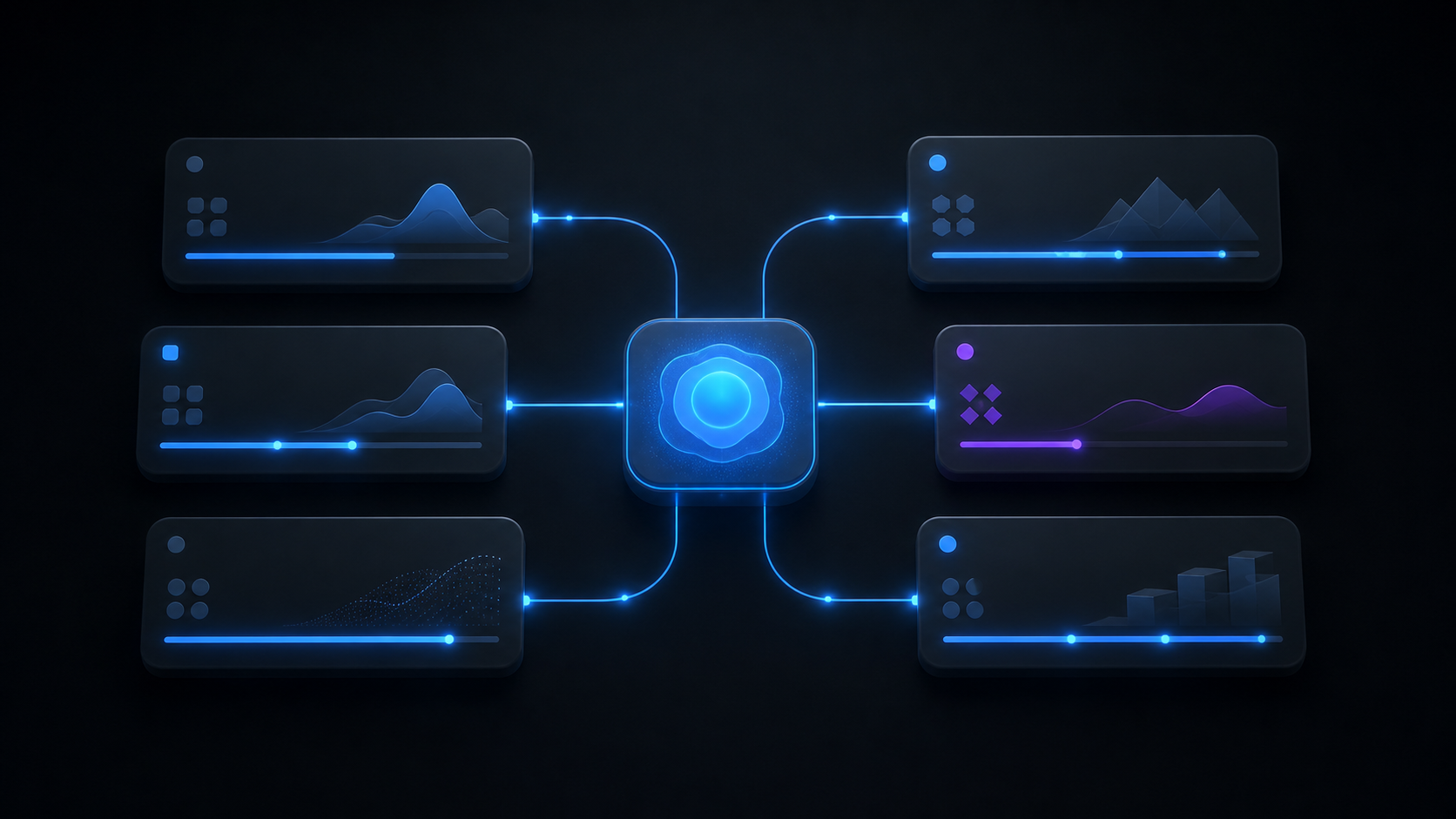
2024年11月以前、AIをビジネスシステムに接続するにはツールごとに個別のAPIラッパーが必要で、N個のAIクライアントとM個のツールの間にN×M本の接続コードを書き直すコストが「AI活用の壁」だった。AnthropicのModel Context Protocol(MCP)はこのN×M問題を根本から解決する「USB-C」型の標準プロトコルだ。MCPサーバー(外部サービス側)とMCPクライアント(AI側)の間をJSON-RPC 2.0で標準化し、一度構築したサーバーはClaude・ChatGPT・Gemini・Cursorなど全MCP対応クライアントで動作する。普及速度は歴史的に速く、発表時(2024年11月)の月間SDK ダウンロード数200万が、OpenAIの採用(2025年3月)で2,200万、Microsoftの統合(2025年7月)で4,500万、AWSの対応(2025年11月)で6,800万へと急拡大し、2026年3月には9,700万・公開サーバー1万超に達した。
| 時期 | 月間SDK DL数 | 主要イベント |
|---|
| 2024年11月 | 200万 | Anthropicが発表 |
| 2025年3月 | 2,200万 | OpenAIが採用 |
| 2025年7月 | 4,500万 | Microsoft Copilot Studioに統合 |
| 2025年11月 | 6,800万 | AWSが対応 |
| 2026年3月 | 9,700万 | 全主要プロバイダーが対応、公開サーバー1万超 |
2025年12月には、AnthropicがMCPをLinux FoundationのAgentic AI Foundation(AAIF)に寄贈した。Anthropic・Block・OpenAIが共同設立したAAIFのもとで、MCPは特定企業の技術ではなくオープン標準としての地位を確立し、企業のロックインリスクが低下して採用をさらに加速させている。
MCPはTools(AIが呼び出せる機能)・Resources(AIが読み取れるデータ)・Prompts(再利用可能なワークフローテンプレート)の3要素で構成される。公式・コミュニティのサーバーはGoogle Drive・Slack・GitHub・PostgreSQLといった開発基盤から、Salesforce・HubSpot・Jira・Figma・Stripeまで多岐にわたる。2026年1月発表のMCP Appsはテキストを超えてReactベースのUIコンポーネントをチャット内に直接レンダリングする拡張仕様で、MCPを「データの橋渡し役」から「アプリケーション配信インフラ」へと進化させている。
MCPがClaudeを外部世界に繋ぐ「神経系」とすれば、Skillsは特定ワークフローの知識と手順をモデルに内蔵させる「内部プレイブック」だ。2025年10月16日にAnthropicがローンチしたSkillsは、プロジェクト単位でClaudeに専門的なペルソナ・知識ベース・実行手順を与え、会話をまたいで記憶させる機能だ。
| 特性 | Skills | MCP |
|---|
| 役割 | 内部の知識・手順・ペルソナを格納 | 外部ツール・データへの接続 |
| 実装 | SKILL.mdファイル + リソースバンドル | サーバー/クライアントのプロトコル |
| 有効範囲 | 特定のプロジェクト内 | 接続される全MCP対応クライアント |
| 典型用途 | 「このフォーマットで〇〇を書く」的な手順 | 「GitHubからissueを引っ張る」的な外部操作 |
| オープン性 | Anthropicエコシステム内 | オープン標準、全プロバイダーで動作 |
本ブログZYL0でも実際にSkillsを活用している。「zyl0-blog-writer」というスキルパッケージを構築・登録することで、記事の構成フォーマット・文体規則・frontmatterのスキーマを毎回説明することなく、Claudeが自動的にルールを適用して記事を生成してくれる。Deloitteが47万人の従業員にClaudeをロールアウトする際、各部署の業務手順をSkillsとして定型化することでROIを最大化している構図と、本質的に同じアプローチだ。
2026年4月17日のClaude Design発表がFigma株を発表当日に7%下落させた背景には、単なるAI画像生成ツールとは本質的に異なる構造がある。Claude Designは会話型インターフェースでインタラクティブなプロトタイプ・スライドデッキ・ランディングページ・UIモックアップを生成し、そのままClaude Codeへハンドオフするというクローズドループを提供する。
Claude Opus 4.7(視覚解像度が先代モデルの115万画素から375万画素へ大幅向上)を搭載し、Pro(月額20ドル)以上のプランに追加費用なしで含まれる。生成できるアウトプットは幅広い。
| アウトプットの種類 | 用途・特徴 |
|---|
| インタラクティブプロトタイプ | ユーザーテスト・PRやコードレビュー不要での共有 |
| ピッチデッキ・スライド | 会話で生成→PDF/PPTX/Canva連携でエクスポート |
| ランディングページ・ワイヤーフレーム | スタートアップの初期MVP・PMのフィーチャーフロー設計 |
| データビジュアライゼーション | インタラクティブチャート・フィルタリングテーブル・アニメーション |
| ブランドシステム | コードベースとデザインファイルを読み込み、デザインシステムを自動構築 |
特筆すべきは「デザインシステムの自動抽出」機能だ。Claude Designはオンボーディング時に企業のコードベース・Figmaファイル・既存ウェブサイトを読み込み、ブランドカラー・タイポグラフィ・コンポーネントを抽出してデザインシステムを構築する。以降の全プロジェクトにこのシステムが自動適用されるため、汎用的なAI生成デザインではなく、ブランドの世界観に沿ったアウトプットが得られる。
教育テックのBrilliantは、他のAIツールで20以上のプロンプトを要した複雑なページがClaude Designではわずか2プロンプトで再現できたと報告している。DatadogのPMチームは、従来1週間かかっていたブリーフ→モックアップ→レビューのサイクルを、Claude Designの1回のセッションに圧縮した。
Claude DesignはFigmaの完全代替を意図していないが、従来Figmaに触れなかった多数の非デザイナー層(創業者・PM・マーケター)を直接ターゲットにしている点が競争の核心だ。Figmaはプロのデザインチームにとって依然として精度・コラボレーション・開発者ハンドオフの面で代替しがたいが、市場のUI/UX設計シェアの80〜90%を握るFigmaへの挑戦は現実のものとなっている。
| ツール | 強み | 最適なユースケース |
|---|
| Claude Design | 高速プロトタイピング・Claude Codeへのシームレスなハンドオフ | アイデエーション〜初期プロトタイプ・非デザイナーの資料作成 |
| Figma | ピクセル精度・マルチプレイヤー編集・開発者ハンドオフ | 本番UI/UX設計・デザインシステム管理 |
| Canva | テンプレート豊富・SNS素材・ブランドアセット量産 | マーケティングコンテンツ・SNS投稿 |
| v0 / Lovable | React/Next.jsコンポーネント・デプロイ済みMVP | フロントエンドコード・フルスタックMVP |
Claude DesignのプロトタイプをClaude Codeへハンドオフすると、デザインの意図(インタラクション・状態管理・レイアウトの詳細)を含むバンドルが渡され、エンジニアが実装を引き取る。さらにMCPを通じてGitHub・Vercel・Figmaなどのツールとシームレスに連携することで、「プロンプトで描いたアイデア→プロトタイプ→本番コード」のループが一つのエコシステム内で完結する。コードを一行も書けないノンエンジニアがClaude Codeでランディングページを作り、そのままFigmaに取り込んでデザイナーがブラッシュアップする「バイブコーディング」ワークフローは、2025年の時点で実用段階に入っていた。このアプローチはプロダクト開発の工数と人件費の構造を根本から変えようとしている。
Claude自体は動画を生成する機能を持たない。しかし2026年のAI動画制作エコシステムにおいて、Claudeは「スクリプト作成→プロンプト設計→ツール間オーケストレーション→編集指示」という全工程を管理する司令塔として機能する。
現在の主要AI動画生成ツールを以下に整理する。
| ツール | 強み | 最適用途 | 価格帯 |
|---|
| Google Veo 3.1 | 4K/60fps・物理シミュレーション・音声同時生成 | 高品質商業コンテンツ・ドキュメンタリー | 高 |
| Runway Gen-4.5 | 映像的品質・高度なカメラコントロール | 映画・ハイエンドCM・クリエイティブ制作 | 高〜中 |
| Kling 3.0 | 最大2分・音声動画同時生成・コスト効率 | SNS・YouTube・大量生産コンテンツ | $6.99/月〜 |
| Pika 2.0 | 高速生成・リップシンク・バイラルエフェクト | TikTok・Reels・YouTube Shorts | 低〜中 |
| Wan Video / Vheer | 無制限クレジット(無料枠) | バルク生成・テスト用途 | 無料 |
OpenAIのSora 2は2026年3月24日に実質的に終了した。1日1,000〜1,500万ドルの運用コストに対して合計210万ドル程度の収益しか得られなかったという財務的現実がハイプの終わりを告げ、このポジションは現在Veo 3.1とRunway Gen-4.5が埋めている。
ClaudeをAI動画制作の中心に置いたワークフローは以下4フェーズで構成できる。
コンセプト設計フェーズでは、「40〜60秒の製品紹介動画、ターゲットはSMB、トーンはプロフェッショナルかつ親しみやすく」という指示に対し、Claudeがナレーションスクリプト・シーン構成・カット割り・テロップ案を一括生成する。
プロンプト最適化フェーズでは、各動画生成AIの「言語」の違いに合わせてClaudeが最適なプロンプトを自動設計する。Veo 3.1は物理的精度を重視した記述が有効で、Runwayはシネマティックな演出語彙に反応しやすく、Klingは音声・対話シーンの記述に強い。
クリップ生成フェーズでは、コストと品質のバランスでツールを使い分ける。ヒーロークリップはKling(1日66クレジット)、バルク生成はWan VideoやVheer(無制限)、最高品質シーンはVeo 3.1またはRunwayが担う。
ローカルレンダリングフェーズでは、Claude CodeでRemotionのTSXファイルを記述し、ローカル環境でMP4としてレンダリングする。クラウド動画生成ツールにはウォーターマークや時間制限があるが、ローカルレンダリング自体に制限はない。このアーキテクチャを活用すると5本の動画を約90分(1本あたり20〜35分)で制作するペースが実現可能だ。ElevenLabsによるナレーション音声生成とSunoによる背景音楽の追加も、Claudeのスクリプトとシームレスに連携する。
ClaudeのエンタープライズROIは、2025〜2026年にかけて大規模な実証データが蓄積されてきた。
| 企業・機関 | 導入規模 | 主な効果 |
|---|
| Deloitte | 470,000人 | AI活用認定15,000人超・Claude CoE設立 |
| TELUS(通信) | 57,000人 | PR所要時間30%短縮 |
| Novo Nordisk(製薬) | 全社 | リサーチ合成が数週間→数分に圧縮 |
| 大手法律事務所 | 複数 | 所要時間52%削減・精度25%向上 |
一般的なデータとして、本番稼働まで到達したLLM導入が対象プロセスで6ヶ月以内に15〜25%のコスト削減を達成する一方、パイロット段階で本番に進まないプロジェクトが全体の40%に上るという調査結果がある。「AI活用」と「AI投資のROI実現」の間には依然として相当のギャップがある点は認識しておきたい。
| 指標 | 数値 |
|---|
| 年率売上(2026年2月) | $140億 |
| 2026年通期予想売上 | $260億 |
| Claude Code年率売上 | $25億 |
| エンタープライズ顧客数 | 300,000社超 |
| $100万以上/年の顧客増加率 | 前年比7倍 |
| 企業バリュエーション | $3,800億(2026年2月) |
企業売上の70〜75%がエンタープライズAPIとClaude Code利用に由来しており、消費者向けサービスはある種の「フロント」に過ぎない。$100万以上を年間支出するエンタープライズ顧客の前年比7倍という伸びは、Claudeが「試験的な活用」から「コアワークフローへの統合」フェーズに移行しつつあることを如実に示している。
Figma株の7%下落が象徴するように、AIが特定ツールカテゴリー全体を侵食するリスクは現実だ。ただしFigmaはUI/UXデザインの80〜90%のシェアを持ち、プロ向けのコラボレーション・開発者ハンドオフは依然代替が難しく、Claude Designが主に侵食するのは「Figmaを使っていなかった層」という見方が有力だ。
MCPエコシステムの成長はB2B SaaS企業にとって「MCPサーバーを持たないことは、AIエージェントから見えなくなること」を意味し、MCP対応はSEOと同様に「あって当然のインフラ」になりつつある。動画制作領域ではSora 2の終了が示すように生成コストと収益化の均衡が課題で、Veo 3.1(Google DeepMind)はGoogleの財務基盤が支え、Kling 3.0(Kuaishou)はコスト競争力で着実にシェアを伸ばしている。
| シナリオ | 想定 | 投資含意 |
|---|
| 強気 | Claude DesignがFigmaの非デザイナー市場を取り込み、MCPが業界標準として完全定着。IPOで$5,000〜6,000億バリュエーション | Anthropic Pre-IPO直接エクスポージャー、またはAIインフラ関連銘柄 |
| メイン | Claude DesignはFigmaと共存し補完関係、MCP普及は続くが競合プロトコルも台頭。Anthropicは$3,800億前後で上場 | Claude APIをコアに組み込むエンタープライズSaaS・AIネイティブ開発ツール |
| テール | AI規制強化・セキュリティインシデント・LLMコモディティ化でAnthropicの差別化が毀損、プライシング競争激化 | AI依存度を分散、マルチモデル対応ツール・オープンソースLLM基盤に退避 |
Claude DesignのGA時期とAPI公開:現状は研究プレビュー段階。APIが公開されれば外部プロダクトへの組み込み事業機会が生まれる。MCP対A2Aプロトコル:Google DeepMindのAgent-to-Agent Protocol(A2A)などが対抗標準として台頭しており、どのプロトコルが事実上の標準を勝ち取るかがエコシステム全体の方向性を左右する。AnthropicのIPO動向:Goldman Sachs・JPMorgan・Morgan Stanleyと主幹引受を協議中と報じられており、2026年10月以降の上場が観測される。Kling 3.0の日本市場展開:中国資本ゆえのカントリーリスクがあるが、最大2分のクリップ生成・音声動画同時生成という差別化機能と突出したコスト競争力は注視に値する。
Skills・MCP・Claude Designが組み合わさることで「プロンプトから本番プロダクトまで」が一つのエコシステム内で完結しつつある。この変化を「ツールの進化」と見るか「産業構造の変容」と捉えるかで、今後2〜3年の投資判断は大きく変わってくる。
本記事は情報提供を目的としており、特定の金融商品・サービスへの投資を推奨するものではありません。投資に関する判断は各自の責任において行ってください。記載した企業の株価・業績・製品仕様は今後変更される可能性があります。
On April 17, 2026, Anthropic released Claude Design. Within hours, Figma's stock dropped 7%. Three days earlier, Anthropic CPO Mike Krieger had stepped down from Figma's board. The market read the announcement not as just another competing product launch, but as a turning point at which AI began rewriting the foundations of creative workflow itself.
The November 2024 launch of the Model Context Protocol (MCP), the October 2025 launch of Skills, and the April 2026 release of Claude Design — together, these three are turning "from prompt to production product" into a single, continuous workflow. The numbers back up the shift: 97 million monthly SDK downloads, more than 10,000 public MCP servers, and over 300,000 enterprise customers. This article surveys Claude's real-world use cases across four axes — Skills, MCP, website creation, and video production — and lays out the investment implications.
Before November 2024, hooking an AI into a business system meant writing a separate API wrapper for every tool. With N AI clients and M tools, you had to maintain N×M connection paths — that rewrite cost was the real wall blocking AI adoption. Anthropic's Model Context Protocol (MCP) solves this N×M problem at the root with a "USB-C"-style standard protocol. It standardizes the link between MCP servers (the external service side) and MCP clients (the AI side) over JSON-RPC 2.0, so once you build a server, it works across every MCP-capable client — Claude, ChatGPT, Gemini, Cursor, and beyond. Adoption has been historically fast: from 2 million monthly SDK downloads at launch (November 2024), to 22 million when OpenAI adopted it (March 2025), to 45 million when Microsoft integrated it (July 2025), to 68 million when AWS came on board (November 2025), and to 97 million with over 10,000 public servers by March 2026.
| Period | Monthly SDK Downloads | Key Event |
|---|
| November 2024 | 2M | Anthropic announces MCP |
| March 2025 | 22M | OpenAI adopts MCP |
| July 2025 | 45M | Integrated into Microsoft Copilot Studio |
| November 2025 | 68M | AWS adds support |
| March 2026 | 97M | All major providers supported, 10,000+ public servers |
In December 2025, Anthropic donated MCP to the Linux Foundation's Agentic AI Foundation (AAIF). Co-founded by Anthropic, Block, and OpenAI, AAIF cements MCP's status as an open standard rather than one company's tech. That lowers vendor-lock-in risk and is accelerating enterprise adoption further.
MCP is built on three primitives: Tools (functions the AI can call), Resources (data the AI can read), and Prompts (reusable workflow templates). Official and community servers cover everything from developer infrastructure (Google Drive, Slack, GitHub, PostgreSQL) to business platforms (Salesforce, HubSpot, Jira, Figma, Stripe). MCP Apps, announced in January 2026, extends the spec beyond text to render React-based UI components directly inside chat — pushing MCP from "data bridge" to "application delivery infrastructure."
If MCP is the "nervous system" that connects Claude to the outside world, Skills are the "internal playbook" that bake workflow-specific knowledge and procedures into the model. Launched on October 16, 2025, Skills give Claude a project-scoped expert persona, knowledge base, and execution procedure that persists across conversations.
| Aspect | Skills | MCP |
|---|
| Role | Houses internal knowledge, procedures, personas | Connects to external tools and data |
| Implementation | SKILL.md file + resource bundle | Server/client protocol |
| Scope | Within a specific project | Every connected MCP-capable client |
| Typical use | "Write X in this format"-style procedures | "Pull issues from GitHub"-style external operations |
| Openness | Inside Anthropic's ecosystem | Open standard, works across all providers |
This blog (ZYL0) actually uses Skills in production. By building and registering a "zyl0-blog-writer" skill package, Claude automatically applies the article structure, voice rules, and frontmatter schema without us re-explaining them every time. It's the same fundamental approach Deloitte takes when rolling Claude out to its 470,000 employees — codifying departmental procedures as Skills to maximize ROI.
The reason Claude Design's April 17, 2026 launch dropped Figma's stock 7% on the day isn't that it's just another AI image generator — its structure is fundamentally different. Claude Design provides a closed loop: a conversational interface that produces interactive prototypes, slide decks, landing pages, and UI mockups, then hands them off directly to Claude Code.
It runs on Claude Opus 4.7 (visual resolution jumped from the prior model's 1.15M pixels to 3.75M pixels) and is included at no extra cost in Pro plans ($20/month) and above. The range of outputs is broad.
| Output Type | Use Case / Characteristics |
|---|
| Interactive prototypes | User testing; sharing without PRs or code reviews |
| Pitch decks and slides | Generated from conversation; export to PDF/PPTX/Canva |
| Landing pages and wireframes | Early-stage MVPs for startups; PM feature flow design |
| Data visualizations | Interactive charts, filterable tables, animations |
| Brand systems | Reads a codebase and design files to auto-build a design system |
The "automatic design system extraction" capability deserves particular attention. During onboarding, Claude Design ingests a company's codebase, Figma files, and existing website to extract brand colors, typography, and components into a coherent system. That system then applies automatically to every subsequent project — so what you get isn't generic AI-generated design but output aligned with the brand's visual world.
EdTech firm Brilliant reports that complex pages requiring 20+ prompts in other AI tools could be reproduced in Claude Design with just two prompts. Datadog's PM team compressed a brief → mockup → review cycle that previously took a week into a single Claude Design session.
Claude Design isn't aiming to fully replace Figma — but it directly targets the large non-designer population (founders, PMs, marketers) who never used Figma to begin with, and that's the heart of the competitive shift. Figma remains hard to displace for professional design teams when it comes to precision, collaboration, and developer handoff. Yet a real challenge to Figma — which holds 80–90% of the UI/UX design market — has now begun.
| Tool | Strengths | Best For |
|---|
| Claude Design | Fast prototyping, seamless handoff to Claude Code | Ideation through early prototypes; non-designer deliverables |
| Figma | Pixel precision, multiplayer editing, developer handoff | Production UI/UX design; design system management |
| Canva | Rich templates, social assets, brand asset throughput | Marketing content; social posts |
| v0 / Lovable | React/Next.js components, deployed MVPs | Front-end code; full-stack MVPs |
When a Claude Design prototype is handed off to Claude Code, the bundle includes the design's intent — interactions, state management, layout details — and an engineer picks up the implementation. Wire that to GitHub, Vercel, Figma, and other tools through MCP, and the loop "idea sketched in a prompt → prototype → production code" closes inside a single ecosystem. The "vibe coding" workflow — where a non-engineer who can't write a single line of code builds a landing page in Claude Code, then pulls it into Figma for a designer to polish — was already in production-grade use through 2025. This approach is set to fundamentally rewrite the cost structure of product development in terms of both engineering hours and headcount.
Claude itself can't generate video. But in the 2026 AI video production ecosystem, Claude functions as the command center that manages the full pipeline — script writing, prompt design, cross-tool orchestration, and editing instructions.
Here's a snapshot of the major AI video generation tools today.
| Tool | Strengths | Best For | Price |
|---|
| Google Veo 3.1 | 4K/60fps, physics simulation, simultaneous audio | High-end commercial content, documentaries | High |
| Runway Gen-4.5 | Cinematic quality, advanced camera control | Film, premium ads, creative production | High–Mid |
| Kling 3.0 | Up to 2 min, simultaneous audio/video, cost-efficient | Social, YouTube, high-volume content | From $6.99/mo |
| Pika 2.0 | Fast generation, lip-sync, viral effects | TikTok, Reels, YouTube Shorts | Low–Mid |
| Wan Video / Vheer | Unlimited credits (free tier) | Bulk generation, testing | Free |
OpenAI's Sora 2 effectively wound down on March 24, 2026. Operating at $10–15M/day in cost against roughly $2.1M in cumulative revenue, the financial reality ended the hype cycle. Veo 3.1 and Runway Gen-4.5 now occupy the position Sora once held.
A Claude-centered AI video production workflow can be broken into four phases.
Concept Phase. Given a brief like "a 40–60 second product introduction targeted at SMBs, professional yet approachable in tone," Claude generates the narration script, scene structure, cut sequence, and on-screen text in one pass.
Prompt Optimization Phase. Each video generator speaks its own "language," and Claude designs the optimal prompt accordingly. Veo 3.1 responds well to physically precise descriptions, Runway leans into cinematic vocabulary, and Kling is strong with audio and dialogue scenes.
Clip Generation Phase. Tools are mixed based on the cost-quality balance. Hero clips go through Kling (66 credits/day), bulk generation runs on Wan Video or Vheer (unlimited), and the highest-quality scenes use Veo 3.1 or Runway.
Local Rendering Phase. In Claude Code, you write Remotion TSX files and render to MP4 locally. Cloud video generators come with watermarks and time limits; local rendering itself has none. Using this architecture, a pace of five videos in roughly 90 minutes (20–35 minutes each) is realistic. ElevenLabs for narration audio and Suno for background music slot seamlessly into Claude's script.
Through 2025–2026, large-scale empirical data on Claude's enterprise ROI has accumulated.
| Company / Org | Deployment Scale | Key Outcome |
|---|
| Deloitte | 470,000 people | 15,000+ AI-certified, Claude CoE established |
| TELUS (telecom) | 57,000 people | 30% reduction in PR turnaround |
| Novo Nordisk (pharma) | Companywide | Research synthesis from weeks to minutes |
| Major law firms | Multiple | 52% time reduction, 25% accuracy improvement |
As a general benchmark, LLM deployments that reach production typically achieve 15–25% cost savings on the targeted process within six months — but research also shows that 40% of pilots never make it to production. There's still a meaningful gap between "using AI" and "realizing AI investment ROI," and that's worth keeping in mind.
| Metric | Value |
|---|
| Annualized revenue (Feb 2026) | $14B |
| 2026 full-year revenue forecast | $26B |
| Claude Code annualized revenue | $2.5B |
| Enterprise customers | 300,000+ |
| Growth in $1M+/year customers | 7× YoY |
| Company valuation | $380B (Feb 2026) |
70–75% of company revenue comes from the enterprise API and Claude Code usage; the consumer service is, in a sense, just the storefront. The 7× year-over-year growth in enterprise customers spending more than $1M annually shows clearly that Claude is moving from "experimental adoption" to "integrated into core workflows."
The 7% drop in Figma stock symbolizes a real risk: AI can erode entire tool categories. That said, Figma still owns 80–90% of UI/UX design share, and its professional collaboration and developer handoff remain hard to replace. The dominant view is that Claude Design mostly eats into "the segment that wasn't using Figma to begin with."
The growth of the MCP ecosystem means, for B2B SaaS companies, that "not having an MCP server" is starting to mean "being invisible to AI agents." MCP support is becoming the kind of "table-stakes infrastructure" that SEO became. In video, the end of Sora 2 underscored that the balance between generation cost and monetization is the open problem. Veo 3.1 (Google DeepMind) is backstopped by Google's balance sheet, and Kling 3.0 (Kuaishou) is steadily gaining share on cost competitiveness.
| Scenario | Assumption | Investment Implication |
|---|
| Bull | Claude Design captures Figma's non-designer market; MCP becomes the firmly entrenched industry standard; IPO at $500–600B valuation | Direct exposure to Anthropic pre-IPO, or AI infrastructure-related names |
| Base | Claude Design coexists with Figma in a complementary relationship; MCP adoption continues but competing protocols emerge; Anthropic IPOs around $380B | Enterprise SaaS that bakes Claude API into the core; AI-native dev tools |
| Tail | Tighter AI regulation, security incidents, or LLM commoditization erode Anthropic's differentiation; pricing competition intensifies | Diversify away from AI dependence; multi-model tools, open-source LLM infrastructure |
Claude Design GA timing and API release. It's still in research preview. An API release would open up business opportunities for embedding Claude Design into external products. MCP vs. A2A protocols. Google DeepMind's Agent-to-Agent Protocol (A2A) and others are emerging as competing standards; which protocol wins de facto status will shape the entire ecosystem's direction. Anthropic's IPO trajectory. Goldman Sachs, JPMorgan, and Morgan Stanley are reportedly in talks to lead the deal, with a listing observed sometime after October 2026. Kling 3.0's expansion into Japan. There's country risk because of its Chinese capital backing, but its differentiating features — clip generation up to 2 minutes, simultaneous audio/video — and standout cost competitiveness are worth watching.

With Skills, MCP, and Claude Design coming together, "from prompt to production product" is closing into a single ecosystem. Whether you read that as "tooling progress" or "industrial structural change" will heavily shape investment decisions over the next two to three years.

This article is for informational purposes only and is not a recommendation to invest in any financial product or service. Investment decisions are made at your own discretion. Stock prices, earnings, and product specifications mentioned in this article are subject to change.