Claude Code Skill設計10パターン|確実に発火するdescriptionと運用テンプレ
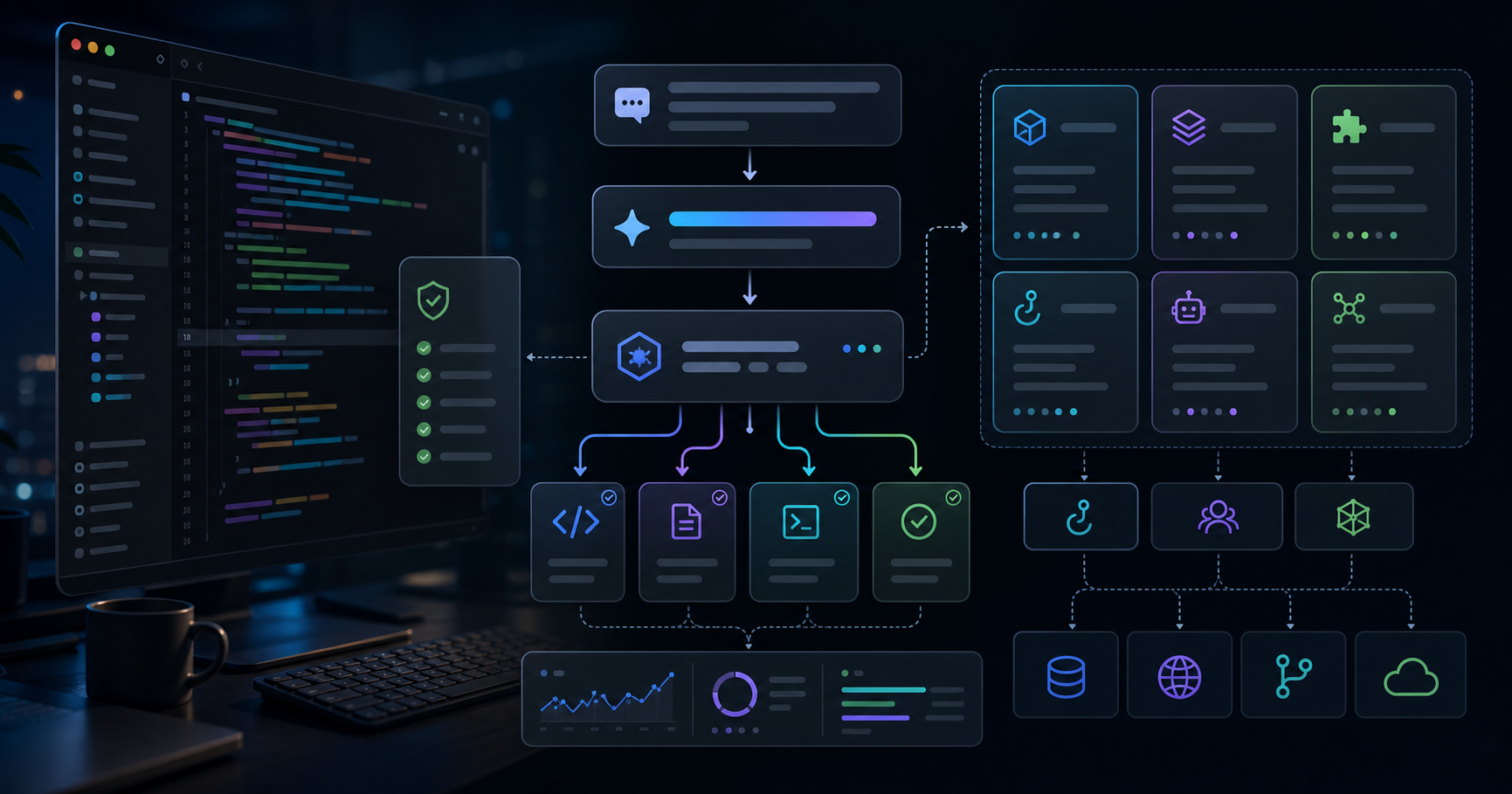
Claude CodeのSkillは、単なる便利メモではありません。私には、プロジェクトごとの「作業標準」をモデルに渡すための運用ルールに見えています。ZYL0 Blogでも投資記事、クリエイター記事、技術記事のSkillを分けていますが、最初はdescriptionが曖昧すぎて、期待した場面で呼ばれないことが何度もありました。
この記事では、実際のブログ運用で使っているSkill設計を題材に、発火しやすいdescription、壊れにくいSKILL.md、AdSense審査を意識した品質ゲートを10パターンに整理します。2026年5月時点のClaude Code、MCP、Subagent、Hook、Plan modeの役割分担を前提にしています。
Version note: 2026年5月時点のClaude CodeドキュメントとZYL0 BlogのローカルSkill運用を前提にしています。CLI仕様やSkillの挙動は変わる可能性があるため、実装時は公式ドキュメントで確認してください。
| テーマ | 実務で効くポイント |
|---|
| description | 「何をするか」より「いつ呼ぶか」を書く |
| trigger phrases | ユーザーが実際に入力する語を入れる |
| scope | Skill、Subagent、Hook、MCPの責務を混ぜない |
| quality gate | 記事生成では独自性、出典、免責を必須にする |
| validation | 生成後にビルドと軽量監査で確認する |
最初に直すべき場所は、ほぼ必ずdescriptionです。
悪い例はこうです。
description: Write high quality blog posts.
これでは、どの読者向けなのか、どんな依頼文で呼ぶのか、どこに保存するのかが見えません。私が安定したと感じた型は次です。
description: >
  Write bilingual Japanese and English technical blog posts for ZYL0 Blog.
  Use when the user asks for a developer tutorial, Claude Code article,
  MCP guide, architecture deep dive, or implementation note.
  Produce Nuxt Content Markdown under content/blogs/ with frontmatter,
  Japanese and English lang blocks, references, and disclaimers.
ポイントは「このSkillが得意なこと」ではなく「どの依頼文で必ず呼ぶか」を書くことです。Skill選択は読心術ではなくルーティングなので、入力側の言葉を明示した方が安定します。
私は最初、
technical content
や
investment content
のような抽象語を多く書いていました。しかし実際の依頼はもっと具体的です。「MCPの記事にして」「Claude CodeのSkillを直して」「AdSenseに通るブログ品質にして」のように、固有名詞と目的が混ざります。
descriptionには、きれいな分類語よりもユーザーが打ちそうな語を入れます。
| 弱い語 | 強い語 |
|---|
| technical content | Claude Code, MCP, API integration |
| creator content | YouTube, SNS, pricing, proposal template |
| investment content | semiconductor, CPO, AI infrastructure |
| quality content | AdSense, references, disclaimer, originality |
これはSEOと似ています。抽象度の高い言葉は人間にはきれいですが、ルーティング条件としては弱い。Skillは検索エンジンに近い気持ちで設計した方が実用的です。
ZYL0 Blogでは3つのSkillを分けています。
| Skill | 主な読者 | 必須要素 |
|---|
| zyl0-blog-writer | 投資家、CVC、個人投資家 | シナリオ、数値、一次情報、免責 |
| zyl0-creator-blog-writer | クリエイター、個人事業者 | 体験、Before/After、価格、CTA |
| zyl0-tech-blog-writer | エンジニア、開発者 | バージョン注記、コード、落とし穴、公式Docs |
1つのSkillに全部を入れると、毎回トーンがぶれます。投資記事にはシナリオ分析が必要ですが、クリエイター記事では長い銘柄表は読みにくい。技術記事にはコードと検証が必要ですが、一般向け記事では重くなりすぎる。
Skillは機能別ではなく、読者が何を価値と感じるかで分ける方が安定します。これは投資DDのチェックリストを領域別に分ける感覚に近いです。半導体、エネルギー、SaaSで見るべきリスクは違う。記事Skillも同じです。
Nuxt Contentの記事生成では、frontmatterを「適切に」とだけ書くと揺れます。揺れるとカード表示、OG画像、カテゴリページ、RSSで地味に壊れます。
ZYL0 Blogでは、この順番を固定します。
---
title: '日本語タイトル | English Title'
description: '日本語の概要。80〜160字。'
date: '22nd May 2026'
image: '/blogs-img/blog-slug.png'
alt: '画像説明。日本語。'
ogImage: '/blogs-img/blog-slug.png'
tags: ['テック解説', 'AI活用']
tagsEn: ['Tech Deep Dive', 'AI Tools']
published: true
---
私の運用では、正しい例を1つだけSkillに置くようにしています。複数パターンを置くと、モデルが「選べる」と解釈してしまうことがあるからです。
今回の大きな学びは、記事生成SkillにAdSense品質ゲートを入れないと、見た目は長くても「有用性の低いコンテンツ」に見える危険があることです。
最低限のゲートは次です。
| 品質ゲート | チェック内容 |
|---|
| 独自性 | 筆者の経験、仮説、判断軸が入っているか |
| 根拠 | 公式Docs、企業IR、公的資料、研究機関などを参照しているか |
| 再訪理由 | 次に何を追えばよいかが明確か |
| 免責 | 投資助言ではないこと、AI利用、利害関係可能性を明記しているか |
| 重複回避 | 同じ言い回しやテンプレ説明を繰り返していないか |
特に重要なのは、出典を「内部で参照するだけ」にしないことです。読者が確認できる参考資料を記事末尾に置く方が、信頼性とユーザー体験の両方で強いと判断しました。
Skillには調査手順を書きます。ただし、情報源を固定しすぎると新しい一次情報を取り逃がします。
技術記事なら、最低限こう書きます。
Before writing:

- verify official documentation or release notes
- check GitHub changelog/issues where relevant
- avoid uncertain API behavior
- include references readers can revisit
投資記事なら、企業IR、規制資料、市場データを優先します。クリエイター記事なら、価格、工数、Before/After、実体験を優先します。調査の目的はリンクを増やすことではありません。不確かな主張を減らすことです。
Claude Code周辺の機能は便利ですが、全部をSkillに押し込むと壊れやすくなります。
| 仕組み | 得意なこと | 入れすぎると起きる問題 |
|---|
| Skill | 文体、手順、出力形式、品質ゲート | 長すぎて運用ルールが読みにくくなる |
| Subagent | 独立調査、レビュー、並列作業 | 常時必要な文体ルールが抜ける |
| Hook | 実行前後の強制チェック | 判断が必要な編集方針まで止めてしまう |
| MCP | 外部データやサービス接続 | ローカル記事フォーマットが散らばる |
私の現在の整理はシンプルです。Skillは「どう書くか」、Subagentは「何を調べるか」、Hookは「事故を止める」、MCPは「外部情報へつなぐ」。この線引きがあるだけで、問題が起きたときにどこを直すべきかが分かりやすくなります。
意外と効くのが、悪い例です。
# Bad
description: Write useful articles.

# Good
description: >
  Use when the user asks to create, revise, or audit a bilingual ZYL0 Blog
  article for AdSense review, especially when the request mentions references,
  originality, disclaimer, AI tools, investing, or Claude Code.
良い例だけだと境界がぼやけます。悪い例が1つあると、どの抽象度がダメなのかが伝わる。これはチームのDD標準化でも同じでした。「良いメモ」だけでなく「投資委員会で刺されるメモ」を見せた方が、品質基準は早く揃います。
Skillは記事を作るだけでなく、最後に何を見るかまで持っていた方が強いです。
After writing:

- confirm frontmatter fields
- confirm Japanese and English blocks both exist
- confirm references and disclaimers exist in both languages
- run npm run build before publishing
今回のようにAdSense再審査を意識する場合は、本文量、参考資料、Next Issue Ideas、承認済みタグ、禁止MDC/HTMLも見るべきです。人間の目だけに頼ると抜けるので、軽量監査を最後に入れる価値があります。
Skill設計で一番大事なのは、毎回の判断を減らすことです。文章の才能を保存する場所ではなく、運用ルールを保存する場所だと考えると設計しやすい。
ZYL0 Blogで使うSkillは、今後この方針に寄せます。
| 項目 | 新しい標準 |
|---|
| 出典 | 参考資料セクションを日英両方に入れる |
| 独自性 | 筆者の経験、仮説、判断軸を最低1つ入れる |
| 免責 | 投資助言ではないこと、AI利用、利害関係可能性を明記 |
| タグ | 承認済み8カテゴリのみ |
| 検証 | buildと軽量監査を実行 |
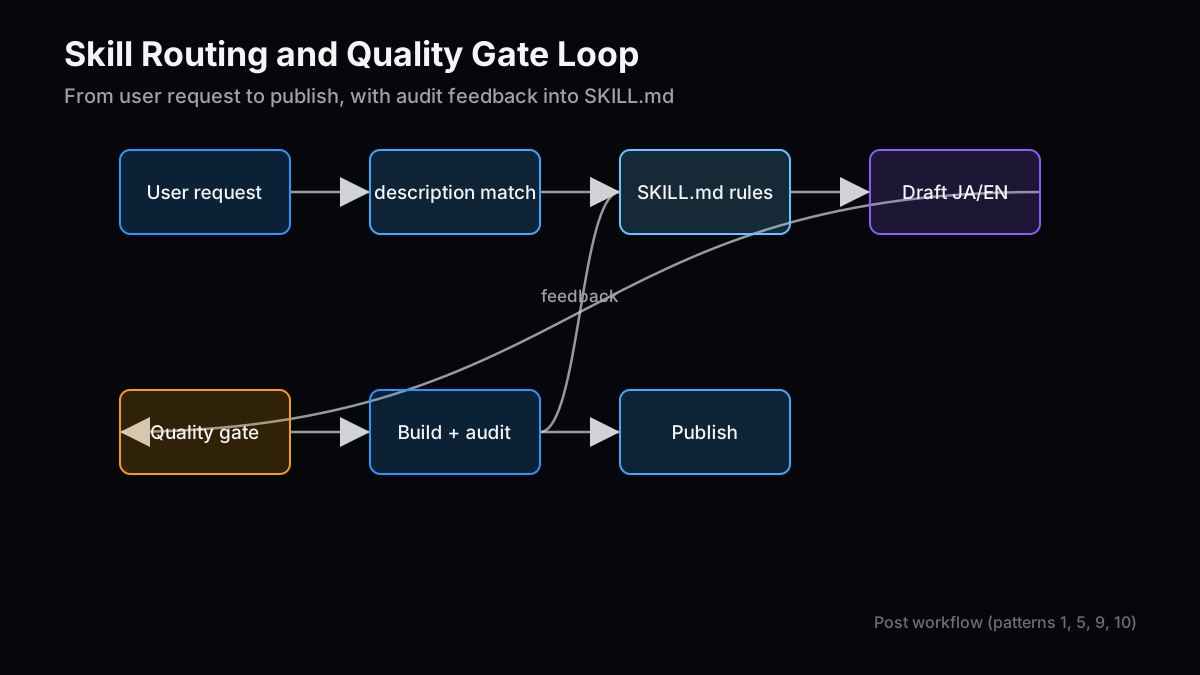
最初から完璧なSkillは作れません。発火しなかった依頼文、品質が足りなかった記事、審査で落ちた理由を、次のSKILL.mdへ戻していく。地味ですが、これが一番壊れにくい改善ループです。
- 案1:AdSense再審査用ブログ監査チェックリスト — frontmatter、参考資料、免責、本文量、カテゴリを機械的に確認する運用を整理する。
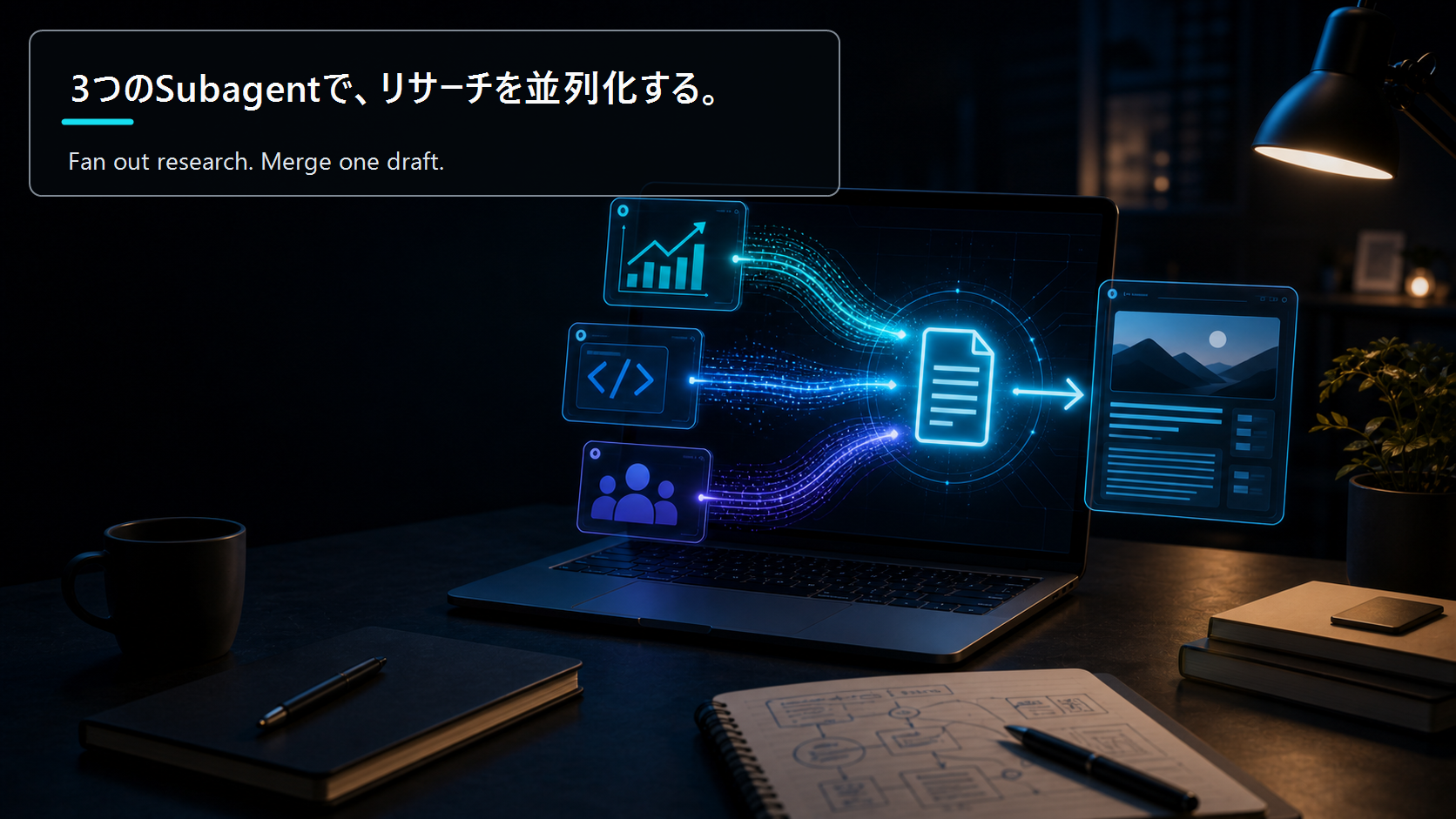
- 案2:Subagentで記事リサーチを分業する型 — 投資、技術、読者ニーズを並列調査し、1本の記事に統合する実務フローを示す。
- 案3:MCPで社内ナレッジを記事制作に接続する — DDメモ、過去提案、ポートフォリオ情報をClaude Codeへつなぐ最短ルートを解説する。
本文の技術前提と運用判断は、読者が後から確認できる一次情報・公式資料を優先して見直しています。
本記事は情報提供を目的としたものであり、特定の銘柄、サービス、契約条件の推奨や投資助言ではありません。執筆者は記事内で触れた銘柄やサービスにポジションまたは利害関係を持つ可能性があります。調査、翻訳、校正の一部に生成AIを利用していますが、最終的な内容はZYL0が確認しています。詳細は免責事項をご確認ください。
10 Claude Code Skill Design Patterns: Descriptions and Templates That Trigger Reliably
Claude Code Skills are not just prompt snippets. In my workflow, they are operating standards for a project. ZYL0 Blog uses separate Skills for investment posts, creator posts, and technical posts. That split helped, but the first versions still failed in a predictable way: the descriptions were too vague, so the right Skill did not always trigger.
This article turns that operating experience into ten design patterns. The goal is not to make a clever prompt. The goal is to make a Skill that routes reliably, produces consistent Nuxt Content Markdown, and protects the blog from thin-content signals during AdSense review.
Version note: This article reflects Claude Code and the ZYL0 Blog local Skill workflow as of May 2026. CLI behavior and Skill documentation can change, so implementation details should be checked against official documentation before reuse.
| Theme | Practical takeaway |
|---|
| description | Write when the Skill should be used, not only what it does |
| trigger phrases | Include words users actually type |
| scope | Keep Skill, subagent, hook, and MCP responsibilities separate |
| quality gate | Require originality, references, and disclaimers for blog posts |
| validation | Run build and lightweight content audits before publishing |
The first thing to fix is usually the description.
Weak:
description: Write high quality blog posts.
That line does not say which audience, which input phrases, which output format, or which repository path. A stronger version is more explicit:
description: >
  Write bilingual Japanese and English technical blog posts for ZYL0 Blog.
  Use when the user asks for a developer tutorial, Claude Code article,
  MCP guide, architecture deep dive, or implementation note.
  Produce Nuxt Content Markdown under content/blogs/ with frontmatter,
  Japanese and English language blocks, references, and disclaimers.
The Skill does not need a flattering self-description. It needs routing conditions. That mental model has made my Skills much more reliable.
I used to write abstract phrases such as
technical content
or
investment content
. Real requests are messier. Users say "write an MCP article," "fix the Claude Code Skill," or "make this blog pass AdSense review."
So the description should contain realistic trigger phrases.
| Weak phrase | Stronger trigger phrase |
|---|
| technical content | Claude Code, MCP, API integration |
| creator content | YouTube, SNS, pricing, proposal template |
| investment content | semiconductor, CPO, AI infrastructure |
| quality content | AdSense, references, disclaimer, originality |
This feels close to SEO. Elegant abstractions are pleasant for humans, but concrete phrases route better.
ZYL0 Blog uses three writing Skills.
| Skill | Audience | Required elements |
|---|
| zyl0-blog-writer | investors, CVCs, individual investors | scenarios, numbers, primary sources, disclaimer |
| zyl0-creator-blog-writer | creators and solo operators | experience, before/after, pricing, CTA |
| zyl0-tech-blog-writer | engineers and developers | version note, code, gotchas, official docs |
If one Skill tries to handle everything, tone drifts. Investment posts need scenarios. Creator posts need concrete operating examples. Technical posts need versions, code, and pitfalls. I have found Skills more stable when split by the reader's definition of value, not just by task type.
Nuxt Content articles are sensitive to metadata. If the Skill says only "use appropriate frontmatter," field names and ordering drift.
The blog standard is:
---
title: 'Japanese Title | English Title'
description: 'Japanese description, 80-160 characters.'
date: '22nd May 2026'
image: '/blogs-img/blog-slug.png'
alt: 'Image description in Japanese.'
ogImage: '/blogs-img/blog-slug.png'
tags: ['テック解説', 'AI活用']
tagsEn: ['Tech Deep Dive', 'AI Tools']
published: true
---
I prefer one correct example. Multiple examples invite unnecessary variation.
The main lesson from the AdSense rejection is that length alone is not enough. A long article can still look thin if it lacks original judgment, visible references, and a clear reason to revisit.
The Skill now needs these gates:
| Gate | What to check |
|---|
| Originality | Personal experience, hypothesis, or decision framework |
| Evidence | Official docs, investor relations, public data, or research sources |
| Revisit reason | What the reader should track next |
| Disclaimer | Not investment advice, possible interests, AI assistance, disclaimer link |
| Duplication control | Remove repeated template language and SEO filler |
The important change is that references should be visible to readers. Keeping sources only in the drafting process is weaker for trust and user experience.
The Skill should require research, but it should not freeze the source list too tightly.
For technical posts:
Before writing:

- verify official documentation or release notes
- check GitHub changelog/issues where relevant
- avoid uncertain API behavior
- include references readers can revisit
For investment posts, company filings, investor relations, regulation, and market data matter more. For creator posts, concrete before/after numbers and workflow evidence matter more. The point of research is not to add links. The point is to avoid unsupported claims.
Claude Code's surrounding tools are useful, but stuffing everything into a Skill makes maintenance harder.
| Mechanism | Best at | Failure mode when overloaded |
|---|
| Skill | workflow, tone, output format, quality gates | bloated operating rules |
| Subagent | isolated research and review | missing always-on writing rules |
| Hook | forced checks before or after actions | blocking editorial judgment |
| MCP | external data and service access | scattering local formatting rules |
My current rule is simple: Skills define how to do the work, subagents investigate, hooks stop accidents, and MCP connects external state.
Bad examples help because they define the boundary.
# Bad
description: Write useful articles.

# Good
description: >
  Use when the user asks to create, revise, or audit a bilingual ZYL0 Blog
  article for AdSense review, especially when the request mentions references,
  originality, disclaimer, AI tools, investing, or Claude Code.
This mirrors investment diligence training. Showing a good memo helps. Showing the kind of memo that gets challenged in committee often helps faster.
A Skill should also say what to verify at the end.
After writing:

- confirm frontmatter fields
- confirm Japanese and English blocks both exist
- confirm references and disclaimers exist in both languages
- run npm run build before publishing
For AdSense-oriented publishing, I also check body length, references, Next Issue Ideas, approved tags, and forbidden MDC or inline HTML. A lightweight audit catches mistakes that are easy to miss by eye.
The best Skill is not magical. It removes repeated decisions.
For ZYL0 Blog, the new baseline is:
| Item | New standard |
|---|
| References | Add a references section in both languages |
| Originality | Include at least one personal observation, hypothesis, or decision lens |
| Disclaimer | Cover advice status, AI assistance, and possible interests |
| Tags | Use only the eight approved categories |
| Validation | Run build and lightweight content audit |
The loop is practical: every failed trigger, weak article, or review rejection becomes a new rule in the Skill. It is boring, but it compounds, and over enough iterations the accumulated rules become the real asset rather than any single clever prompt.
- Idea 1: An AdSense blog audit checklist — A practical checklist for frontmatter, references, disclaimers, body depth, and category hygiene.
- Idea 2: Researching articles with subagents — Split investment, technical, and reader-need research before merging one final post.
- Idea 3: Connecting internal knowledge over MCP — Wire diligence notes, old proposals, and portfolio context into Claude Code for faster article production.
- How Claude Cut My Video + Web Workflow to 1/5 the Time — Combining Skills, MCP, and Claude Design to run planning → design → video script → publishing as one continuous flow c…
- Claude Skills, MCP, Website Generation, and Programmatic Video in Production: A Practical Engineer's Guide 2026 — Claude Code skills, MCP server building, website generation, and Remotion programmatic video — a practical engineer's …
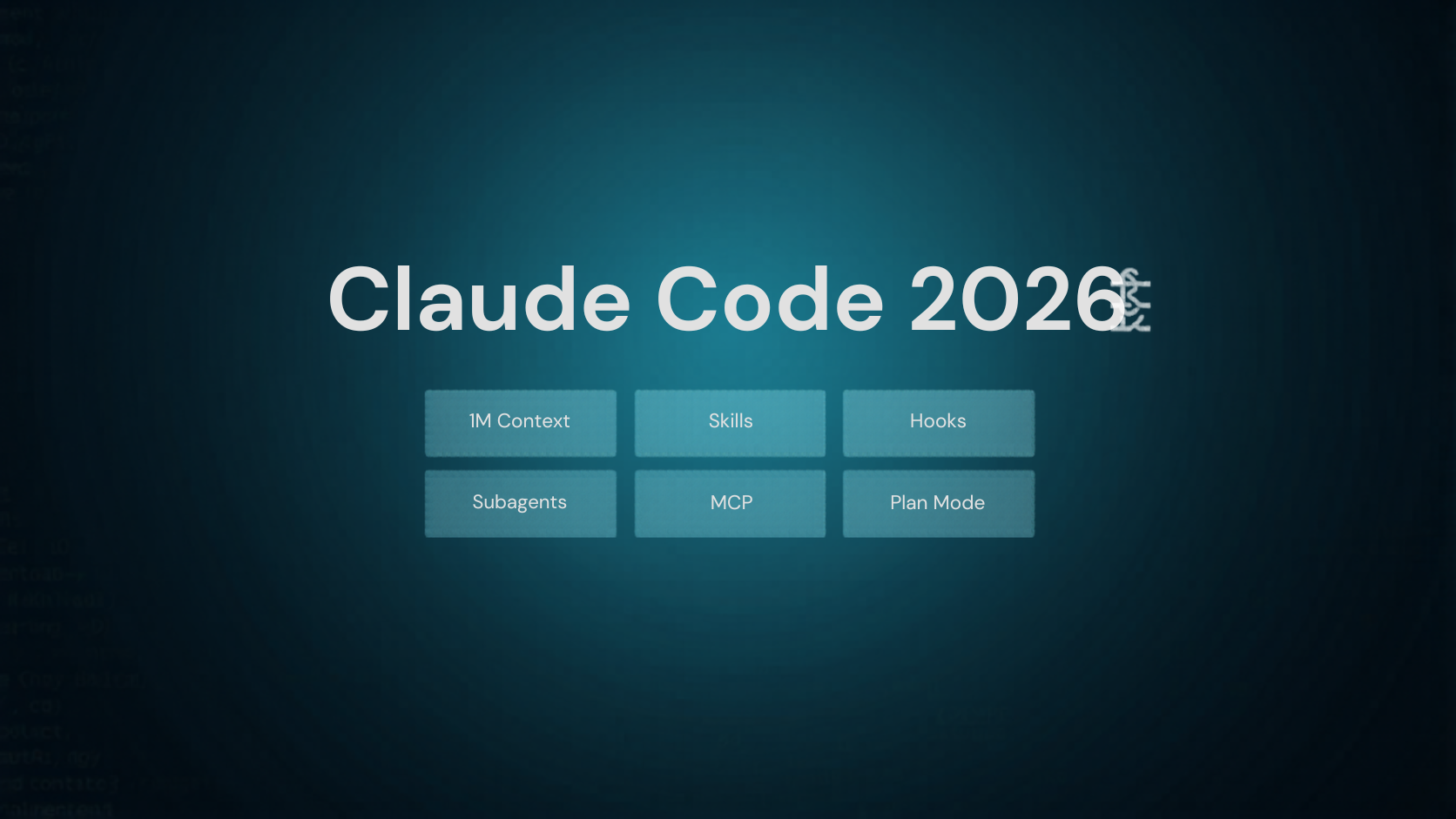
- Claude Code 2026 Feature Roundup: Putting 1M Context, Skills, Hooks, Subagents, MCP, and Plan Mode to Real Work — Six Claude Code features ordered by adoption priority — 1M context, Skills, Hooks, Subagents, MCP, and Plan Mode — wit…
The technical assumptions and operating recommendations in this article are grounded in official documentation that readers can revisit.
This article is for informational purposes only and does not constitute investment advice or a recommendation of any specific stock, service, or contract structure. The author may hold positions or interests related to companies or services mentioned. Generative AI was used for parts of research, translation, and proofreading, with final review by ZYL0. See the disclaimer for details.