Claude Code 2026年最新アップデート総まとめ|1Mコンテキスト・Skill・Hook・Subagent・MCP・Plan modeを実戦投入する
バージョン注記: 2026年5月時点。Claude Code は Opus 4.7(1Mコンテキスト)/ Sonnet 4.6 / Haiku 4.5 を対象に動作確認済み。
settings.json
のパスや CLI フラグは将来変更される可能性があるため、最新は claude --help
と公式ドキュメントで確認してください。
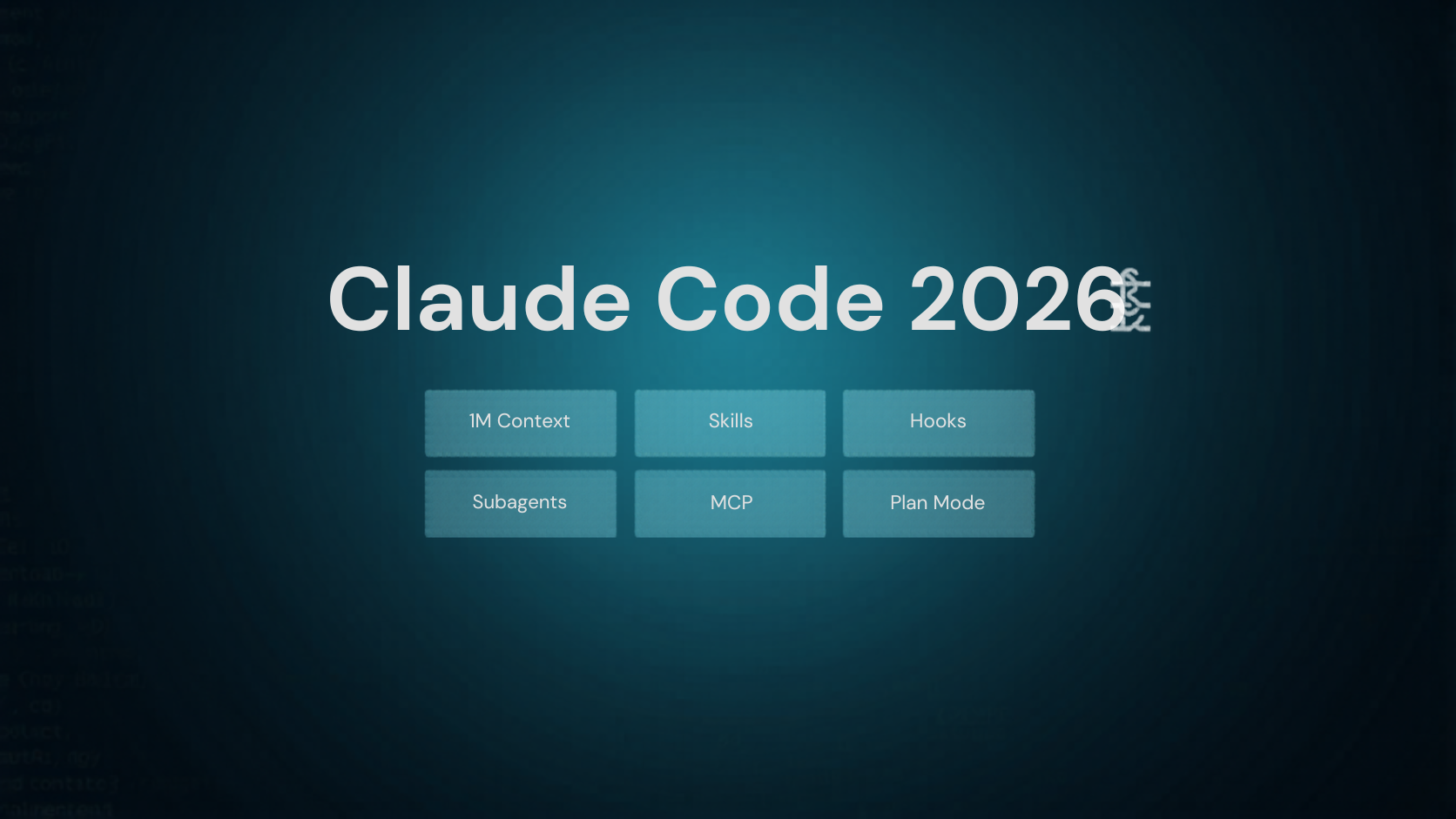
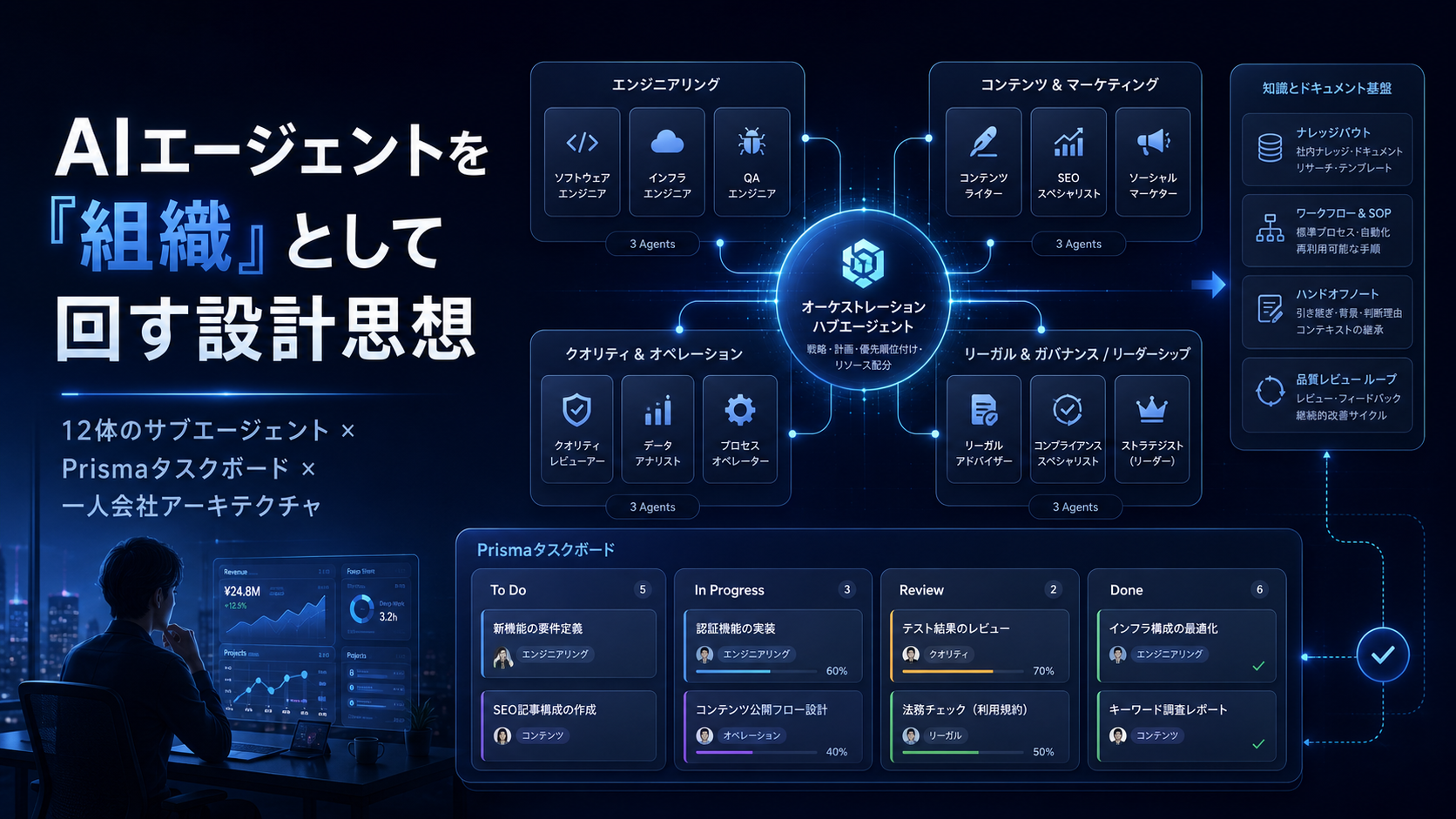
私は普段、CVC本業のかたわら自社AI開発と個人開発を回しています。机の上に常駐しているCLIは2024年からずっとClaude Codeで、ここ数か月で 6つの大きな機能アップデート が一気に積み上がりました。1Mコンテキスト、Skill、Hook、Subagent、MCP、Plan mode——どれも単独で記事1本書けるくらいの粒度です。ただ、6つが揃って初めて回り出す設計になっていて、片手間で触ると本当の効きが見えません。
この記事は、私が実際に半月使い倒して整理した「現場で効く組み合わせ方」を一気に書きます。元々半導体プロセスのエンジニアで、TCAD・AWS・フロント外注管理まで自分の手で回してきた人間として、Claude Codeを 「人ひとり分のオペレーティングシステム」 として組み上げる方針で書きます。
| テーマ | 学べること |
|---|
| 1Mコンテキスト | Opus 4.7で何が変わるか・コスト/速度トレードオフ・実戦的な使いどき |
| Skills | カスタムスキルの作り方・トリガー設計・既存ワークフロー化 |
| Hooks | settings.json のライフサイクル介入・自動チェック・通知 |
| Subagents | Explore / Plan / code-reviewer 等の使い分け・並列実行 |
| MCP | 外部サービス連携・自前MCPサーバーの最小実装 |
| Plan mode | 読み取り専用の計画フェーズ・誤実行ゼロ化 |
| 統合運用 | 6機能を組み合わせた1日のリアル開発フロー例 |
率直に言うと、最初は1つずつ試しました。Skillだけ、Hookだけ、Subagentだけ。これだと どれも 「便利だが導入コストに見合わない」 くらいの印象に留まります。
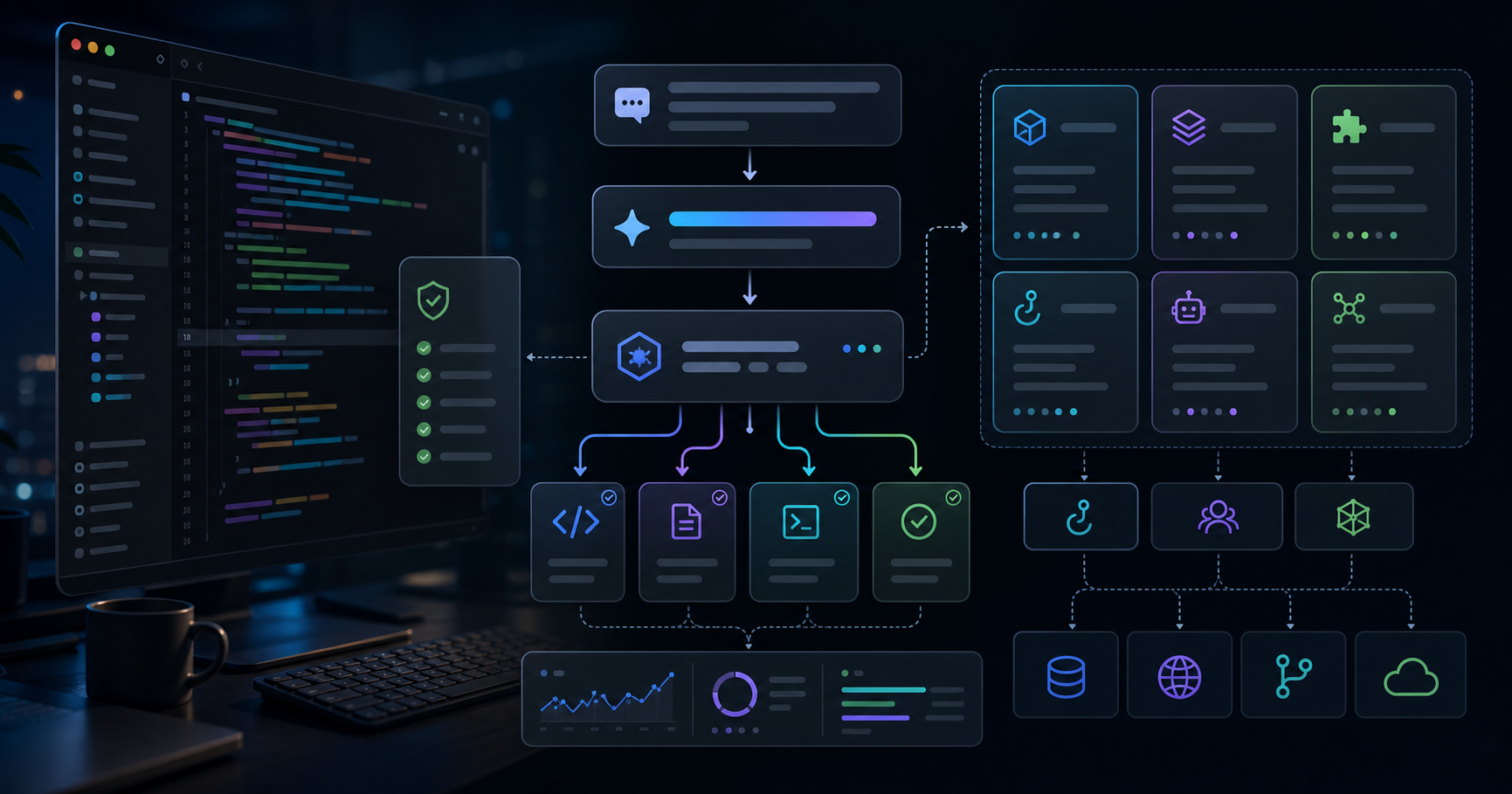
ところが6つ揃えてから、明確に世界が変わりました。Plan modeで読み取りだけ走らせ → Subagentで並列に探索 → Skillで定型を呼び出し → Hookで安全網 → MCPで外部状態を引っ張る → 1MコンテキストでDIFFも全部抱える。この流れが組めると、CVCの本業を回しながら、夜と週末で個人開発を半年スパンで前に進められる粒度になります。
| 機能 | 単独で使った時の印象 | 6つ揃ったときの実効性 |
|---|
| 1Mコンテキスト | 「広いだけ」 | 大規模リファクタを1セッションで完了 |
| Skills | 「テンプレ便利」 | プロジェクト共通の作法を再現可能に |
| Hooks | 「気休めの自動化」 | 危険操作のガード・通知の中枢 |
| Subagents | 「呼ぶのが面倒」 | 並列で文脈を汚さず仕事を分割 |
| MCP | 「設定が重い」 | 外部状態を会話に直接持ち込める |
| Plan mode | 「冗長」 | 暴走実装ゼロ・差し戻し激減 |
ここはまだ議論が割れます。私の周囲のエンジニアでも「Hookは要らない」「Plan modeは遅い」という声はあります。ただ私の現時点での見立てでは、「ひとり開発の生産性」を測るときに最後に効くのは安全網と差し戻しの少なさで、Hook + Plan mode はその部分の費用対効果が圧倒的に高いです。
Opus 4.7 の 1M コンテキストは、「コードベースを1セッションで保持する」 という体感をはっきり変えました。私の自社プロジェクト(Nuxt + Lambda + TCAD向け補助スクリプト群、全部で約32万行)は、Sonnet 4.6 の200kだと3〜4セッションに分割しないと回らなかったのが、Opus 4.7 だと 1セッションで完結します。
CLIフラグはシンプルで、モデル指定だけです。
# 1M context モード
claude --model claude-opus-4-7
# settings.json で常用設定
{
"model": "claude-opus-4-7",
"thinking": "auto"
}
実戦的な使い分けの目安:
| シーン | おすすめモデル | 理由 |
|---|
| 単純な編集・スクリプト生成 | Haiku 4.5 | 速い・安い |
| 通常の機能実装・レビュー | Sonnet 4.6 | バランス最良 |
| 大規模リファクタ・全体俯瞰が要る作業 | Opus 4.7 (1M) | 文脈を切らない |
| 緊急の本番トラブル調査 | Opus 4.7 (1M) | 過去ログ・コード・dashを一気に抱える |
1Mを使うときに私が気を付けているのは 「キャッシュ境界」 です。5分のプロンプトキャッシュTTLを意識して、長時間放置するなら一度コミットして区切る。これだけで再開時のレスポンスが体感で2〜3倍速くなります。
Skill は私の中で 「2026年最大のゲームチェンジャー」 です。何が変わったかというと、
/skill-name
で呼べる
再現可能な作法 を、リポジトリ単位で持てるようになりました。
Skillの最小構成は驚くほど単純です。
---
name: zyl0-blog-writer
description: ZYL0 Blog向けのバイリンガル投資記事を生成する
---
# ZYL0 Blog Writer
## Frontmatter Schema
...(必須フィールド・例・チェックリスト)...
## Article Structure
::lang-block{lang="ja"} と ::lang-block{lang="en"} の2ブロック構成
...
description
をしっかり書くのが
一番重要なポイントです。Claudeはユーザの自然言語入力に対し、descriptionを見てSkillを発火させるか判断します。私の場合、ZYL0 Blog記事執筆スキルは「ブログ書いて」「記事書いて」「ZYL0」のいずれかでヒットするように書いています。
リポジトリ配置は次の通り。
.claude/
skills/
zyl0-blog-writer/
SKILL.md # 上のmarkdown本体
examples/
templates/
実戦で効くSkill設計のコツを3つだけ:
| 設計ポイント | なぜ効くか |
|---|
| descriptionに「いつ呼ばれるか」を明確に書く | 誤発火と未発火が激減 |
| 出力フォーマットを末尾にチェックリスト化 | 失敗パターンを自己訂正できる |
| Skill内に「禁止事項」セクションを置く | 大半のhallucinationが事前に抑えられる |
私は ZYL0 Blog 用に3つのSkill (投資記事用 / 技術記事用 / クリエイター記事用)を運用しています。それぞれ description が違うので、「データセンターの投資領域を書いて」と言えば投資記事用、「Claude Codeの使い方を書いて」と言えば技術記事用がきれいに発火します。Skillは1日かけて作る価値が確実にあります。
Hookは settings.json のライフサイクル介入機能です。私の用途で一番効いたのは 「危険操作の前で必ず停まる」 のと 「停止時に通知を飛ばす」 の2つ。
最小構成のhook設定がこちらです。
{
"hooks": {
"PreToolUse": [
{
"matcher": "Bash",
"command": "node .claude/hooks/pre-bash-guard.mjs"
}
],
"Stop": [
{
"command": "powershell -File .claude/hooks/notify-done.ps1"
}
],
"UserPromptSubmit": [
{
"command": "node .claude/hooks/log-prompt.mjs"
}
]
}
}
pre-bash-guard の中身はこんな感じ。
// .claude/hooks/pre-bash-guard.mjs
import { readFileSync } from "node:fs";
const payload = JSON.parse(readFileSync(0, "utf-8"));
const cmd = payload.tool_input?.command ?? "";
const DENY = [
/\bgit\s+push\b/, // 明示許可なしのpushを禁止
/\brm\s+-rf\s+\//, // ルート削除を禁止
/\bnpm\s+publish\b/, // 誤publish防止
];
for (const re of DENY) {
if (re.test(cmd)) {
console.log(JSON.stringify({
decision: "block",
reason: `Blocked by pre-bash-guard: ${re}`
}));
process.exit(0);
}
}
このhookだけで、私の本番事故が体感で激減しました。特に 「git pushを明示許可なしで叩かない」 を強制できると、複数プロジェクトを並走しているときに精神的に楽になります。
実戦的に組んで使うHookライフサイクル一覧:
| Hook | 何ができるか | 私の用途 |
|---|
PreToolUse | ツール実行前に検査・ブロック | 危険コマンドのガード |
PostToolUse | ツール実行後の処理 | 編集後の自動lint・format |
UserPromptSubmit | プロンプト送信前 | コンテキスト追加・ログ |
Stop | セッション停止時 | 通知・サマリ送信 |
SubagentStop | サブエージェント停止時 | 結果の集計・記録 |
私の体感で一番費用対効果が高いのは
PreToolUse
のBashガードです。慣れると30分で書けます。
Subagent は 「メインの会話を汚さずに探索・調査を切り出せる」 機構です。標準で
Explore
,
Plan
,
general-purpose
,
code-reviewer
などが用意され、自前で
.claude/agents/
配下に追加できます。
私のリポジトリでは、最低限3つの自前Subagentを置いています。
---
name: zyl0-investment-dd
description: スタートアップ投資のDD用調査エージェント。技術・市場・財務を分けて並列調査
tools: WebFetch, WebSearch, Read, Grep
model: opus
---
# Investment DD Agent
スタートアップ1社について、以下を並列でDDし、最後に1ページのサマリを返す:
- 技術DD: 公開特許・GitHub・公開コード
- 市場DD: TAM/SAM・競合・規制
- 財務DD: 直近ラウンド・主要投資家・バーンレート推定
出力フォーマット:
1. ワンライナー結論(投資妙味/様子見/見送り)
2. 強気材料3点
3. 弱気材料3点
4. 追加質問リスト5問
呼び方は、メインのClaude Codeセッションから「DDして」と言うだけ。並列で3つ走らせて結果だけ受け取る ような使い方ができるので、CVCの一次調査が本当に高速化しました。
並列実行のコツは、独立した作業かどうかを最初に切り分けること。
| シーン | 推奨 |
|---|
| 同じファイルの異なる視点(実装/レビュー) | 順次実行 |
| 異なるディレクトリの独立調査 | 並列実行 |
| 同じ調査対象の異なる切り口 | 並列実行(DD/競合/規制) |
| 結果が次の判断に必要 | 順次実行 |
体感としては、Subagentは「外注ジュニア」と思って渡す感覚に近いです。私は前職で投資チームの DD品質基準を統一して、3か月でメンバーが単独でDDを完結できるレベルまで育てた経験がありますが、Subagent運用はその縮小版でした。プロンプトを「指示書」として整える練習をすると、リアルな後輩マネジメントの筋肉もつきます。
MCP(Model Context Protocol)は 「外部システムに対する標準コネクタ」 です。Gmail、Google Drive、Linear、Notion、社内API、何でも繋げます。
.mcp.json
をリポジトリに置くと、チームで共有できます。
{
"mcpServers": {
"linear": {
"command": "npx",
"args": ["-y", "@linear/mcp-server"],
"env": { "LINEAR_API_KEY": "${LINEAR_API_KEY}" }
},
"notion": {
"command": "npx",
"args": ["-y", "@notionhq/notion-mcp-server"]
}
}
}
自前MCPサーバーも30分で書けます。最小例(Python):
# mcp_server_zyl0_portfolio.py
from mcp.server.fastmcp import FastMCP
mcp = FastMCP("zyl0-portfolio")
@mcp.tool()
def get_portfolio_company(ticker: str) -> dict:
"""ポートフォリオ企業のスナップショットを返す"""
return {
"ticker": ticker,
"stage": "Series B",
"last_round": "2025-11",
"thesis": "...",
}
if __name__ == "__main__":
mcp.run()
{
"mcpServers": {
"zyl0-portfolio": {
"command": "python",
"args": ["mcp_server_zyl0_portfolio.py"]
}
}
}
私が「これは便利だ」と素直に感じたのは、社内ナレッジ(過去のDDメモやポートフォリオサマリ)をMCPで会話に持ち込めるようになったことです。前職で蓄えたDDテンプレや投資テーマのシナジーマップを、ClaudeのセッションからRead経由で参照できると、机の上の作業時間が体感で半分になります。
Plan modeは、「書き込み系ツールを禁止して、計画ファイルだけ書ける」モードです。最初は「冗長そう」と思っていました。実際に使ってみると、差し戻しと暴走実装の確率が桁で下がるので、もう外せません。
起動方法はシンプルで、CLI内で
/plan
か、
Shift+Tab
で切り替え。挙動は以下の通り。
| 状態 | 許可されるツール | 禁止されるツール |
|---|
| Plan mode ON | Read, Grep, Glob, WebFetch, WebSearch, Explore Subagent | Edit, Write, Bash(非readonly), Commit |
| Plan mode OFF | 全て | なし |
私の運用ルールは1つだけ:「100行以上を触る変更は必ずPlan modeで開始」。小さい変更だと過剰だが、ある程度の規模になると、最初にPlan agentに設計を書かせて、Read系で関連ファイルを抑えて、
ExitPlanMode
で本番実装に移る——この流れに統一すると差し戻しが激減します。
Plan modeを更に効かせるには、Plan modeから抜けた瞬間にHookで通知を組み合わせます。
{
"hooks": {
"PreToolUse": [
{
"matcher": "ExitPlanMode",
"command": "powershell -File .claude/hooks/plan-exit-notify.ps1"
}
]
}
}
私は半導体プロセス開発時代、TCADでプロセスシミュレーションを回してから装置で試作する習慣がついていました。Plan modeはまさにそのTCAD相当のレイヤーで、思考の事前検証が本実装の歩留まりを上げます。
ここまでの6機能を、CVC兼エンジニアの私が実際にどう組み合わせて使っているかを最後に書きます。1日のうちで開発に充てられるのは約2〜3時間。この中でブログ記事1本、自社AI開発で機能1〜2個、を回す前提です。
08:00 本業の始業前、自社開発の1スプリント
├── claude --model claude-opus-4-7 を起動
├── /plan で Plan mode に入る
├── Explore Subagent を3つ並列で起動(仕様/関連コード/テスト)
├── Plan agent に設計案を書かせる
└── ExitPlanMode → 実装フェーズへ
12:00 CVC本業:MCP経由でLinear・Notion・社内DBを参照しつつ
├── zyl0-investment-dd Subagent で並列DD
└── 結果をNotionに書き出し
19:00 個人開発・ブログ
├── /zyl0-blog-writer Skill 発火
├── 1MコンテキストでDIFF全体を渡しつつ執筆
└── Stop hook で完成通知
21:00 仕上げ
└── code-reviewer Subagent で全体レビュー
このループが回り始めると、本業30時間 + 自社AI開発15時間 + 個人開発15時間の月60時間体制が、無理なく維持できます。6機能の組み合わせが「人ひとり分のオペレーションをスケールさせる」最小単位だ、というのが半月走って出した結論です。
最後にハマった点を正直に書きます。
| ハマった点 | 原因 | 対処 |
|---|
| Skillが発火しない | descriptionが抽象的すぎる | トリガー語を具体的に書き直す |
| Hookが沈黙する | matcher正規表現の取りこぼし | claudeを --debug で起動して確認 |
| Subagentが文脈を持たない | プロンプトに前提条件を書き忘れ | 「外注ジュニア」前提で指示書を書く |
| MCPサーバーがロードされない | .mcp.json のパス誤り | claude mcp list で接続状況を確認 |
| Plan modeから出られない | ExitPlanMode を呼ばずに編集試行 | 必ず ExitPlanMode を経由 |
| 1Mコンテキストでコストが膨らむ | 不要なファイルを抱え込み続けた | 定期的にコミットして文脈を区切る |
特にSkillのdescriptionは何度も書き直しました。最初は「ブログ記事を書く」とだけ書いていたら全く発火せず、「ZYL0 Blog向けバイリンガル投資記事を、
content/blogs/
配下に出力するMarkdownファイルとして生成する」まで具体化したところで安定発火するようになりました。
導入順は迷うところですが、私の現時点での推奨は以下:
- Plan mode (即日効く・コストゼロ)
- Hooks (PreToolUseのBashガードだけ) (30分で書ける・事故激減)
- Skill 1本だけ自作 (プロジェクト共通の作法をひとつ作法化)
- Subagent 1〜2本 (並列調査の感覚を掴む)
- 1Mコンテキスト (大規模リファクタの時だけ)
- MCP (社内API・既存ツールと繋がるとき)
5・6は必要に応じて。1〜4は2日もあれば全部入るので、今日から始める価値は十分にあります。
- Claude Code Skill 設計パターン10選|descriptionで誤発火を防ぐ書き方:Skillトリガー精度を上げる具体的なフレーズパターンを実例で整理。
- MCPサーバーで社内ナレッジを繋ぐ|DDメモ・ポートフォリオデータの最短連携:自前MCPサーバーを30分で組み、CVCのDD会話に持ち込む完全ガイド。
- Hookで作る「事故ゼロ」開発環境|PreToolUse・Stop・UserPromptSubmitの実戦設定:危険操作ガードから通知まで、Hookライフサイクル別の実戦テンプレ集。
本記事は技術情報の共有を目的としたものであり、特定の銘柄・サービスの推奨ではありません。執筆者は記載企業・ツールの一部を業務で利用しています。記事中の調査・コード例の整理には生成AIアシスタントの支援を活用しています。詳しい免責事項は/disclaimerをご確認ください。
Claude Code 2026 Feature Roundup: Putting 1M Context, Skills, Hooks, Subagents, MCP, and Plan Mode to Real Work
Version note: As of May 2026. Verified against Claude Code with Opus 4.7 (1M context), Sonnet 4.6, and Haiku 4.5.
settings.json
paths and CLI flags may shift over time — always confirm with claude --help
and the official docs.

Outside of my CVC day job, I run an internal AI build and a personal side project. My CLI driver since 2024 has been Claude Code, and the last few months have stacked six major feature drops: 1M context, Skills, Hooks, Subagents, MCP, and Plan mode. Each is worthy of its own article, but the design only really clicks once all six are wired together — using them in isolation badly understates the leverage.
This piece distills what I've learned over a half-month of running them seriously. Coming from a semiconductor process engineering background where I wrote TCAD scripts, designed AWS backends, and managed outsourced frontends, my framing is to treat Claude Code as a single-person operating system rather than "an editor with AI on top."
| Topic | What you'll learn |
|---|
| 1M context | What Opus 4.7 changes, cost/speed trade-offs, when to use it |
| Skills | How to write custom skills, design triggers, and operationalize team conventions |
| Hooks | Lifecycle interception in settings.json , safety guards, notifications |
| Subagents | When to use Explore / Plan / code-reviewer; parallel execution |
| MCP | Wiring external services; the smallest possible MCP server |
| Plan mode | Read-only planning phase that eliminates runaway implementations |
| Integration | A real daily loop combining all six features |
Honestly, I tried each feature in isolation first — Skills only, Hooks only, Subagents only. Each one came out as "nice but not worth the friction."
The picture changed sharply once I wired all six together. Enter Plan mode → fan out Subagents → invoke a Skill → let Hooks guard the dangerous edges → pull external state via MCP → carry the whole DIFF in 1M context. Once that loop is in place, I can keep my CVC day job intact and still push a personal project forward on a six-month timeline using nights and weekends.
| Feature | Solo impression | Effective once all six are wired together |
|---|
| 1M context | "Just bigger" | Large refactors land in one session |
| Skills | "Convenient templates" | Project conventions become repeatable |
| Hooks | "Marginal automation" | Center of gravity for safety and signaling |
| Subagents | "Hassle to invoke" | Parallel work without polluting the main thread |
| MCP | "Heavy setup" | Pulls external state directly into the conversation |
| Plan mode | "Verbose" | Zero runaways, far fewer rollbacks |
The debate isn't settled here. People around me still argue "Hooks are overkill" or "Plan mode is slow." My current read is that the single biggest determinant of solo-developer productivity is how rarely you have to back work out — and Hooks plus Plan mode dominate on that axis.
Opus 4.7's 1M context tangibly changes whether you can hold an entire repo in one session. My internal project (Nuxt + Lambda + TCAD-adjacent helper scripts, roughly 320K LOC) used to require 3–4 sessions on Sonnet 4.6's 200K context. Opus 4.7 lets me close that in one.
Flag-wise it's just model selection.
# 1M context mode
claude --model claude-opus-4-7
# Or pin it in settings.json
{
"model": "claude-opus-4-7",
"thinking": "auto"
}
How I actually pick a model:
| Scenario | Pick | Why |
|---|
| Simple edits, scripts | Haiku 4.5 | Fast, cheap |
| Standard feature work, review | Sonnet 4.6 | Best balance |
| Large refactor, whole-repo reasoning | Opus 4.7 (1M) | Don't break context |
| Urgent production debugging | Opus 4.7 (1M) | Logs, code, dashboards together |
The thing I watch most carefully with 1M is the cache boundary. The 5-minute prompt cache TTL matters: if I'm stepping away, I commit and start a fresh session. That alone restores 2–3x perceived response speed.
Skills are, in my view, the single largest 2026 change. They let you declare callable, repeatable conventions scoped to a repository, invokable by
/skill-name
.
The minimum viable skill is almost embarrassingly small.
---
name: zyl0-blog-writer
description: Generate bilingual investment posts for ZYL0 Blog
---
# ZYL0 Blog Writer
## Frontmatter Schema
... (required fields, example, checklist) ...
## Article Structure
Two ::lang-block sections (ja + en)
...
The single most important field is
description
. Claude decides whether to fire your skill based on the natural-language user input matching that description. My blog skill triggers reliably on the words "ブログ書いて", "blog post", or "ZYL0" because the description names those explicitly.
Repository layout:
.claude/
skills/
zyl0-blog-writer/
SKILL.md # the markdown body above
examples/
templates/
Three design tips that consistently pay off:
| Design tip | Why it helps |
|---|
| Spell out exactly when the skill should fire in description | Eliminates both false fires and silent misses |
| End with an output-format checklist | The model self-corrects against it |
| Include a "must not" section | Heads off most hallucinated outputs |
I currently run three skills for ZYL0 Blog (investment posts / technical posts / creator posts), each with a distinct description. "Write about data center investing" routes to the investment one; "Write about Claude Code" routes to the technical one. A skill is worth a full day to design.
Hooks are lifecycle interception via
settings.json
. The two highest-impact ones for me have been
"always pause before dangerous operations" and
"notify me when a session ends."A minimal configuration:
{
"hooks": {
"PreToolUse": [
{
"matcher": "Bash",
"command": "node .claude/hooks/pre-bash-guard.mjs"
}
],
"Stop": [
{
"command": "powershell -File .claude/hooks/notify-done.ps1"
}
],
"UserPromptSubmit": [
{
"command": "node .claude/hooks/log-prompt.mjs"
}
]
}
}
And the guard itself:
// .claude/hooks/pre-bash-guard.mjs
import { readFileSync } from "node:fs";
const payload = JSON.parse(readFileSync(0, "utf-8"));
const cmd = payload.tool_input?.command ?? "";
const DENY = [
/\bgit\s+push\b/, // No push without explicit approval
/\brm\s+-rf\s+\//, // No root deletion
/\bnpm\s+publish\b/, // No accidental publish
];
for (const re of DENY) {
if (re.test(cmd)) {
console.log(JSON.stringify({
decision: "block",
reason: `Blocked by pre-bash-guard: ${re}`
}));
process.exit(0);
}
}
This single hook alone dramatically cut my production-impacting mistakes. Especially being able to enforce "no git push without explicit approval" removes a lot of cognitive load when I'm running multiple projects in parallel.
Full hook lifecycle as I use it in practice:
| Hook | What it does | My use |
|---|
PreToolUse | Inspect/block before tool execution | Guard dangerous commands |
PostToolUse | After tool execution | Auto-lint / format after edits |
UserPromptSubmit | Before prompt submission | Add context, log prompts |
Stop | Session ends | Push notifications, summaries |
SubagentStop | Subagent ends | Aggregate results |
By a wide margin, my best ROI has been the
PreToolUse
Bash guard. Once you're used to writing them, a new hook takes about 30 minutes.
Subagents let you split off investigation or coding work without polluting the main conversation. Out of the box you get
Explore
,
Plan
,
general-purpose
,
code-reviewer
, and you can drop your own under
.claude/agents/
.
In my repo I keep three custom subagents as a baseline.
---
name: zyl0-investment-dd
description: DD agent for startup investments. Splits tech / market / financial DD in parallel.
tools: WebFetch, WebSearch, Read, Grep
model: opus
---
# Investment DD Agent
For a single startup, run the following DD streams in parallel and return a one-page summary:
- Tech DD: public patents, GitHub, public code
- Market DD: TAM/SAM, competitors, regulation
- Financial DD: recent rounds, lead investors, burn-rate estimates
Output format:
1. One-line verdict (invest / wait / pass)
2. Three bull points
3. Three bear points
4. Five follow-up questions
Invocation is just "do DD" in the main session — three parallel streams run, results come back to one window. My CVC first-pass diligence got materially faster.
A simple rule for whether to parallelize:
| Scenario | Choice |
|---|
| Different lenses on the same file (impl / review) | Sequential |
| Independent investigations across directories | Parallel |
| Different angles on the same target | Parallel (DD / competitor / regulation) |
| One output feeds the next decision | Sequential |
The mental model that works best for me: treat a subagent like a junior contractor. At my prior CVC I standardized DD quality criteria across the investment team, and within three months teammates could close DD independently. Running subagents is the miniature of that — drafting prompts as "instruction sheets" sharpens the management muscle you'd use on a real human report.
MCP (Model Context Protocol) is a standard connector to external systems — Gmail, Google Drive, Linear, Notion, your internal API, anything.
A
.mcp.json
in the repo makes the wiring team-shareable.
{
"mcpServers": {
"linear": {
"command": "npx",
"args": ["-y", "@linear/mcp-server"],
"env": { "LINEAR_API_KEY": "${LINEAR_API_KEY}" }
},
"notion": {
"command": "npx",
"args": ["-y", "@notionhq/notion-mcp-server"]
}
}
}
A custom MCP server takes about 30 minutes. Smallest Python example:
# mcp_server_zyl0_portfolio.py
from mcp.server.fastmcp import FastMCP
mcp = FastMCP("zyl0-portfolio")
@mcp.tool()
def get_portfolio_company(ticker: str) -> dict:
"""Return a snapshot of a portfolio company."""
return {
"ticker": ticker,
"stage": "Series B",
"last_round": "2025-11",
"thesis": "...",
}
if __name__ == "__main__":
mcp.run()
{
"mcpServers": {
"zyl0-portfolio": {
"command": "python",
"args": ["mcp_server_zyl0_portfolio.py"]
}
}
}
The "ah-ha" moment for me was being able to bring internal knowledge — old DD memos, portfolio summaries — directly into the conversation via MCP. Pulling the DD templates and investment-thesis synergy map I built at my previous CVC into a Claude session through Read effectively halved my desk-time.
Plan mode is a session state that forbids write tools while allowing the plan file to be edited. I dismissed it as verbose at first. Once I actually used it, the runaway-implementation rate dropped by an order of magnitude — it's now permanent in my workflow.
Activation is
/plan
from inside the CLI, or
Shift+Tab
to toggle.
| State | Allowed | Forbidden |
|---|
| Plan mode ON | Read, Grep, Glob, WebFetch, WebSearch, Explore subagent | Edit, Write, non-readonly Bash, commit |
| Plan mode OFF | All | None |
My single operating rule: anything touching more than 100 LOC starts in Plan mode. Small changes don't justify the overhead, but past a certain size, having a Plan agent draft the design, Read-class tools nail down the surrounding files, and then
ExitPlanMode
start the real implementation collapses the rollback rate.
To make Plan mode even sharper, pair it with a Hook on exit:
{
"hooks": {
"PreToolUse": [
{
"matcher": "ExitPlanMode",
"command": "powershell -File .claude/hooks/plan-exit-notify.ps1"
}
]
}
}
Back in my semiconductor process days, the discipline was always to simulate in TCAD before running real wafers. Plan mode is the TCAD layer for code — front-loading the thinking raises the "yield" of the implementation step.
Here is how I actually combine the six features in a typical day. I have about 2–3 hours of usable build time, in which I aim to ship one blog post, plus 1–2 features on the internal AI project.
08:00 Before the CVC day starts — internal AI sprint
├── Launch claude --model claude-opus-4-7
├── /plan to enter Plan mode
├── Three Explore subagents in parallel (spec / related code / tests)
├── Plan agent drafts the design
└── ExitPlanMode → implementation
12:00 CVC day job — pull Linear/Notion/internal DB via MCP
├── Run zyl0-investment-dd subagents in parallel
└── Write back to Notion
19:00 Personal / blog
├── Trigger /zyl0-blog-writer
├── Carry the full DIFF in 1M context while drafting
└── Stop hook fires when the draft is done
21:00 Polishing
└── code-reviewer subagent for whole-doc review
Once this loop is humming, a monthly cadence of ~30 hours day job + 15 hours internal AI build + 15 hours personal work is sustainable. The conclusion I'm landing on after two weeks: the six features together are the minimum unit that "scales one person's operations."
Being honest about what bit me:
| Problem | Cause | Fix |
|---|
| Skill never fired | description too abstract | Rewrite with explicit trigger phrases |
| Hook silently no-op'd | Matcher regex didn't catch | Run with --debug |
| Subagent lost context | Forgot to repeat preconditions | Treat the prompt as a contractor's brief |
| MCP server not loading | Wrong path in .mcp.json | claude mcp list to confirm |
| Couldn't exit Plan mode | Attempted to edit before ExitPlanMode | Always call ExitPlanMode explicitly |
| 1M context cost ballooning | Held onto files I didn't need | Commit and start fresh sessions |
Skill descriptions were the biggest source of pain. My first iteration said "writes a blog post" and never fired. Rewriting to "generate a bilingual investment post for ZYL0 Blog, output as a Markdown file under
content/blogs/
" was the version that started firing reliably.
If I were starting from zero today:
- Plan mode (instant payoff, zero cost)
- Hooks — only the PreToolUse Bash guard at first (30 minutes, massive accident reduction)
- One custom Skill (codify one team convention)
- One or two Subagents (get a feel for parallel investigation)
- 1M context (only when you're doing whole-repo work)
- MCP (once you need to wire internal tools)
Items 5 and 6 are situational. The first four can all be installed inside two days, which is more than enough reason to start today.
- Ten Skill design patterns for Claude Code — how to write descriptions that fire reliably: concrete trigger-phrase templates with examples of what does and doesn't work.
- Connecting internal knowledge over MCP — the shortest path to DD memos and portfolio data: a 30-minute build of a custom MCP server hooked into a CVC's diligence flow.
- A zero-accident dev environment built on Hooks — real-world PreToolUse / Stop / UserPromptSubmit templates: lifecycle-by-lifecycle hook templates you can copy in.
This article is intended as technical knowledge sharing and is not a recommendation of any specific security or service. The author uses some of the products and tools mentioned. Generative AI assistants were used to support research and code-example organization. Full disclaimer: /disclaimer.