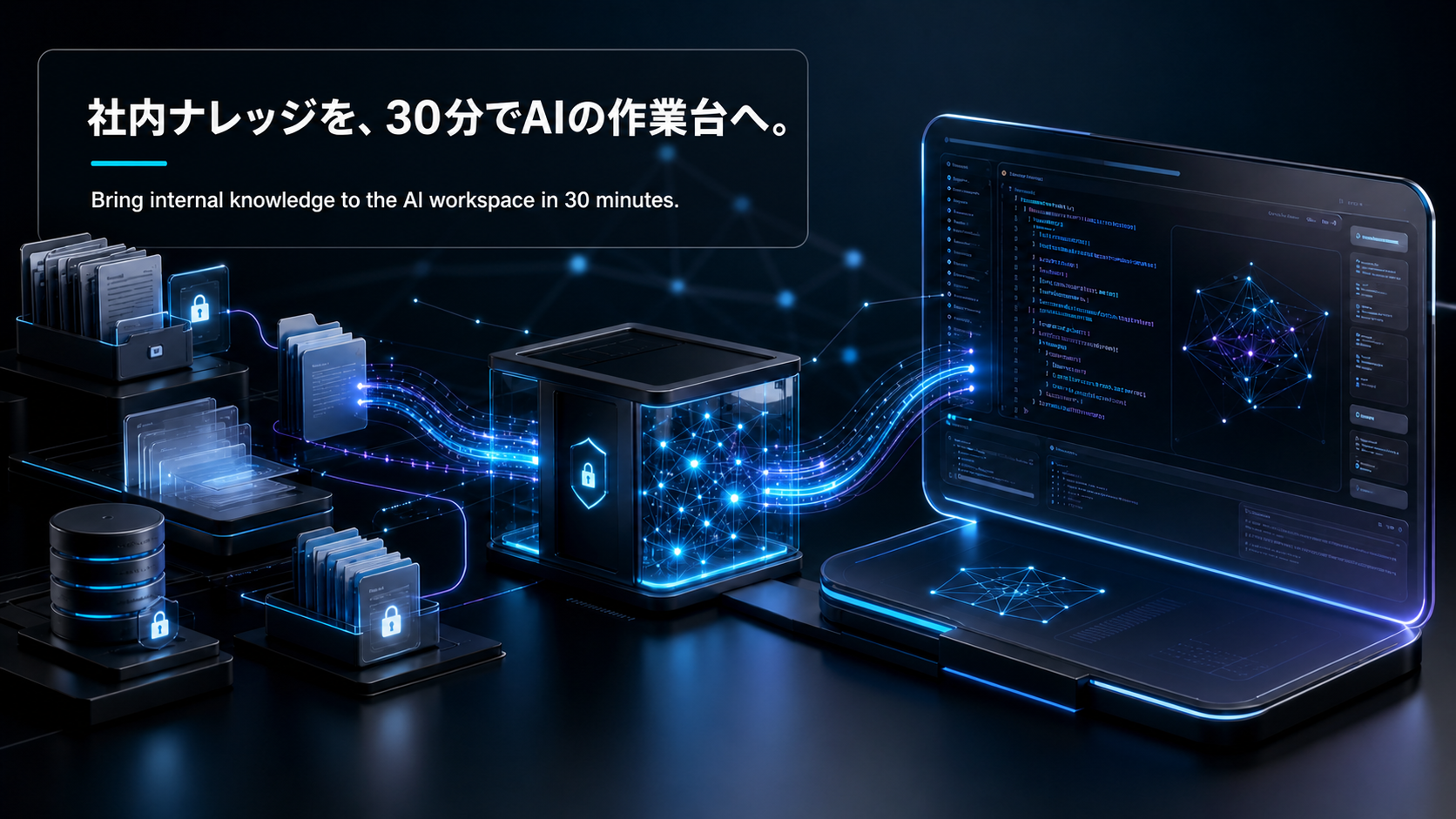
Claude Skills・MCP・ウェブ制作・動画生成を実務で使い倒す:エンジニア向け実践ガイド2026
バージョン注記: 本記事は2026年5月時点の情報を基に執筆している。mcp Python SDK 1.27.0、MCP仕様 2025-11-25リビジョン、Remotion最新版を参照している。MCPの仕様更新は活発なため、公式ドキュメント(modelcontextprotocol.io)で最新情報を確認することを推奨する。
私は半導体プロセス開発からCVCに転身し、AWS(IoT Core・Lambda・DynamoDB・API Gateway)でゼロから河川洪水検知システムを6ヶ月で立ち上げた経験があります。「動かしてみないと本当の落とし穴は見えない」——これがエンジニアリング現場で身に染みた感覚で、Skills・MCP・Remotionも同じでした。今回はドキュメントを読むだけでは見えないハマりどころと最短実装パスを、実際に手を動かした上で書きます。
| テーマ | 学べること |
|---|
| Claude Skills | SKILL.mdの仕組み・MCP との役割分担・実務での使い方 |
| MCP サーバー構築 | Python FastMCP で50行以下のサーバーを作る最短手順 |
| ウェブサイト生成 | Claude Code + Next.js / Nuxt 4 でのサイト生成ワークフロー |
| Remotion 動画制作 | コードで動画を書いてClaude Codeでレンダリングする実践手順 |
| ハマりポイント | それぞれの罠と回避策 |
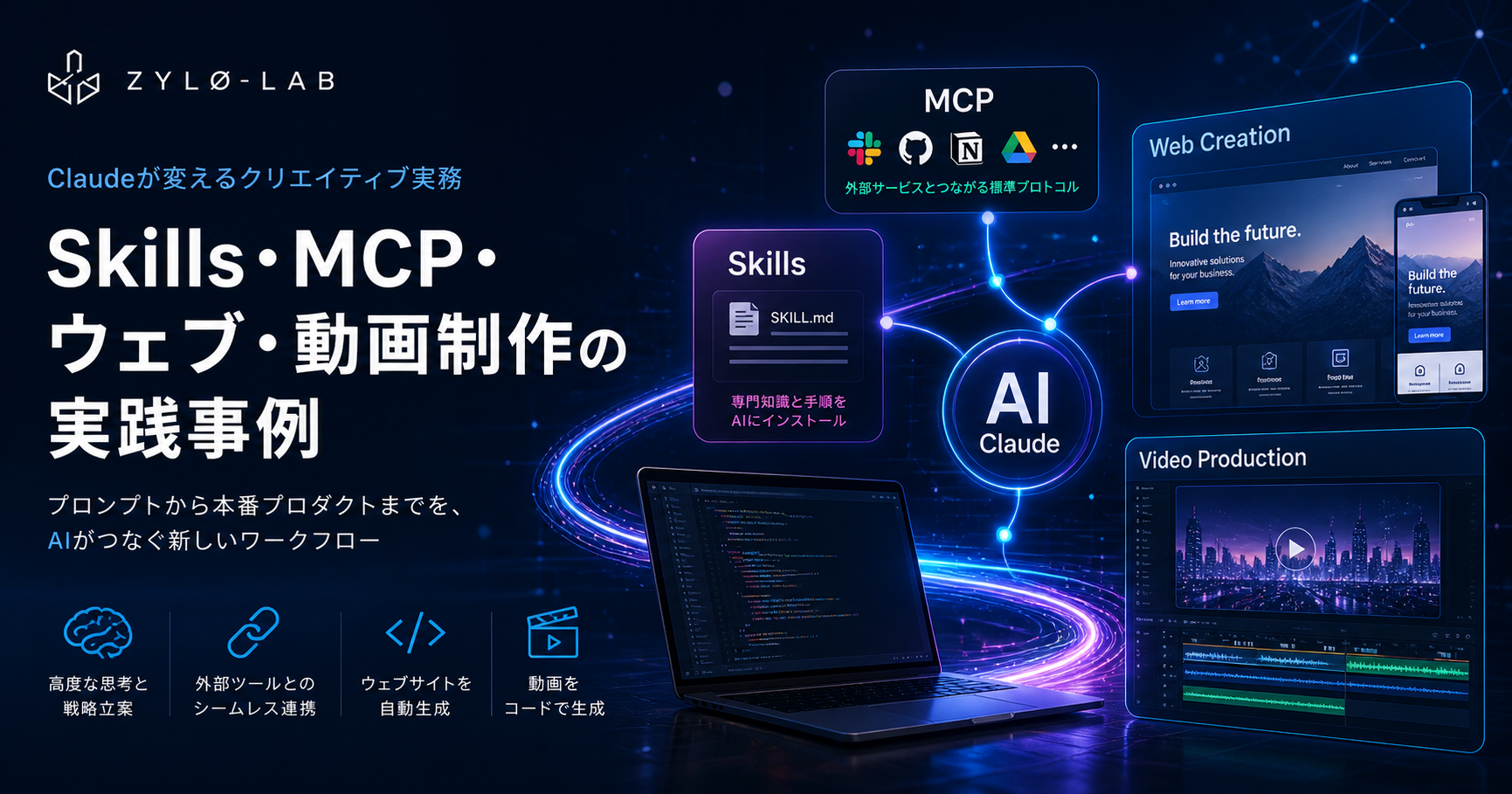
Claude CodeやClaude.aiを使い込んでいくと、必ずぶつかる疑問がある。「Skills と MCP って結局どう使い分けるの?」だ。ドキュメントを読んでもピンとこない場合、次のメンタルモデルが効く。
Skills = エージェントの「手順書」、MCP = エージェントの「外部接続線」。
Skillsは
.claude/skills/
以下に置いたSKILL.mdファイルだ。Claudeがタスクの文脈を判断し、関連するSkillを自動でロードして指示に従う。コードを書かず、マークダウンを書くだけで動く。一方MCPはJSON-RPC 2.0で動くクライアント・サーバープロトコルで、ClaudeをGitHub・データベース・社内APIなどの外部システムに繋ぐ。
| 比較軸 | Skills | MCP |
|---|
| 実装言語 | Markdown(SKILL.md) | Python / TypeScript / Go など |
| コンテキスト消費 | 30〜50トークン(必要時のみロード) | 50,000トークン超になることも |
| 用途 | 手順・ベストプラクティスの埋め込み | 外部システムとのリアルタイム連携 |
| 横断性 | Claude Code / Cursor / Gemini CLI で共通動作 | MCP対応クライアント全般で動作 |
| 設定方法 | .claude/skills/ にファイルを置くだけ | サーバーを立ててclaude_desktop_config.jsonに登録 |
重要な点は「SkillはMCPツールを呼べる」という非対称性だ。Skillで手順を定義し、MCPで外部ツールを接続する——両方組み合わせることで初めてフルオートのエージェントができる。
2026年3月時点のSkillsエコシステムは、公式Anthropicスキル・検証済みサードパーティ・コミュニティスキルの三層構造になっている。frontend-designスキルが27万インストール超、Remotionスキルが週11.7万インストール、gws(Google Workspace)が公開3日で4,900 GitHubスターを記録した。
実務でSkillが威力を発揮するのは「同じ手順を何度も説明するのが嫌な場面」全般だ。独自DBスキーマを理解するSQLアシスタントSkill・社内コーディング規約を埋め込んだレビューSkill・独自データ形式の変換Skillなどを一度書けば、以降はプロンプト一行で呼び出せる。
SKILL.mdを自分で書く場合の最小構成は以下だ:
---
name: my-skill
description: >
  説明。Claudeがこれを見てスキルをロードするかを判断する。
  トリガー条件を具体的に書くこと。
---

# My Skill

## 手順

1. まず〇〇を確認する
2. 次に△△を実行する

## 落とし穴

- □□の場合は××してはいけない
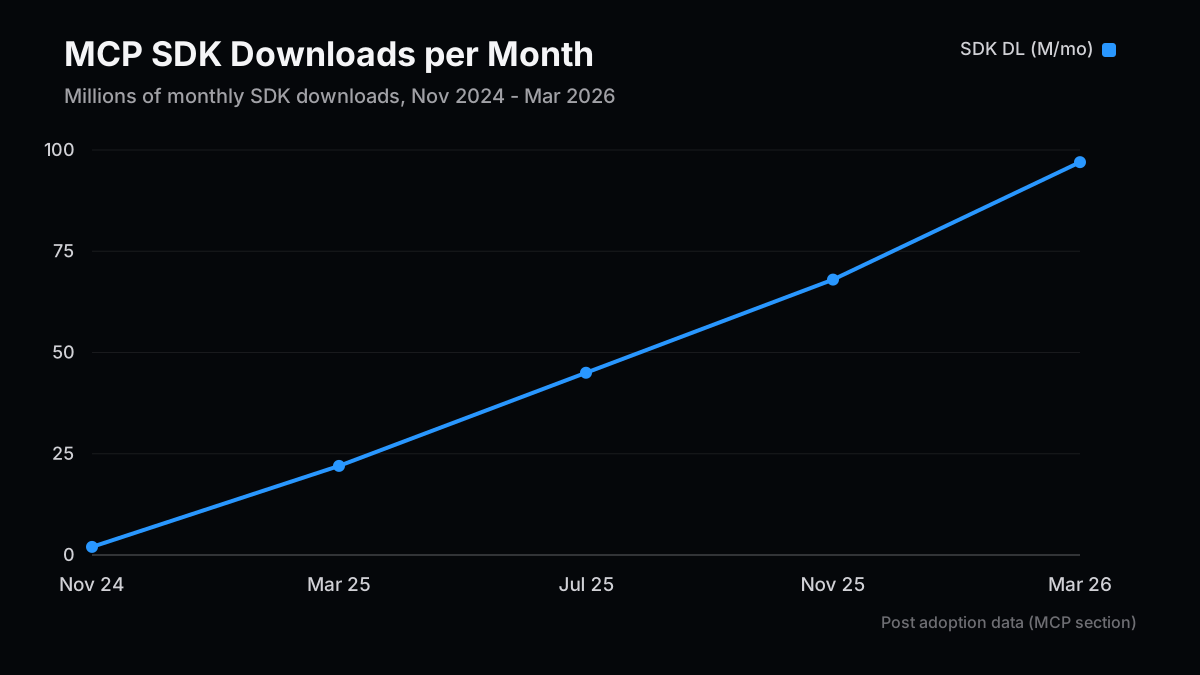
MCPの普及速度は前例がない。2024年11月の公開時に月200万SDK DLだったものが、OpenAI採用(2025年3月)・Microsoft統合(7月)・AWS対応(11月)を経て、2026年3月には9,700万DL/月、公開サーバー1万超に達した。ReactはこのDL数に3年かかったが、MCPは16ヶ月でやってのけた。
MCPが解決する問題はシンプルだ。社内CRM・請求システム・機能フラグサービスをAIエージェントから叩くには、従来クライアントAIごとに別の統合コードを書く必要があった。MCP対応サーバーを一つ作れば、Claude・ChatGPT・Cursor・Gemini全クライアントで動く。
# uv 推奨(pip でも可)
uv add mcp
# または
pip install mcp
以下は実際に動くMCPサーバーの最小実装だ。Tools・Resources・Promptsの三要素を全て含む:
from mcp.server.fastmcp import FastMCP

mcp = FastMCP("my-service", json_response=True)

# Tool: 副作用のある操作(POSTに相当)
@mcp.tool()
def check_stock(sku: str) -> dict:
    """指定SKUの在庫数を返す"""
    # 実際はDBクエリ等に置き換える
    return {"sku": sku, "quantity": 42, "warehouse": "tokyo"}

# Resource: 読み取り専用データ(GETに相当)
@mcp.resource("products://catalog")
def get_catalog() -> str:
    """商品カタログの一覧を返す"""
    return "SKU-001: Widget A\nSKU-002: Widget B"

# Prompt: 再利用可能なプロンプトテンプレート
@mcp.prompt()
def stock_check_prompt(sku: str) -> str:
    """在庫確認のためのプロンプトを生成"""
    return f"SKU {sku} の在庫を確認し、少ない場合は補充を提案してください。"

if __name__ == "__main__":
    # ローカル開発: stdio
    # mcp.run()
    # リモート/本番: Streamable HTTP
    mcp.run(transport="streamable-http", host="0.0.0.0", port=3050)
{
  "mcpServers": {
    "my-service": {
      "command": "python",
      "args": ["/path/to/server.py"]
    }
  }
}
| トランスポート | 用途 | 注意 |
|---|
stdio | ローカル・Claude Desktop連携・開発 | ネットワーク設定不要 |
streamable-http | リモート・チーム共有・クラウドデプロイ | 2025年3月仕様で標準化。SSE は非推奨 |
TypeScriptで書く場合は
@modelcontextprotocol/sdk
とZodを使う。Python FastMCPと同じ三要素(Tool / Resource / Prompt)をサポートし、型安全性が高い。どちらの言語でも「ワイヤプロトコルはJSON-RPC 2.0で共通」なので、PythonサーバーにTypeScriptクライアントを繋ぐことも普通に動く。
2026年初頭時点でClaude Codeは全GitHubコミットの4%を生成しており、VS Codeへの日次インストールは2,900万に達した。「バイブコーディング」と呼ばれるこのワークフローは、エンジニア経験ゼロの人でもNext.jsアプリを作れるレベルに成熟している。
ただしClaudeに「サイト作って」と言うだけでは、Interフォント・パープルグラデーション・白背景というお約束の「AI生成デザイン」が出てくる。これを回避するのがCLAUDE.mdとSkillの組み合わせだ。
プロジェクトルートに置くCLAUDE.mdはClaude Codeがセッション開始時に自動読み込みする設定ファイルだ。ここに「プロジェクトのコンテキスト」を書く:
# Project: MyApp

## スタック

- Nuxt 4 (Nuxt Content 3, Vue 3 Composition API)
- Tailwind CSS v4, shadcn/ui
- Vercel デプロイ

## ルール

- コミット前に必ずビルドを通す
- TypeScript strict モード必須
- MDX コンポーネントは使わない(Nuxt Content の CommonMark のみ)

## 禁止事項

- console.log を残したままコミットしない
- any 型の使用
CLAUDE.mdとSkillの役割分担は明確だ。CLAUDE.mdは「このプロジェクトの文脈」、Skillは「このタスクのやり方」。両方あることで、プロジェクトを知りつつ特定作業を正しくこなすエージェントができる。
実際に動くフローは以下になる:
- CLAUDE.mdを作成: スタック・命名規則・禁止事項を記述
- 公式または自作Skillを追加:
npx skills add frontend-design
- プランモードで要件確認:
claude --plan "〇〇なランディングページを作りたい"
- イテレーティブに実装: 一度に全部頼まず、セクション単位で進める
重要なのはステップ3のプランモードだ。いきなり実装させると「間違った問題を解くコード」が生成されることがある。まずClaudeに既存のコードベースを探索させ、変更箇所・影響範囲・エッジケースを特定したプランを出させる。プランを確認してからイエスと言うだけで、実装ミスの大半を防げる。
「動画をコードで管理する」という発想は、フロントエンドエンジニアには自然に受け入れられる。Remotionはまさにそれを実現するReactベースの動画フレームワークで、
useCurrentFrame()
でフレーム番号を取得しアニメーションをコードで記述する。Claude Codeとの組み合わせは「プロンプトで動画を書く」ワークフローを実現する。
# Remotionプロジェクトを作成
npx create-video@latest my-video-project
cd my-video-project

# Agent Skillsをインストール(Remotionチームが提供するベストプラクティス集)
npx skills add remotion-dev/skills
SkillsをインストールするとClaude Codeがリモーションの規約を理解し、正しいコンポーネント構造でコードを生成できるようになる。38種類以上のカテゴリがあり、アニメーション・3D・字幕・音声・チャート・トランジションをカバーする。
良いプロンプトの書き方にはコツがある。具体的な数字・解像度・秒数を最初に宣言し、シーンの境界を明示する:
1920x1080px、30fps、10秒の動画を作って。

0-2秒: ロゴフェードイン(中央配置、白背景)
2-6秒: 3つの機能を順番にスライドイン(左から右)
        - "高速" + 稲妻アイコン
        - "安全" + シールドアイコン
        - "簡単" + チェックアイコン
6-9秒: CTAボタンが拡大して登場「今すぐ試す」
9-10秒: フェードアウト

カラー: bg #0a0a0a, accent #7c3aed, text white
生成されたコードはRemotionスタジオでリアルタイムプレビューし、問題なければレンダリングする:
# プレビュー
npx remotion studio

# レンダリング(MP4)
npx remotion render MyComposition out/video.mp4
| ユースケース | 向いている | 向いていない |
|---|
| 製品デモ動画 | ◎ データと連動した動的更新が容易 | — |
| データビジュアライゼーション | ◎ コードで数値を動的に渡せる | — |
| SNS縦型クリップ | ◎ 9:16を指定するだけ | — |
| 人物が話す動画 | △ HeyGen等の専用ツールが優勢 | 複雑なリップシンク |
| 長尺映像(10分超) | △ シーン管理が煩雑になる | — |
ローカルレンダリングをするのでクラウド動画生成ツールのウォーターマーク・クレジット制限は一切関係ない。「ビルドアーティファクトとしての動画」という考え方で、製品変更のたびに動画をCI/CDで自動更新するパイプラインを組む事例もすでに登場している。
実際に試してハマった点を正直に書く。
SSEトランスポートを使っていてエラーが出る: 2025年3月のMCP仕様アップデートでSSE(Server-Sent Events)トランスポートは非推奨になった。リモート接続には必ず
streamable-http
を使う。FastMCPなら
mcp.run(transport="streamable-http")
に変えるだけで移行できる。
MCP サーバーを複数入れたら起動が遅くなった: 5サーバー・58ツール構成だとコンテキスト消費が55,000トークンを超えることがある。AnthropicのTool Search機能(オンデマンドロード)を有効にすると約85%削減できる。モノリシックなサーバーを避け、用途別に小さく分割すること。
セキュリティ: OWASP MCP Top 10(2025年公開)に従いサーバーを審査する。特にプロンプトインジェクション(ツールのdescriptionに悪意ある指示を埋め込む攻撃)に注意。コミュニティのサーバーは使用前にコードレビュー必須。
スキルが期待通りにトリガーされない: descriptionフィールドが曖昧だとClaudeがスキルをロードしない。「〇〇というキーワードが出たら必ずこのSkillを使え」という強い表現を入れること。
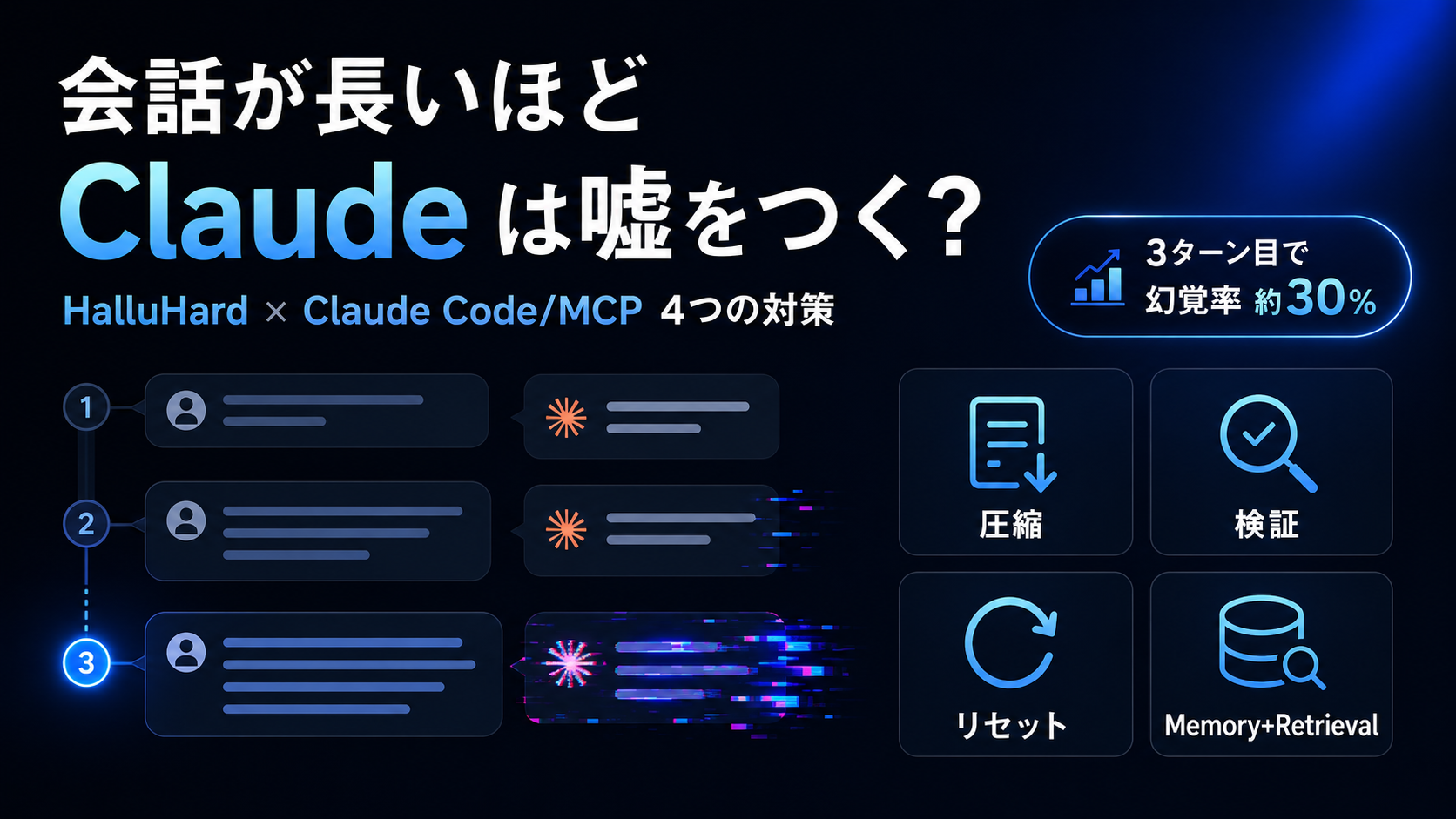
コンテキスト上限付近でSkillが無視される: セッションが長くなりコンテキストの70〜85%超えると精度が落ちる。
/compact
でコンテキストを圧縮するか、新しいセッションで継続する。
一度に全部作らせようとした: 「ECサイトを全部作って」は失敗率が高い。コンポーネント単位・ページ単位でイテレーティブに進めること。プランモードで方向性を確認してから実装させる。
生成コードをそのままコミットした: ACM 2025年の研究で、LLMのコードは人間比で論理エラーが1.75倍多い可能性が示されている。テストを通してからコミットを徹底する。
最初から複雑な動画を作ろうとした: 5秒のサンプルから始め、背景色→テキスト→アニメーション→複数シーンの順に積み上げること。
曖昧な指示を出した: 「80px」「30フレーム(1秒)」のように数値で指定するとClaude Codeの精度が上がる。「大きいフォント」「ゆっくりフェード」は精度が下がる。
シーン間でキャラクターの外見が変わる: Remotionは静的アセットを直接コードで参照するため、画像ファイルを固定すれば解決する。複雑な人物動画はHeyGen等の専用ツールを併用する。
| やること | 優先度 | 所要時間 |
|---|
| MCPサーバーを一つ作る(社内API連携) | 高 | 1〜2時間 |
| プロジェクトにCLAUDE.mdを追加 | 高 | 30分 |
npx skills add frontend-design を試す | 中 | 10分 |
| Remotionで30秒のデモ動画を作る | 中 | 2〜3時間 |
Claude Codeがコミット全体の4%を生成し、Spotifyのエンジニアが2025年12月以降手でコードを書いていないという現在、これらのツールへの習熟は「あると便利」から「ないと遅い」に変わりつつある。まず一つのMCPサーバーかSkillから始め、「毎回説明するのが面倒なこと」を自動化するところから入るのが最短距離だ。
- 案1:数字で追う続編 — 本記事の前提を最新データで更新し、何が強まり、何が崩れたかを再点検する。
- 案2:実務テンプレート編 — 読者が自分の投資判断、制作単価、または開発運用に転用できるチェックリストへ落とし込む。
- 案3:反対シナリオの検証 — 今回の見立てが外れる条件を先に定義し、次に見るべき指標と時間軸を整理する。
本文の事実関係と数値前提は、再審査時にも読者が確認できる一次情報・公的資料を優先して見直しています。
本記事は情報提供を目的としたものであり、特定の銘柄、サービス、契約条件の推奨や投資助言ではありません。執筆者は記事内で触れた銘柄やサービスにポジションまたは利害関係を持つ可能性があります。調査、翻訳、校正の一部に生成AIを利用していますが、最終的な内容はZYL0が確認しています。詳細は免責事項をご確認ください。
Claude Skills, MCP, Website Generation, and Programmatic Video in Production: A Practical Engineer's Guide 2026
Version note: This article is based on information as of May 2026. It references mcp Python SDK 1.27.0, MCP spec revision 2025-11-25, and the latest Remotion release. The MCP spec evolves rapidly, so verify the latest information at modelcontextprotocol.io.
I came up through semiconductor process development before moving to corporate VC, and I built a flood-detection IoT system from scratch on AWS (IoT Core, Lambda, DynamoDB, API Gateway) in about six months. The single most reliable lesson from that work: the real gotchas only show up when you run the code. Skills, MCP, and Remotion behave the same way. So this piece is the shortest implementation path plus the actual gotchas I hit running everything end-to-end.
| Topic | What You'll Pick Up |
|---|
| Claude Skills | How SKILL.md works, its split with MCP, day-to-day patterns |
| Building MCP servers | The shortest path to a Python FastMCP server in under 50 lines |
| Website generation | Site generation workflow with Claude Code + Next.js / Nuxt 4 |
| Remotion video | Writing video as code and rendering it through Claude Code |
| Pitfalls | The traps in each area and how to dodge them |
If you spend any real time with Claude Code or Claude.ai, you'll hit the same question: "How do I actually decide between Skills and MCP?" Reading the docs doesn't always make it click. The mental model that does:
Skills = the agent's "playbook", MCP = the agent's "external connections."
Skills are SKILL.md files placed under
.claude/skills/
. Claude reads the task context, automatically loads the relevant skill, and follows its instructions. You write Markdown — no code. MCP, in contrast, is a client-server protocol over JSON-RPC 2.0 that connects Claude to external systems like GitHub, databases, or internal APIs.
| Dimension | Skills | MCP |
|---|
| Implementation language | Markdown (SKILL.md) | Python / TypeScript / Go, etc. |
| Context consumption | 30–50 tokens (loaded only when needed) | Can exceed 50,000 tokens |
| Use case | Embedding procedures and best practices | Real-time integration with external systems |
| Cross-tool | Works in Claude Code / Cursor / Gemini CLI | Works in any MCP-capable client |
| Setup | Drop a file under .claude/skills/ | Run a server and register it in claude_desktop_config.json |
The key asymmetry is: a Skill can call MCP tools, but not the other way around. Define procedures with Skills, connect external tools with MCP — putting them together is what unlocks fully automated agents.
As of March 2026, the Skills ecosystem is structured in three layers: official Anthropic skills, vetted third-party skills, and community skills. The frontend-design skill has crossed 270K installs, the Remotion skill is doing 117K installs per week, and gws (Google Workspace) hit 4,900 GitHub stars within three days of release.
Skills shine in any situation where "I'm tired of explaining the same procedure over and over." Write a SQL assistant skill that knows your custom DB schema once, embed your team's coding conventions into a review skill, build a converter skill for your proprietary data format — after that, a single one-line prompt invokes them.
The minimum SKILL.md, when you write your own:
---
name: my-skill
description: >
  Description here. Claude reads this to decide whether to load the skill.
  Spell out the trigger conditions concretely.
---

# My Skill

## Steps

1. First, check X.
2. Then, run Y.

## Pitfalls

- When Z, do not do W.
MCP's adoption curve is unprecedented. From 2 million SDK downloads/month at launch (November 2024), it crossed 22 million when OpenAI adopted (March 2025), 45 million when Microsoft integrated (July), 68 million when AWS came on (November), and reached 97 million per month with over 10,000 public servers by March 2026. React took three years to reach those download numbers; MCP did it in 16 months.
The problem MCP solves is simple: previously, hooking your internal CRM, billing system, or feature-flag service into AI agents meant writing separate integration code for every AI client. Build one MCP-compatible server, and it works from Claude, ChatGPT, Cursor, and Gemini.
# uv recommended (pip works too)
uv add mcp
# or
pip install mcp
Below is a minimal MCP server that actually runs. It includes all three primitives — Tools, Resources, and Prompts:
from mcp.server.fastmcp import FastMCP

mcp = FastMCP("my-service", json_response=True)

# Tool: side-effecting operations (analogous to POST)
@mcp.tool()
def check_stock(sku: str) -> dict:
    """Return the inventory count for the given SKU."""
    # In practice, replace with a DB query, etc.
    return {"sku": sku, "quantity": 42, "warehouse": "tokyo"}

# Resource: read-only data (analogous to GET)
@mcp.resource("products://catalog")
def get_catalog() -> str:
    """Return the product catalog listing."""
    return "SKU-001: Widget A\nSKU-002: Widget B"

# Prompt: a reusable prompt template
@mcp.prompt()
def stock_check_prompt(sku: str) -> str:
    """Generate a prompt for checking inventory."""
    return f"Check the stock for SKU {sku} and propose a restock if it is low."

if __name__ == "__main__":
    # Local dev: stdio
    # mcp.run()
    # Remote/production: Streamable HTTP
    mcp.run(transport="streamable-http", host="0.0.0.0", port=3050)
{
  "mcpServers": {
    "my-service": {
      "command": "python",
      "args": ["/path/to/server.py"]
    }
  }
}
| Transport | Use Case | Notes |
|---|
stdio | Local, Claude Desktop integration, development | No network setup required |
streamable-http | Remote, team-shared, cloud-deployed | Standardized in the March 2025 spec. SSE is deprecated |
For TypeScript, use
@modelcontextprotocol/sdk
with Zod. It supports the same three primitives (Tool / Resource / Prompt) as Python FastMCP, with strong type safety. In either language, "the wire protocol is JSON-RPC 2.0," so connecting a TypeScript client to a Python server just works.
As of early 2026, Claude Code generates 4% of all GitHub commits, with daily VS Code installs reaching 29 million. The "vibe coding" workflow has matured to the point where someone with zero engineering experience can ship a Next.js app.
That said, telling Claude "make me a site" still produces the familiar AI-generated look — Inter font, purple gradient, white background. The way to escape that is the combination of CLAUDE.md and Skills.
A CLAUDE.md placed at the project root is auto-loaded by Claude Code at session start. Use it to capture "what this project is":
# Project: MyApp

## Stack

- Nuxt 4 (Nuxt Content 3, Vue 3 Composition API)
- Tailwind CSS v4, shadcn/ui
- Deployed on Vercel

## Rules

- Always make sure the build passes before committing.
- TypeScript strict mode is required.
- Don't use MDX components (Nuxt Content's CommonMark only).

## Don't

- Leave console.log calls in committed code.
- Use the any type.
The split between CLAUDE.md and Skills is clean: CLAUDE.md is "the context of this project," Skills are "how to do this task." Together, you get an agent that understands the project and executes specific tasks correctly.
A workflow that actually works in practice:
- Create CLAUDE.md: stack, naming conventions, things to avoid
- Add an official or custom Skill:
npx skills add frontend-design
- Sanity-check requirements in plan mode:
claude --plan "I want a landing page that looks like X"
- Implement iteratively: don't ask for the whole thing at once — go section by section
Step 3 is the critical one. Asking for an implementation directly sometimes produces "code that solves the wrong problem." Have Claude explore the existing codebase first, identify the change locations, impact range, and edge cases, and surface them as a plan. Once the plan looks right, just say yes — that alone prevents most implementation mistakes.
The idea of "managing video in code" lands naturally for front-end engineers. Remotion is exactly that — a React-based video framework where
useCurrentFrame()
returns the current frame number and you describe animation in code. Combined with Claude Code, it produces a "write video by prompt" workflow.
# Create a Remotion project
npx create-video@latest my-video-project
cd my-video-project

# Install Agent Skills (best-practices bundle from the Remotion team)
npx skills add remotion-dev/skills
Once the skills are in place, Claude Code understands Remotion conventions and generates code with the right component structure. There are 38+ categories covering animation, 3D, captions, audio, charts, and transitions.
There's a knack to writing good prompts: declare the concrete numbers — resolution, duration — up front, and make scene boundaries explicit:
Create a 1920x1080px, 30fps, 10-second video.

0–2s: Logo fades in (centered, white background)
2–6s: Three features slide in one by one (left to right)
        - "Fast" + lightning icon
        - "Safe" + shield icon
        - "Easy" + check icon
6–9s: CTA button scales up: "Try it now"
9–10s: Fade out

Colors: bg #0a0a0a, accent #7c3aed, text white
Preview the generated code live in Remotion Studio, and once it looks right, render:
# Preview
npx remotion studio

# Render (MP4)
npx remotion render MyComposition out/video.mp4
| Use Case | Good Fit | Not a Good Fit |
|---|
| Product demo videos | ◎ Easy to wire up to data and update dynamically | — |
| Data visualization | ◎ Pass numbers in dynamically through code | — |
| Vertical social clips | ◎ Just specify 9:16 | — |
| Talking-head videos | △ Specialized tools like HeyGen win | Complex lip-sync |
| Long-form footage (10+ min) | △ Scene management gets unwieldy | — |
Because rendering happens locally, watermarks and credit caps from cloud video generators don't apply at all. Treating "video as a build artifact" — auto-rebuilding the video in CI/CD whenever the product changes — is already showing up in real-world pipelines.
Here, honestly, are the things that tripped me up.
Errors when using SSE transport. The March 2025 MCP spec update deprecated SSE (Server-Sent Events). For remote connections, always use
streamable-http
. With FastMCP, switching is just
mcp.run(transport="streamable-http")
.
Multiple MCP servers slowing startup. A 5-server, 58-tool setup can push context consumption past 55,000 tokens. Anthropic's Tool Search feature (on-demand loading) cuts that by about 85%. Avoid monolithic servers — split by purpose into smaller ones.
Security. Audit your servers against the OWASP MCP Top 10 (published in 2025). Watch especially for prompt injection (malicious instructions hidden in a tool's
description
). Code-review community servers before using them.
The skill doesn't trigger when expected. A vague
description
field means Claude won't load the skill. Use strong language like "whenever the user mentions X, use this skill."
Skills get ignored near the context limit. Once a session crosses 70–85% of the context window, accuracy drops. Use
/compact
to compress context, or continue in a fresh session.
"Build the whole thing at once." "Build me an entire e-commerce site" has a very high failure rate. Iterate component by component, page by page. Confirm direction in plan mode before implementation.
Committing generated code as-is. A 2025 ACM study suggests LLM-written code has roughly 1.75× more logic errors than human-written code. Make sure tests pass before committing.
Trying to build something complex from the start. Start with a 5-second sample, then layer up: background color → text → animation → multiple scenes.
Vague directions. "80px," "30 frames (1s)," and other concrete numbers boost Claude Code's accuracy. "Big font" and "slow fade" hurt it.
Character appearance changes between scenes. Remotion references static assets directly in code, so pin the image files. For complex character video, pair with a specialized tool like HeyGen.
| Action | Priority | Time Required |
|---|
| Build one MCP server (internal API integration) | High | 1–2 hours |
| Add CLAUDE.md to your project | High | 30 minutes |
| Try npx skills add frontend-design | Medium | 10 minutes |
| Build a 30-second demo video in Remotion | Medium | 2–3 hours |
With Claude Code generating 4% of all commits and Spotify's engineers reportedly writing no code by hand since December 2025, fluency with these tools is shifting from "nice to have" to "you'll fall behind without it." Start with one MCP server or one Skill — automating "the thing I'm tired of explaining every time" is the shortest path in.
- Idea 1: A data-updated follow-up — Revisit the thesis with fresh numbers and separate what strengthened from what broke.
- Idea 2: A practical template edition — Turn the article into a checklist readers can reuse for investing, pricing, or technical operations.
- Idea 3: The bear-case test — Define the conditions that would invalidate this view and map the indicators to watch next.
- How Claude Cut My Video + Web Workflow to 1/5 the Time — Combining Skills, MCP, and Claude Design to run planning → design → video script → publishing as one continuous flow c…
- 10 Claude Code Skill Design Patterns: Descriptions and Templates That Trigger Reliably — Ten Skill design patterns for Claude Code: how to write descriptions that trigger reliably, split Skills by audience, …
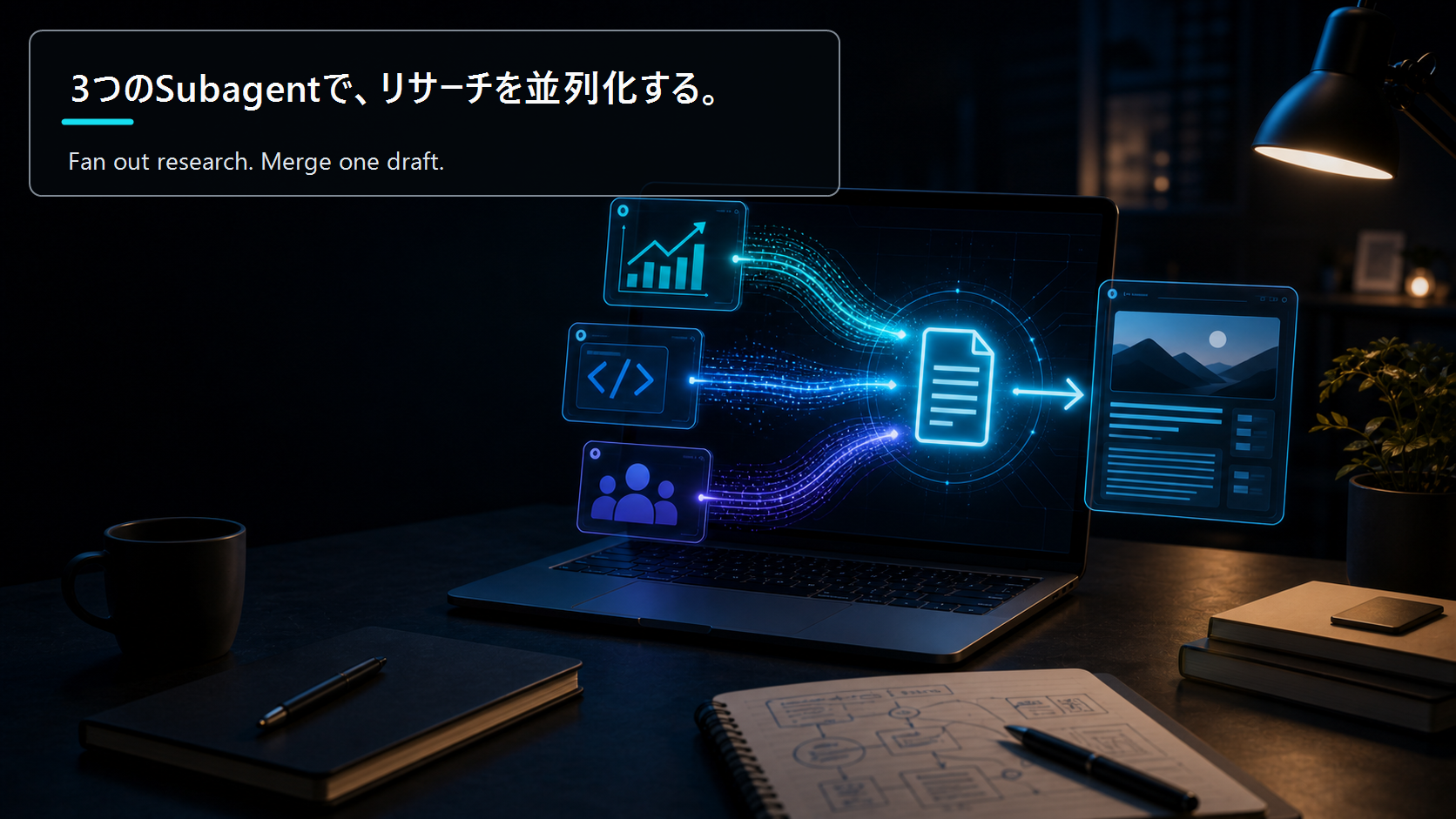
- Parallel Blog Research with Subagents: Fan Out Investment, Technical, and Reader-Need Axes, Then Merge Into One Draft — A hands-on build log: split one blog post's research into investment, technical, and reader-need axes, run them as par…
The factual and numerical assumptions in this article are anchored to primary or public materials that readers can revisit during AdSense review and future updates.
This article is for informational purposes only and does not constitute investment advice or a recommendation of any specific stock, service, or contract structure. The author may hold positions or interests related to companies or services mentioned. Generative AI was used for parts of research, translation, and proofreading, with final review by ZYL0. See the disclaimer for details.