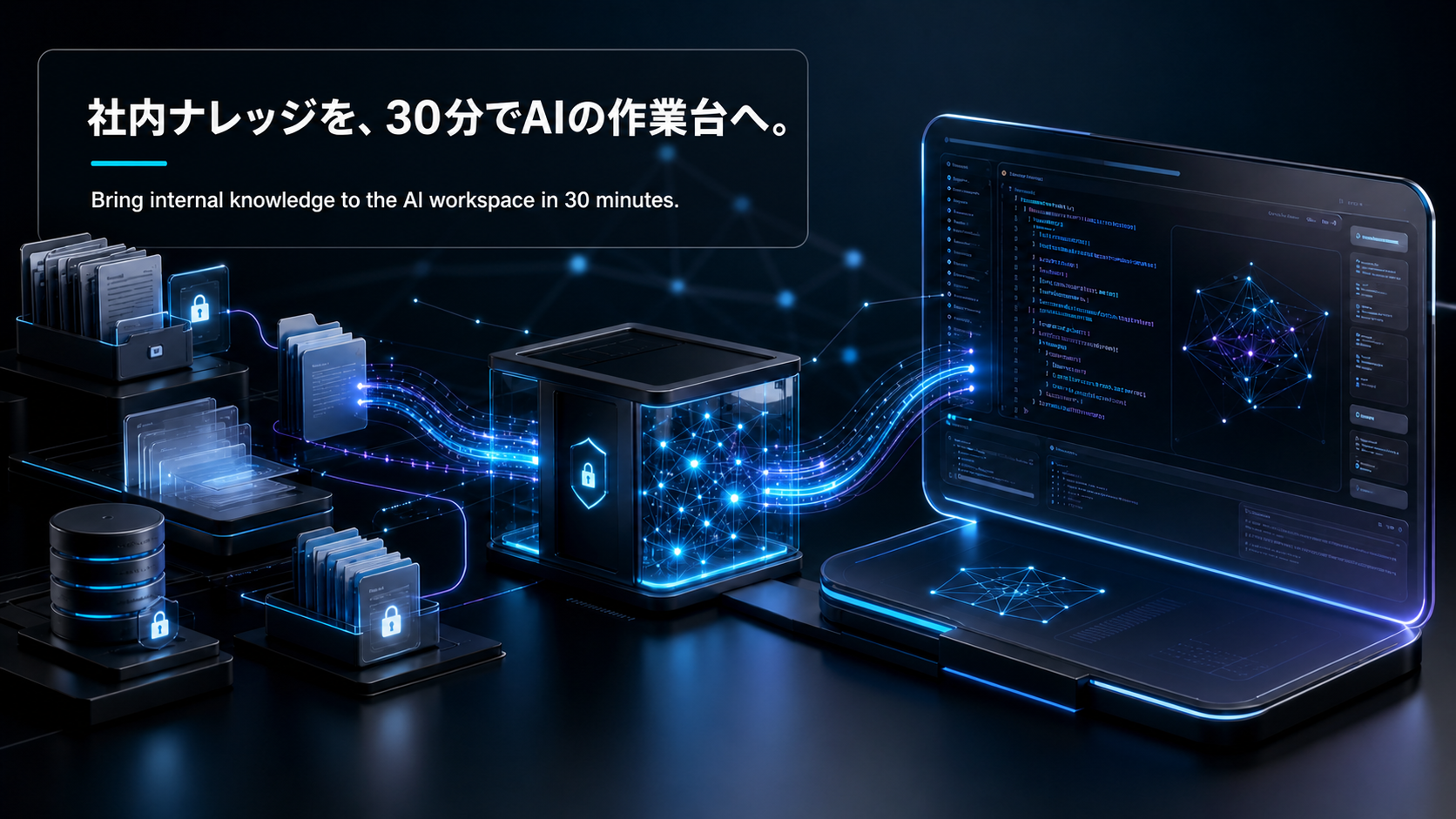
MCPで社内ナレッジを接続する最短ルート|DDメモ・ポートフォリオ・過去提案をClaude Codeに30分で繋ぐ
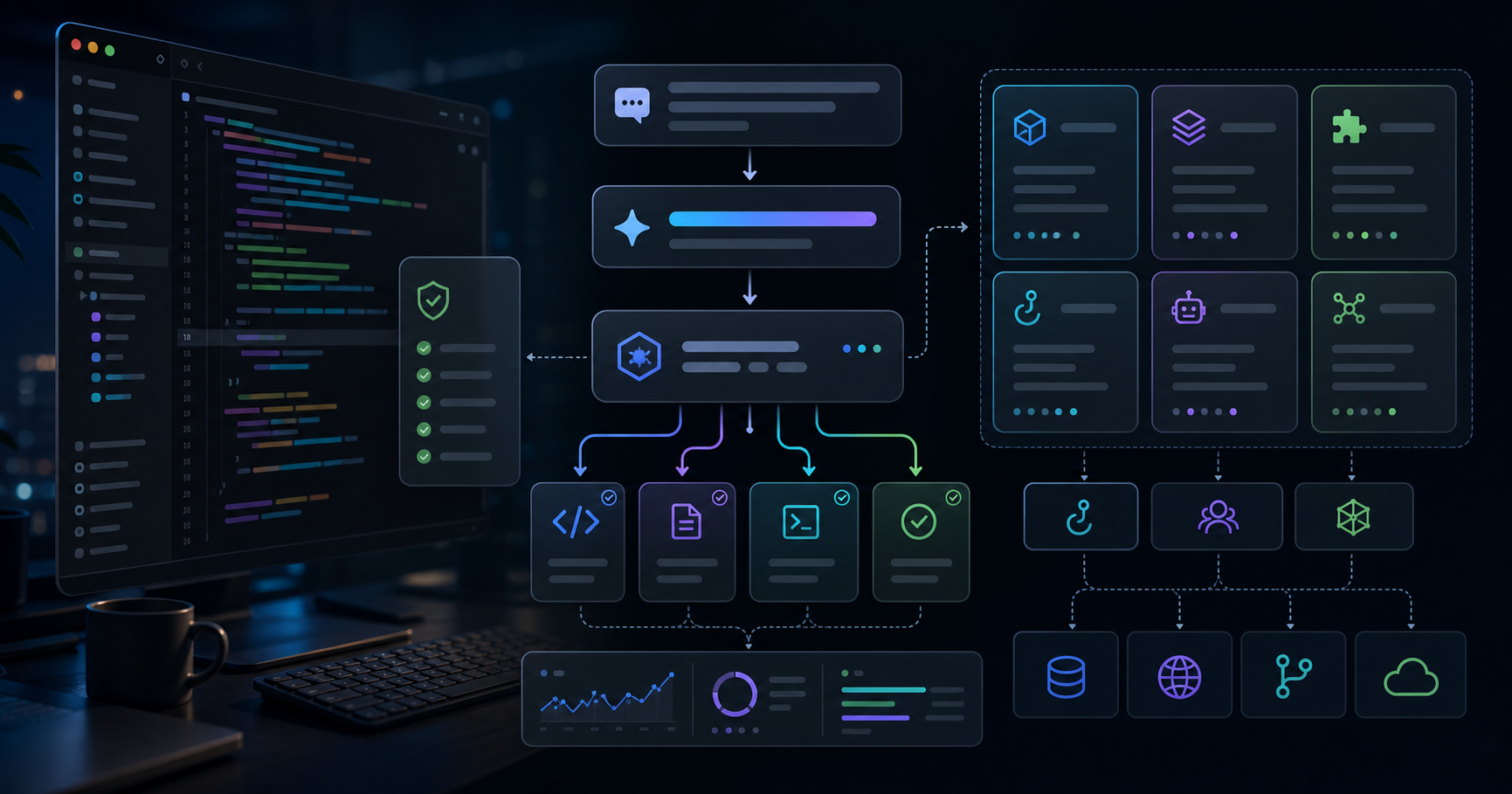
前回のSkill設計の記事で、Skillには「ローカル記事フォーマット」を入れ、MCPには「外部状態への接続」を任せる、と書きました。実はその裏で、CVCの仕事で一番効いているのはMCPの方です。DDメモ・ポートフォリオ・過去の投資提案を、Claude Codeから「自然に」呼べるようになると、DDの初動が体感で半分以下になります。
この記事は、その接続を30分で組むときの最短ルートをまとめたものです。完璧なRAGを作る話ではなく、「明日からのDDで普通に使えるところ」までを実装目線で書きます。私が実際にCVCで触っているナレッジ構造を題材にしますが、社内Wiki・営業提案・サポートチケットなど、ドメインに置き換えても同じパターンで動きます。
バージョン注記: 2026年5月時点のClaude Code(Opus 4.7)と、
mcp
公式Python SDKの挙動を前提にしています。MCP仕様・CLI挙動は変わる可能性があるので、本番投入前は必ず公式ドキュメントとリリースノートを確認してください。
| テーマ | 学べること |
|---|
| なぜMCP | RAGを自作するより、なぜMCPに寄せるべきか |
| 最小構成 | 30分で動くstdio型MCPサーバーの作り方 |
| ツール設計 | search / fetch_doc / list_recent の責務分離 |
| セキュリティ | 機密ディール情報で「出さない」設計の作り方 |
| ワークフロー | DDの会話がどう変わるか |
| 検証 | 「ちゃんと発火しているか」を確認する方法 |
最初に向き合うべき問いはここです。「LangChainでRAG組めばよくない?」という声は今もよく聞きます。私も最初は同じことを考えていました。
ただ、CVCの実務で半年触ってみて、私の中での結論はかなりはっきりしました。情報の流入元が複数あり、フォーマットが揃わず、毎週更新されるドメインでは、RAG自作はメンテのコストが重すぎる。 DDメモはNotion、ポートフォリオは社内DB、過去提案はGoogle Drive、決算サマリーはSharePoint、というのが普通の姿です。
ここをMCPに寄せる利点は、私の体感では3つあります。
| 観点 | RAG自作 | MCPサーバー |
|---|
| 検索精度のチューニング | 自分でembedding/rerank/プロンプトを全部抱える | 既存の検索APIをツールとして包むだけ |
| クライアント側の実装 | アプリごとに繋ぎ込みが必要 | Claude Code・Claude Desktop・他クライアントが共通プロトコルで使える |
| 更新追従 | 再インデックスのスケジューラが必須 | 元データの検索APIを叩くだけなので追従が自動 |
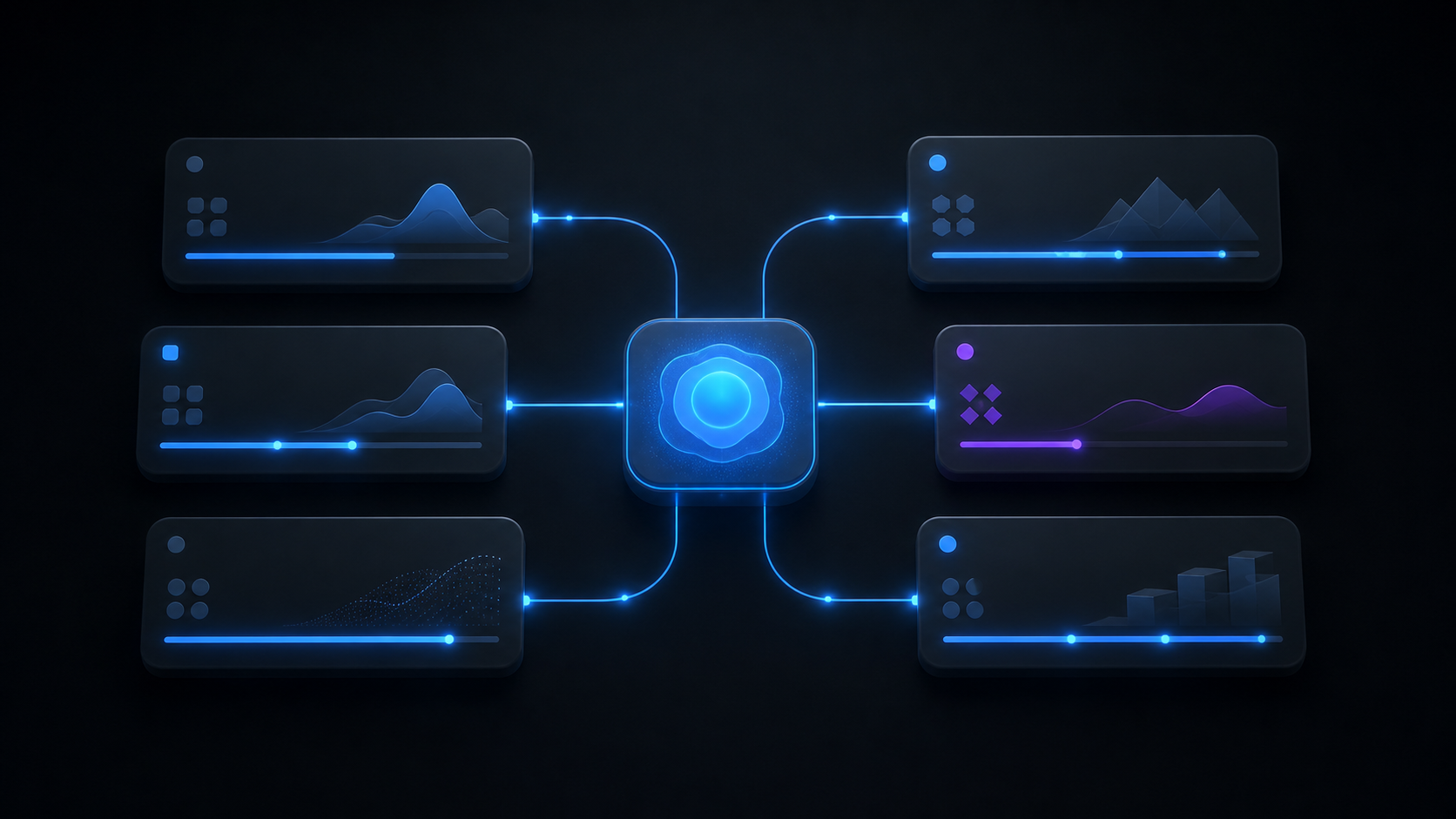
MCPは「Claudeに新しい能力を生やすプラグイン規格」ではなく、「LLMクライアントとデータ源の間の共通プロトコル」として見るのが正確だと思います。だから、自社の検索APIや内部ツールを既に持っているなら、それを薄く包むのが一番速い。
ここはまだ議論が割れるところで、検索精度を本気で詰めたいならRAG自作の余地は残ります。ただ「DDのキックオフ初動を1日短くしたい」レベルなら、MCP+既存検索の組み合わせで十分というのが現時点の私の見立てです。
ここはかなり実装寄りです。まずは「動くもの」を最短で立てて、それからツール設計を整える順番が、私には合っています。
Python公式SDK(
mcp
パッケージ)を使い、stdio転送でClaude Codeに繋ぐ最小例です。ファイルは1つで済みます。
# server.py
from mcp.server.fastmcp import FastMCP
from typing import Any
import os, httpx

mcp = FastMCP("cvc-knowledge")

KB_BASE = os.environ["KB_BASE_URL"]      # 社内検索APIのベースURL
KB_TOKEN = os.environ["KB_API_TOKEN"]    # 短命のサービストークン

async def _get(path: str, params: dict[str, Any]) -> dict:
    headers = {"Authorization": f"Bearer {KB_TOKEN}"}
    async with httpx.AsyncClient(timeout=15.0) as c:
        r = await c.get(f"{KB_BASE}{path}", params=params, headers=headers)
        r.raise_for_status()
        return r.json()

@mcp.tool()
async def search_dd_memos(query: str, limit: int = 5) -> list[dict]:
    """Search past due diligence memos by free text."""
    data = await _get("/search/memos", {"q": query, "limit": limit})
    return [{"id": h["id"], "title": h["title"], "snippet": h["snippet"]} for h in data["hits"]]

@mcp.tool()
async def fetch_doc(doc_id: str) -> str:
    """Fetch the full body of a memo or proposal by ID."""
    data = await _get(f"/docs/{doc_id}", {})
    return data["body_markdown"]

@mcp.tool()
async def list_recent(kind: str = "memo", days: int = 14) -> list[dict]:
    """List recently updated docs. kind in {memo, portfolio, proposal}."""
    data = await _get("/recent", {"kind": kind, "days": days})
    return data["items"]

if __name__ == "__main__":
    mcp.run(transport="stdio")
Claude Code側の登録は、プロジェクト直下に
.mcp.json
を置くのが運用上ラクです。
{
  "mcpServers": {
    "cvc-knowledge": {
      "command": "uv",
      "args": ["run", "python", "server.py"],
      "env": {
        "KB_BASE_URL": "https://kb.internal.example.com",
        "KB_API_TOKEN": "${env:KB_API_TOKEN}"
      }
    }
  }
}
uv
を使っているのは、依存解決と仮想環境がワンコマンドで終わるからです。Pythonの素のvenvでも動きますが、社内に配るとき
uv run
の方が事故が少ないというのが正直なところです。
ここまでで、Claude Codeを再起動するとツールが見え始めます。初回はだいたいPATHかトークンで詰まるので、後ろで触れる検証コマンドで原因を切り分けるのが早いです。
実装より大事なのが、ここです。最初に作ると、
get_everything(query)
のような万能ツールを置きたくなります。私も最初そうしました。結論から言うと、これはあまり機能しません。
理由は、LLMがツールを選ぶときにツール名と説明文を読んでルーティングするからです。万能ツールは「どんなクエリでも呼ばれる」設計に見えて、実際には「いつ呼べばいいか分からない」設計になります。
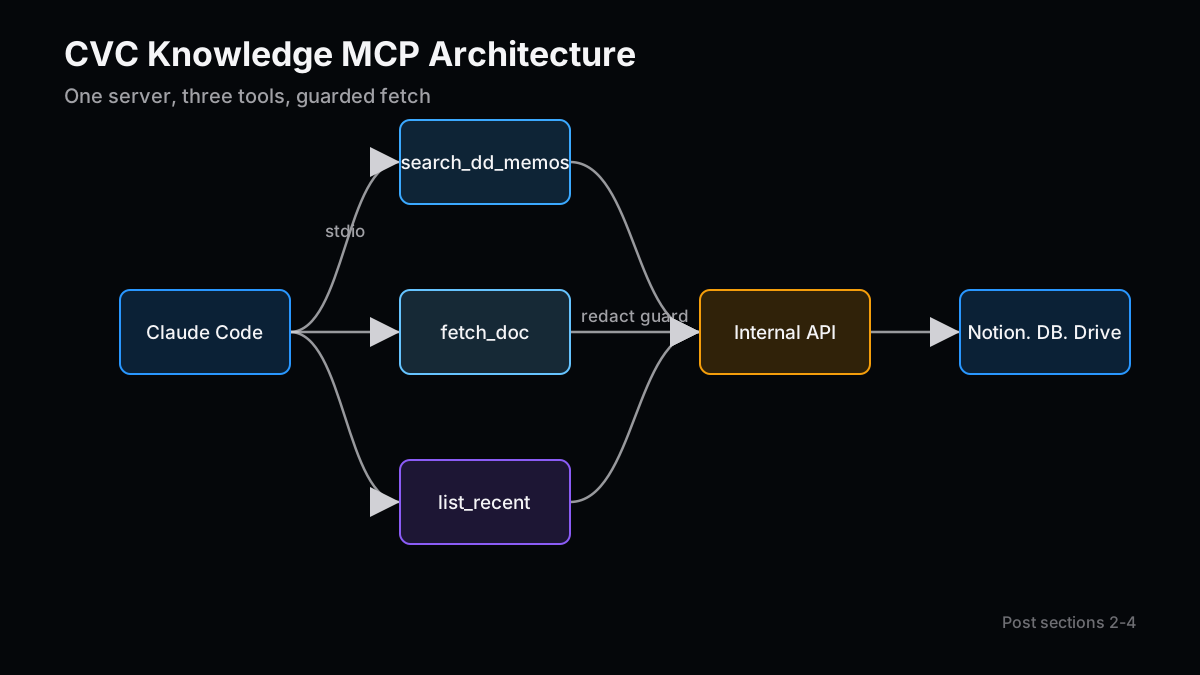
私が今落ち着いているのは、責務を3つに分ける形です。
| ツール | 役割 | 返すもの |
|---|
search_* | 自然文での検索 | 上位N件のID・タイトル・スニペット |
fetch_doc | IDから本文取得 | Markdown化された本文 |
list_recent | 時系列での新着確認 | 直近N日に更新された一覧 |
この分割の良いところは、Claudeが「まずsearchで当たりをつけ、必要そうな1〜2本だけfetch_docする」という自然な流れに乗りやすいことです。最初から本文全部を返すツールにすると、コンテキストが一気に膨らみ、関係ない情報まで会話に混ざります。
descriptionの書き方も効きます。
search_dd_memos
の説明に「DDメモのみを検索する。ポートフォリオの財務データは含まない」と一行書いておくと、別のツール(例えば後で足す
search_portfolio_financials
)と競合しにくくなります。
ツールのdescriptionも、Skillのdescriptionと同じく「いつ呼ぶか」を書く、というのが私のルールです。
ここで一度立ち止まる価値があります。社内ナレッジを繋ぐとき、「全部つなげる」より「3つに分ける」方が結果的に早く実用化できる、というのは少し直感に反する所感です。
ここは技術記事として一番丁寧に書きたい部分です。CVCのDDメモには、相手企業のNDA下情報・バリュエーション交渉の経緯・社内の評価意見が混ざっています。MCPに繋いだ瞬間、LLMに全部見せる、と考えると怖いはずです。
私が実際に運用しているガード方針は、4層に分かれています。
| 層 | 何をするか |
|---|
| データ層 | 機密フラグ付きドキュメントは検索APIの応答から除外する |
| ツール層 | fetch_doc 側で classification を見て、機密級は要約のみ返す |
| プロトコル層 | MCPサーバー起動時のトークンに最小権限スコープを付ける |
| 監査層 | 全リクエストをサーバー側でログに残し、誰のClaude Codeセッションかタグ付け |
特に「LLMから見える形に出す前の段階で落とす」のが大事だと思っています。プロンプトで「機密情報は出さないで」と指示しても、LLMはあくまでベストエフォートで動きます。MCPサーバー側で物理的に返さないようにしておけば、プロンプトインジェクションでも漏れません。
簡単な例として、
fetch_doc
の中に分類チェックを足します。
@mcp.tool()
async def fetch_doc(doc_id: str) -> str:
    data = await _get(f"/docs/{doc_id}", {})
    if data.get("classification") in {"restricted", "nda-locked"}:
        return f"[REDACTED] Summary only: {data['summary']}"
    return data["body_markdown"]
ここは小さなコード追加ですが、私の中では一番落とせない部分です。CVC内部のセキュリティチームと話すときも、「LLMが見える領域そのものを物理的に狭めている」という説明が一番通りやすかった。
ついでに言うと、出してはいけないのは機密情報だけではありません。社内の人物評価・退職予定・人事情報あたりは、たとえ「公開Wiki」にあっても、MCP経由でClaudeに渡す価値はほぼゼロです。「出せる」と「出すべき」は別、という線引きを最初に決めておくと、後から作業が楽になります。
ここはコードの話ではないですが、実装より人によっては大事です。私の場合、MCPを繋ぐ前と後で、DDキックオフの会話の入り口が変わりました。
| 接続前 | 接続後 |
|---|
| 「この領域、過去に見たことある気がするけど…」 | 「 list_recent でこの12ヶ月のメモを出して」 |
| 「あの提案書、誰がDriveに置いてたっけ」 | 「 search_dd_memos で『定置型蓄電』をかけて」 |
| 「ポートフォリオ各社の最終ラウンドいつだっけ」 | 「 list_recent で kind=portfolio で出して」 |
地味ですが、これがかなり効きます。私の過去の経験で、入社時に投資チームのDD品質基準が揃っていなくて標準化した、という話を以前書きました。あのときに一番欲しかったのが、まさにこれです。「過去に同じテーマでうちが何を見たか」が30秒で出る環境があると、新人がDDに合流するスピードが体感で1〜2週間早まります。
注意点として、MCPは「探す」を速くしますが、「判断する」までは速くしません。バリュエーション過大の指摘や、市場前提の妥当性は、依然として人間が詰める仕事です。ここを混同すると、「Claudeに任せたから大丈夫」という油断が出ます。私自身、最初の数週間は出力を鵜呑みにしかけて、危うかったタイミングが一度ありました。
実装そのものは30分でも、私の場合、「動くまで」はもう1時間追加で食われました。代表的な3つを残します。
- stdioのデバッグが見えにくい:Claude Code側のログに出るのはツール呼び出しの結果だけ。サーバー側のprintは標準エラー(
sys.stderr
)に出さないと、stdoutを汚してプロトコルが壊れます。print("...", file=sys.stderr)
か logging
を使う。 - 環境変数がClaude Code起動時のシェルに依存する:GUI起動だと
.zshrc
が読まれない、というハマりが普通にあります。.mcp.json
の env
で明示するのが一番安全。 - ツール説明文の言語:英語descriptionの方がツールが選ばれやすい場面が多いです。日本語クエリでも英語descriptionは効きます。私は最初日本語にしていて、なぜか発火しないことがあり、原因がここでした。
ここは「公式ドキュメントには書いてないが、触ると分かる」系の話です。半年後の自分のためにメモを残しておく価値があります。
最後に検証です。「MCP繋いだはずなのにClaudeが知らないと言い張る」状況は、初期段階でかなり起きます。順番に切り分けるのが速いです。
# 1) サーバー単体が起動するか
KB_BASE_URL=... KB_API_TOKEN=... uv run python server.py
# → stdin待ちで止まれば成功(stderrにエラーが出ていないか確認)

# 2) Claude Codeから見えているか
# Claude Code内で `/mcp` を実行
# → cvc-knowledge が "connected" と出るか

# 3) ツールが選ばれるか
# Claude Codeに「list_recent で memo を出して」と直接指示
# → ツール呼び出しのトレースが出るか

# 4) 自然な依頼で発火するか
# 「直近2週間のDDメモのトピックを要約して」と頼む
# → list_recent → fetch_doc の順で呼ばれるか
ここで4番まで通れば、実運用に入って問題ないラインです。逆に3番で詰まる場合、ほぼツールdescriptionの問題か、ツール名が抽象的すぎる問題です。
do_things
のような名前は本当に発火しません。
地味な観察ですが、ツール名は動詞_名詞の形にして、対象ドメインを名前に入れるだけで、発火率がかなり上がります。
search
ではなく
search_dd_memos
、
get
ではなく
fetch_doc
。Skill設計と同じく、ここでも「いつ呼ぶか」を名前と説明に染み込ませるのが効きます。
最後に少し引いた話を。MCPを繋ぎ始めて気づいたのは、これはLLMの能力拡張というより、組織のナレッジの地形を変える話だ、ということです。
DDメモ・ポートフォリオ・過去提案がClaudeから30秒で引けるようになると、新人とシニアの間にあった「過去の文脈を知っているかどうか」の壁が薄くなります。私が以前、3ヶ月でメンバーが単独でDDを完結できるまで育てた話を書きましたが、あのとき一番時間を食ったのが「過去の社内文脈の共有」でした。MCPはそこに直接効きます。
逆に言うと、ナレッジが散らかっていて検索APIすらない組織だと、MCP以前の整備が必要です。MCPは魔法ではなく、整っているデータを倍速で活かす道具、というのが現時点の私の見方です。
完璧なものを作らなくていいので、まずは1ツール・1ドメインで30分。明日のDDで一度使ってみる。そこから足りないツールを足していく方が、机上で完璧なRAGを設計するより、はるかに速く現場が変わります。
次号の記事案
- 案1:Hooksで事故らない開発環境を作る(PreToolUse/Stopの実用テンプレ) — MCP接続が増えるほど「叩いて欲しくないツール」も増える。PreToolUseで機密ツールをガードし、Stopで監査ログを必ず吐く運用テンプレを実装ベースで整理する。
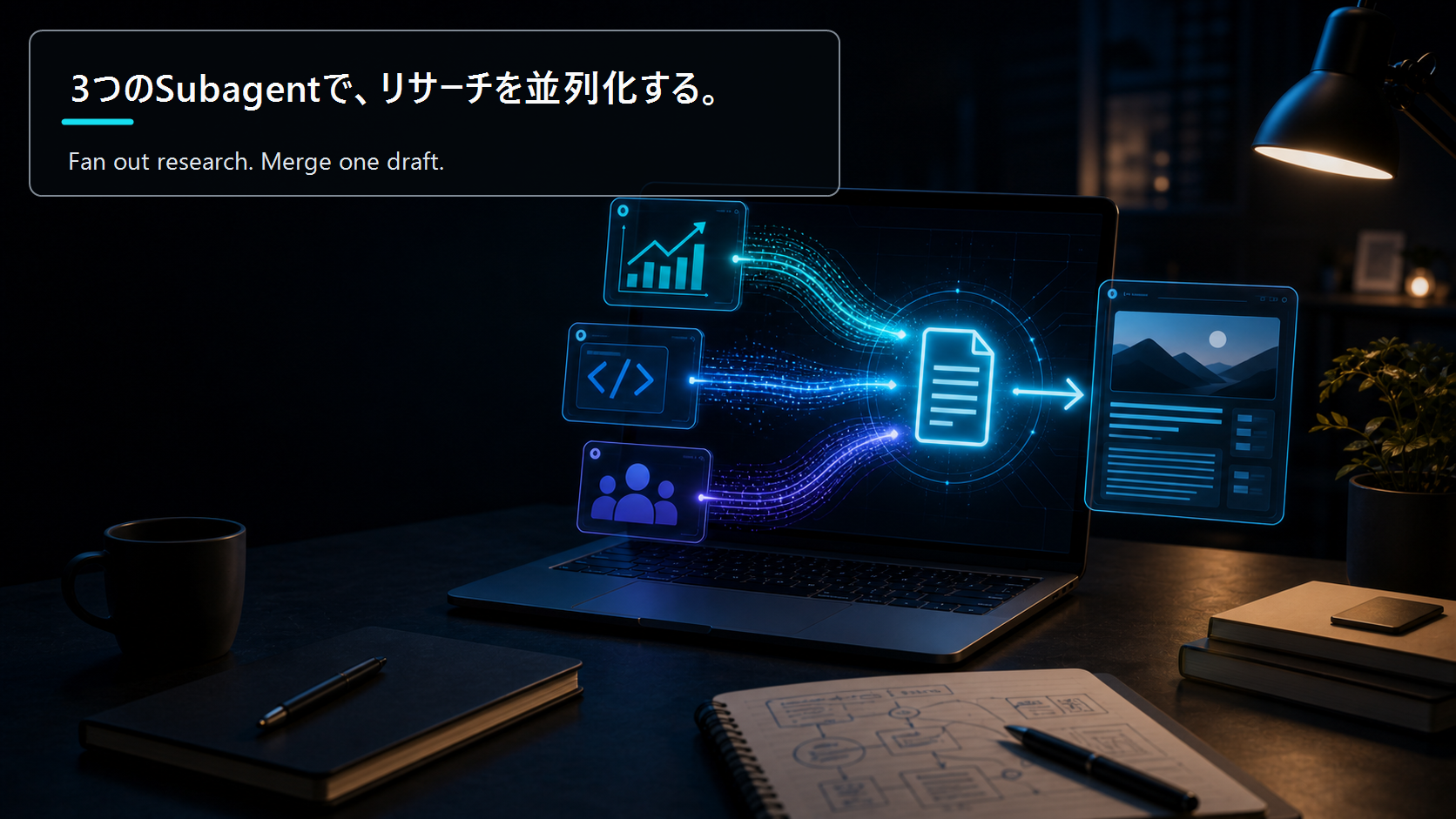
- 案2:Subagentでブログリサーチを並列分業する型 — 投資・技術・読者ニーズの3軸を別々のSubagentに走らせ、最後に1本の記事に統合する。本記事のMCPサーバーをそのまま「投資Subagent」のデータ源として再利用する設計まで踏み込む。
- 案3:MCPサーバーをstdioからHTTPに移すタイミングと設計 — 個人用stdioから、チーム共有のHTTP/SSEサーバーに切り替えるべきラインはどこか。認証・スコープ・監査・スケールの観点で、移行の意思決定を実装目線で整理する。
本文の事実関係と数値前提は、再審査時にも読者が確認できる一次情報・公的資料を優先して見直しています。
本記事は情報提供を目的としたものであり、特定の銘柄、サービス、契約条件の推奨や投資助言ではありません。執筆者は記事内で触れた銘柄やサービスにポジションまたは利害関係を持つ可能性があります。調査、翻訳、校正の一部に生成AIを利用していますが、最終的な内容はZYL0が確認しています。詳細は免責事項をご確認ください。
The Shortest Path to Connecting Internal Knowledge over MCP: Wiring DD Memos, Portfolio Data, and Old Proposals into Claude Code in 30 Minutes
In my last post on Skill design, I argued that Skills should own "local article formatting" while MCP should own "external state." Quietly, the part that has had the biggest impact on my CVC workflow is the MCP side. Once Claude Code can naturally reach into DD memos, portfolio data, and past investment proposals, my DD kickoff time roughly halves.
This post is the shortest-path build log for that connection. Not a "perfect RAG" article — just enough to be genuinely useful in tomorrow's DD work. I use my actual CVC knowledge structure as the example, but the same patterns transfer to internal wikis, sales proposals, or support tickets in other domains.
Version note: This is based on Claude Code (Opus 4.7) and the official Python
mcp
SDK as of May 2026. The MCP spec and CLI behavior can change, so always check the official docs and release notes before shipping to production.
| Topic | What you'll learn |
|---|
| Why MCP | Why MCP beats DIY RAG for this use case |
| Minimum build | A 30-minute stdio MCP server you can copy |
| Tool design | Separating search / fetch_doc / list_recent responsibilities |
| Security | How to not expose sensitive deal data |
| Workflow | How the actual DD conversation changes |
| Verification | A repeatable "did it fire?" recipe |
This is the first question worth answering honestly. "Can't I just glue together LangChain and call it a day?" is still a very common reaction. I asked myself the same thing.
After about six months of using this in CVC work, my conclusion is fairly firm. In domains where information sources are plural, formats are inconsistent, and content updates weekly, DIY RAG is too heavy to maintain. DD memos live in Notion, portfolio data lives in an internal DB, past proposals live in Google Drive, earnings summaries live in SharePoint. That is the normal shape.
The benefits of leaning on MCP instead, from my hands-on view, are roughly three.
| Aspect | DIY RAG | MCP server |
|---|
| Search tuning | You own embeddings, rerankers, and prompts end-to-end | Wrap existing search APIs as tools |
| Client integration | Each app needs its own glue code | Claude Code, Claude Desktop, and other clients use a shared protocol |
| Update freshness | Requires a re-indexing scheduler | Hits the source search API directly, so freshness is automatic |
It seems to me that MCP is best framed not as "a plugin spec to grow Claude's abilities," but as "a shared protocol between LLM clients and data sources." If you already have internal search APIs or tooling, wrapping them thinly is the fastest move.
This is still up for debate where you genuinely need top-tier retrieval quality — there is real room for custom RAG. But for "shrink the first day of DD by an afternoon," MCP plus existing search is, at this point, plenty.
This section is implementation-heavy. Personally, I like to stand up "something that runs" first, and then refine tool design. The reverse rarely works for me.
Here is the smallest example using the official Python SDK (
mcp
package), connected to Claude Code over stdio. One file.
# server.py
from mcp.server.fastmcp import FastMCP
from typing import Any
import os, httpx

mcp = FastMCP("cvc-knowledge")

KB_BASE = os.environ["KB_BASE_URL"]      # internal search API base URL
KB_TOKEN = os.environ["KB_API_TOKEN"]    # short-lived service token

async def _get(path: str, params: dict[str, Any]) -> dict:
    headers = {"Authorization": f"Bearer {KB_TOKEN}"}
    async with httpx.AsyncClient(timeout=15.0) as c:
        r = await c.get(f"{KB_BASE}{path}", params=params, headers=headers)
        r.raise_for_status()
        return r.json()

@mcp.tool()
async def search_dd_memos(query: str, limit: int = 5) -> list[dict]:
    """Search past due diligence memos by free text."""
    data = await _get("/search/memos", {"q": query, "limit": limit})
    return [{"id": h["id"], "title": h["title"], "snippet": h["snippet"]} for h in data["hits"]]

@mcp.tool()
async def fetch_doc(doc_id: str) -> str:
    """Fetch the full body of a memo or proposal by ID."""
    data = await _get(f"/docs/{doc_id}", {})
    return data["body_markdown"]

@mcp.tool()
async def list_recent(kind: str = "memo", days: int = 14) -> list[dict]:
    """List recently updated docs. kind in {memo, portfolio, proposal}."""
    data = await _get("/recent", {"kind": kind, "days": days})
    return data["items"]

if __name__ == "__main__":
    mcp.run(transport="stdio")
For Claude Code, I prefer dropping
.mcp.json
at the project root. It scales better than a global config.
{
  "mcpServers": {
    "cvc-knowledge": {
      "command": "uv",
      "args": ["run", "python", "server.py"],
      "env": {
        "KB_BASE_URL": "https://kb.internal.example.com",
        "KB_API_TOKEN": "${env:KB_API_TOKEN}"
      }
    }
  }
}
I use
uv
because dependency resolution and virtualenv setup collapse into a single command. Plain venv works too, but for sharing inside a team,
uv run
has noticeably fewer accidents in my experience.
Restart Claude Code at this point and the tools start showing up. Most first-time failures are PATH or token problems — the verification recipe near the end usually catches them faster than staring at code.
More important than the implementation. When you first build this, it is very tempting to expose a single mega-tool, something like
get_everything(query)
. I started there too. Honestly, it does not work well.
The reason is that LLMs route to tools by reading the tool name and description. A do-everything tool looks like "fits any query," but in practice it becomes "unclear when to call." The model hedges.
What I have settled on is a three-way split.
| Tool | Role | Returns |
|---|
search_* | Free-text retrieval | Top-N IDs, titles, snippets |
fetch_doc | Body by ID | Markdown body |
list_recent | Time-based browsing | Items updated in the last N days |
The benefit of this split is that it matches Claude's natural flow: search first, then fetch only the one or two that look relevant. A tool that returns full bodies upfront inflates context fast and drags unrelated material into the conversation.
The descriptions matter as well. Adding one line like "Search DD memos only — does not include portfolio financial data" to
search_dd_memos
greatly reduces collisions with a later tool such as
search_portfolio_financials
.
Tool descriptions, like Skill descriptions, should answer "when to call," which is my consistent rule.
It is worth pausing here. For internal knowledge, "split into three" actually ships faster than "wire everything together," which is mildly counter-intuitive in my experience.
This is the part I most want to be careful with as a technical post. CVC DD memos contain NDA-bound information about counterparties, valuation negotiation history, and internal opinion notes. The moment you connect this to MCP, the instinct of "I just gave an LLM everything" should feel uncomfortable.
The guard model I actually run has four layers.
| Layer | What it does |
|---|
| Data | Documents flagged confidential are excluded at the search API response |
| Tool | fetch_doc inspects classification and returns only summaries for restricted docs |
| Protocol | The MCP server's startup token has minimum-privilege scopes |
| Audit | All requests are logged server-side and tagged with the originating Claude Code session |
The point I care about most is dropping data before it ever reaches a form the LLM can see. Telling the model "don't reveal secrets" in the system prompt is best-effort at best. If the MCP server physically refuses to return certain content, no amount of prompt injection breaks that.
A minimal example — add a classification check inside
fetch_doc
.
@mcp.tool()
async def fetch_doc(doc_id: str) -> str:
    data = await _get(f"/docs/{doc_id}", {})
    if data.get("classification") in {"restricted", "nda-locked"}:
        return f"[REDACTED] Summary only: {data['summary']}"
    return data["body_markdown"]
A small addition, but in my opinion the least-negotiable line. When I talk to internal security teams, "the surface visible to the LLM has been physically narrowed" lands better than any policy language.
While we are at it: confidential data is not the only category to keep out. People-related notes — internal assessments, expected departures, HR information — almost always have zero upside to expose via MCP, even if they live on a "public wiki." "Can be exposed" and "should be exposed" are two different things, and drawing that line up front saves a lot of cleanup later.
This part is not about code, but for some people it is the more important shift. Before and after wiring MCP, the entry point of my DD kickoff conversations is different.
| Before | After |
|---|
| "I feel like we've looked at this space before…" | "Run list_recent over the last 12 months of memos." |
| "Who put that proposal in Drive again?" | "Search DD memos for 'stationary storage'." |
| "When was each portfolio company's last round?" | "List recent with kind=portfolio." |
It looks unflashy, but it lands. I have previously written that, when I joined the investment team, there was no shared DD quality baseline, and I helped standardize it. What I most wanted at that moment was exactly this: a 30-second answer to "what have we already seen on this theme?" With it, a new team member ramps into DD roughly one to two weeks faster.
One caveat — MCP makes "finding" faster, not "judging." Spotting an overvalued round or pressure-testing market assumptions is still human work. Confuse this and you slip into "Claude handled it, so we're fine," which is exactly when accidents happen. I caught myself drifting in that direction during the first few weeks and had to correct course.
The implementation itself takes 30 minutes. Getting it to actually run took me another hour. Three big ones worth flagging.
- stdio debugging is opaque: Claude Code only shows you tool call results. Server-side
print
must go to stderr (sys.stderr
) or it corrupts stdout and breaks the protocol. Use print("...", file=sys.stderr)
or logging
. - Environment variables depend on Claude Code's launching shell: GUI launches frequently do not read
.zshrc
. The safest move is to declare env vars explicitly in .mcp.json
. - Tool description language matters: In my testing, English descriptions get selected more reliably, even for Japanese queries. I had a stretch where the tool stubbornly refused to fire, and the cause was Japanese-only descriptions.
These are the "not in the official docs, but obvious once you hit them" kind. Writing them down for your future self is worth doing.
Last piece. "I connected MCP but Claude keeps insisting it doesn't know" is extremely common at the start. Triage in order.
# 1) Does the server start standalone?
KB_BASE_URL=... KB_API_TOKEN=... uv run python server.py
# -> success if it blocks waiting for stdin (and stderr is clean)

# 2) Can Claude Code see it?
# Inside Claude Code, run `/mcp`
# -> cvc-knowledge should show as "connected"

# 3) Will the model pick a tool when told to?
# Directly tell Claude Code: "Call list_recent for memos."
# -> a tool-call trace should appear

# 4) Does it fire on a natural request?
# Ask: "Summarize the topics in DD memos from the past two weeks."
# -> list_recent should fire, then fetch_doc on a couple of items
If step 4 passes, you are good for real use. If step 3 is where you stall, it is almost always a description problem, or a too-abstract tool name. Names like
do_things
genuinely do not get called.
A small observation, but naming tools as verb_noun with the domain baked into the name noticeably improves routing.
search_dd_memos
over
search
,
fetch_doc
over
get
. The same principle as Skill design: pour "when to call" into both the name and the description.
A slightly wider take to close. What I have noticed since wiring MCP is that it is less about expanding an LLM's capabilities and more about reshaping the terrain of organizational knowledge.
When DD memos, portfolio data, and old proposals can be pulled in 30 seconds, the gap between newer and more senior team members — the gap of "does this person remember the past context" — gets noticeably thinner. I once wrote about ramping team members from zero to leading DDs solo in three months; the heaviest lift in that period was always "sharing prior internal context." MCP hits that bottleneck directly.
The flip side: if your knowledge is scattered and you don't even have search APIs to wrap, the prerequisite work is pre-MCP. MCP is not magic. It is a tool that doubles the leverage of already-organized data. That, at this point, is how I read it.
You do not need a perfect build. One tool, one domain, 30 minutes. Use it in tomorrow's DD once. Add the next tool when the next gap shows itself. That iteration moves the actual workplace faster than designing a perfect RAG on a whiteboard.
Next Issue Ideas
- Idea 1: A Zero-Accident Dev Environment with Hooks — Practical PreToolUse / Stop Templates — As MCP connections multiply, so do "tools you do not want fired." I'll work through PreToolUse hooks that guard sensitive tools and Stop hooks that always emit audit logs, with copy-pasteable templates.
- Idea 2: Parallel Blog Research with Subagents — Run separate subagents over the investment, technical, and reader-need axes, then merge into one article. I'll show how to reuse this post's MCP server directly as the data source for the "investment subagent."
- Idea 3: When to Move an MCP Server from stdio to HTTP — Where is the line between a personal stdio server and a team-shared HTTP/SSE server? I'll lay out the migration decision through the lenses of auth, scopes, audit, and scale, from an implementer's view.
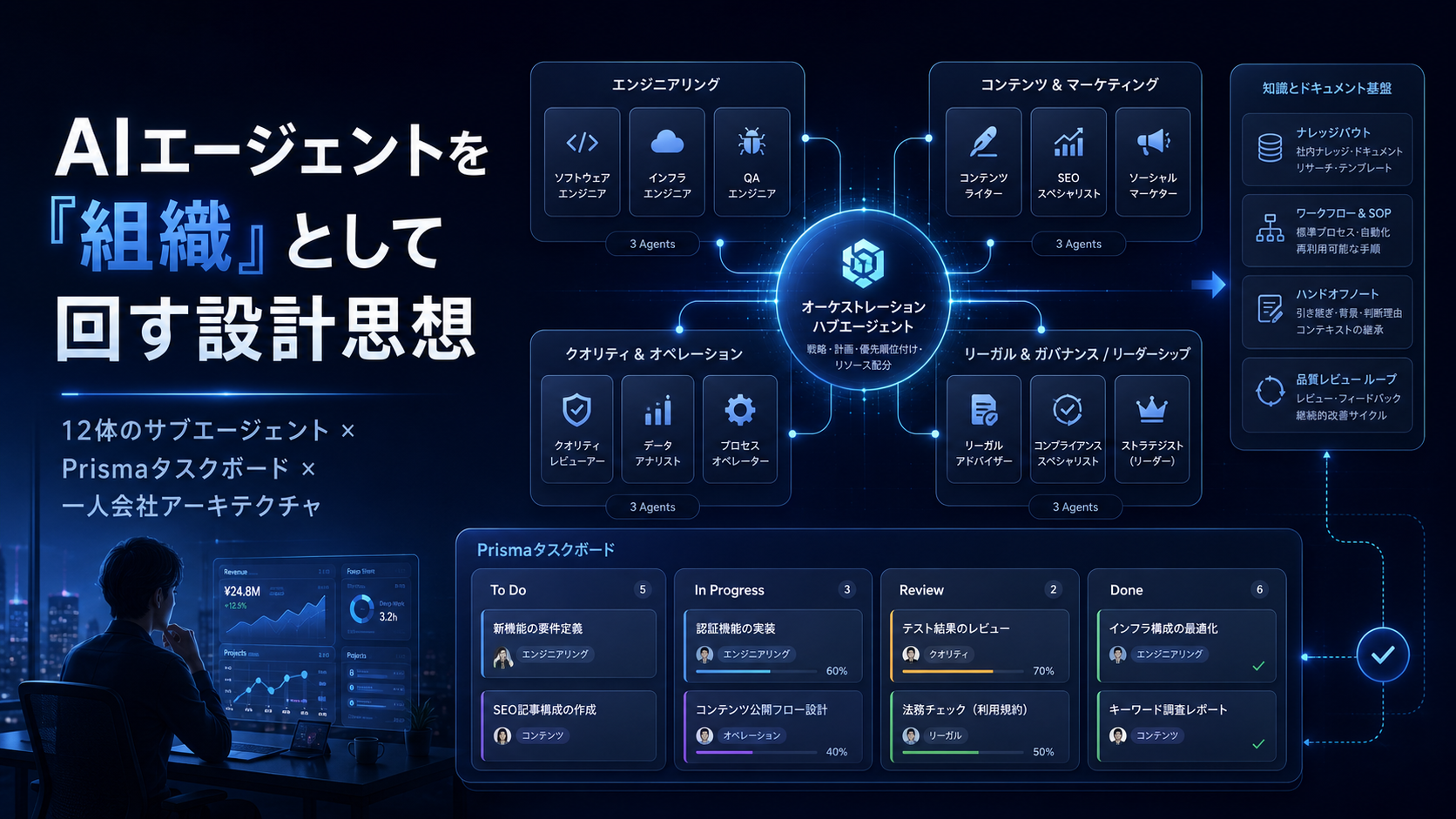
- How to Build a Mid-Size Company AI Operations Package Before Selling It for $3K a Month — For solo creators moving into corporate work in the AI era, sell "running operations" — not "tool deliveries." Designi…
- The AI Operations Proposal Template, Fully Filled In — 7 Pages, Price Table, and Scope-Creep Language You Can Paste — A fully filled-in seven-page AI operations proposal template covering tiered pricing, revision caps, and scope-creep c…
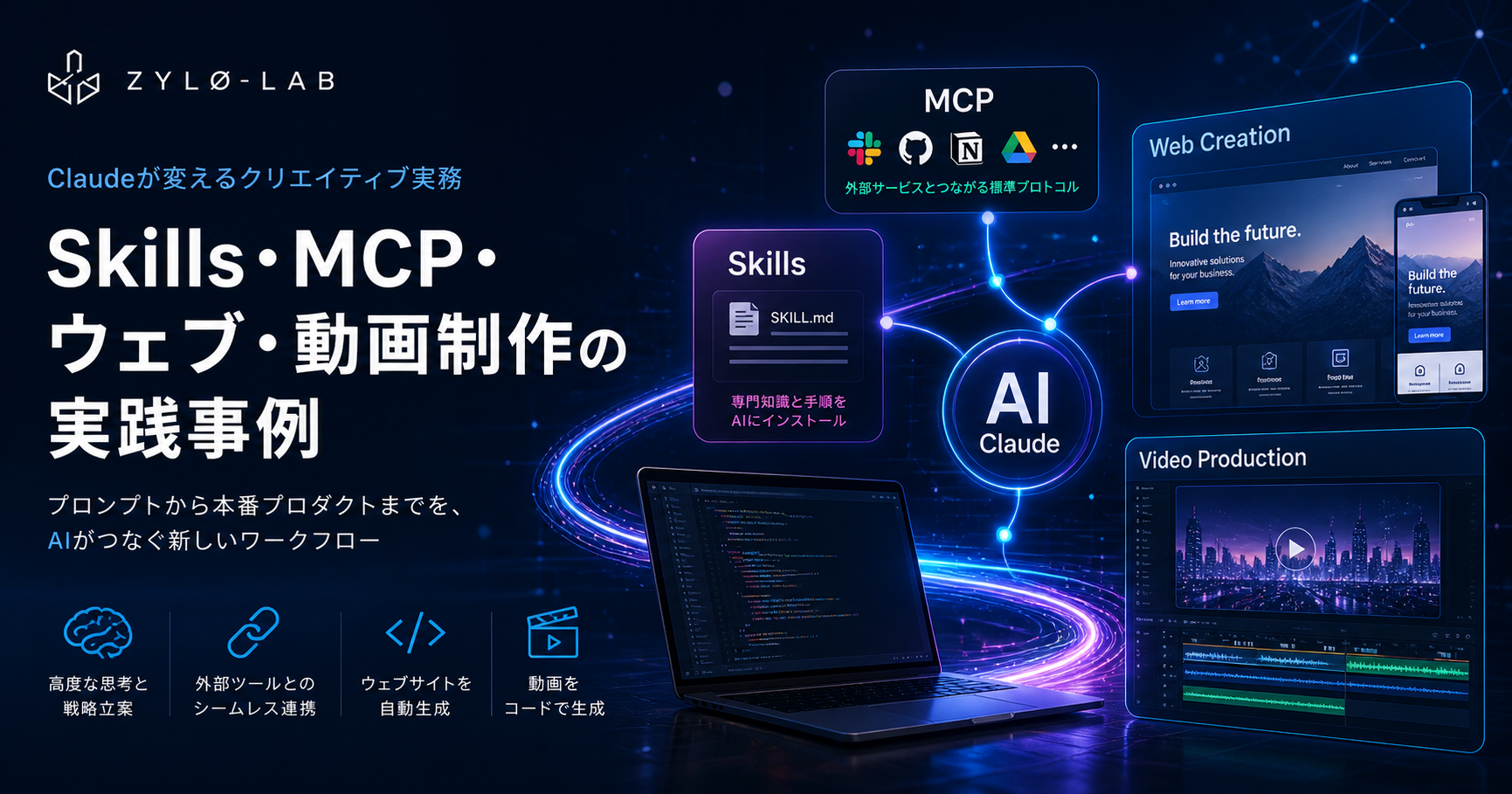
- Claude Skills, MCP, Website Generation, and Programmatic Video in Production: A Practical Engineer's Guide 2026 — Claude Code skills, MCP server building, website generation, and Remotion programmatic video — a practical engineer's …
The factual and numerical assumptions in this article are anchored to primary or public materials that readers can revisit during AdSense review and future updates.
This article is for informational purposes only and does not constitute investment advice or a recommendation of any specific stock, service, or contract structure. The author may hold positions or interests related to companies or services mentioned. Generative AI was used for parts of research, translation, and proofreading, with final review by ZYL0. See the disclaimer for details.